Update
Meet Precise: upscale images and keep faces, text and logos intact
Our new AI upscaler makes images larger and sharper without redrawing them. People, text and logos stay as they were, and a 4K result takes about 15 seconds.
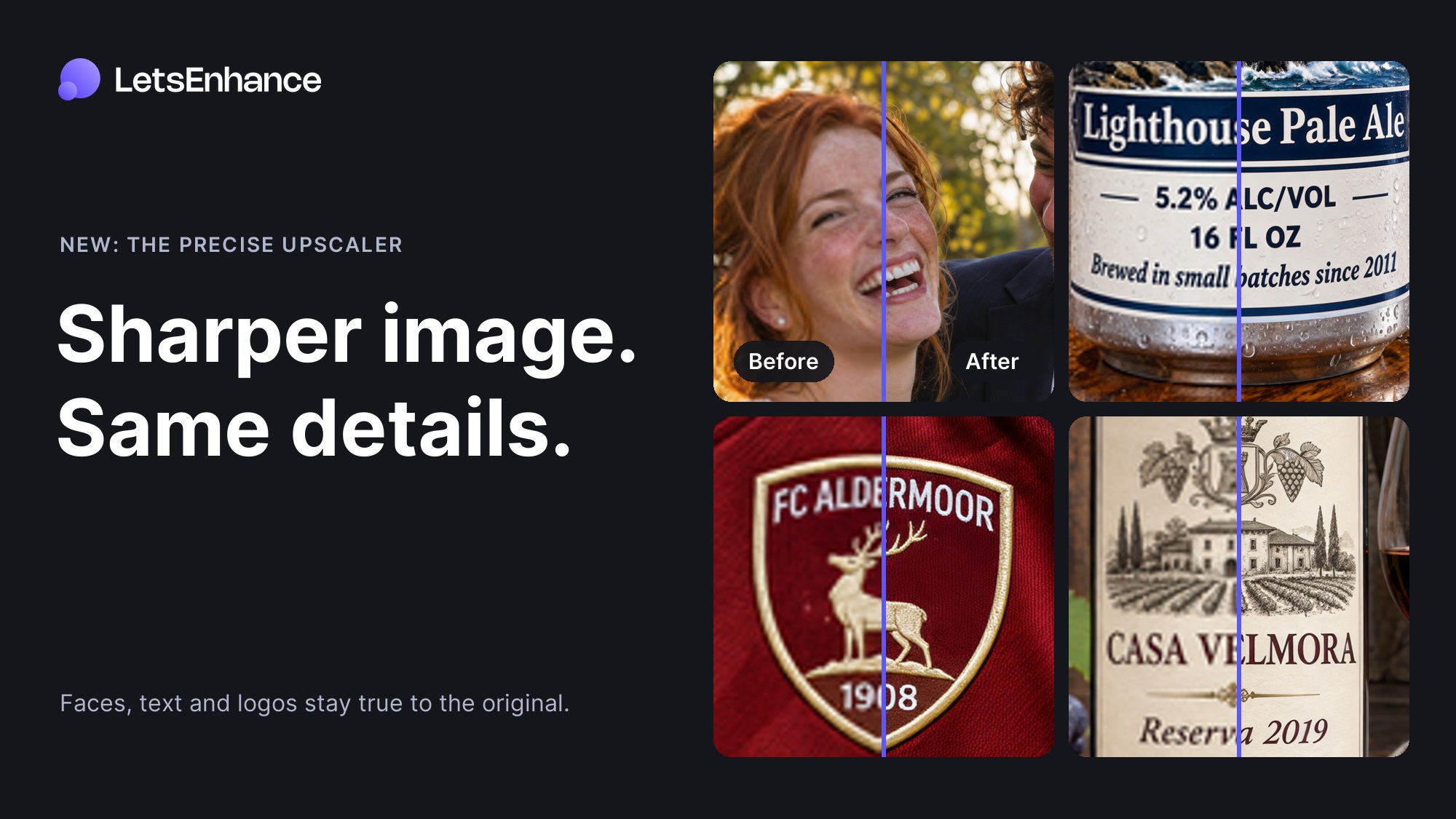
Precise is our new AI upscaler for images where the details have to stay right. It makes a small or soft image larger and sharper without redrawing it: people still look like themselves, text reads the way it was written, and logos keep their shape and color.
That matters whenever a picture stands for something real: a product in your store, a client's portrait, artwork going to print, a brand's graphics. Until now you had to choose. A classic resize keeps what's there and leaves it soft. Many AI upscalers get their sharpness by inventing detail, so the result looks crisp and no longer matches the original. Precise gives you both, and a 4K result takes about 15 seconds.
 View larger image
New accounts get 10 free credits, and an upscale like this one costs 1. Free results are watermarked and limited to 8 megapixels.
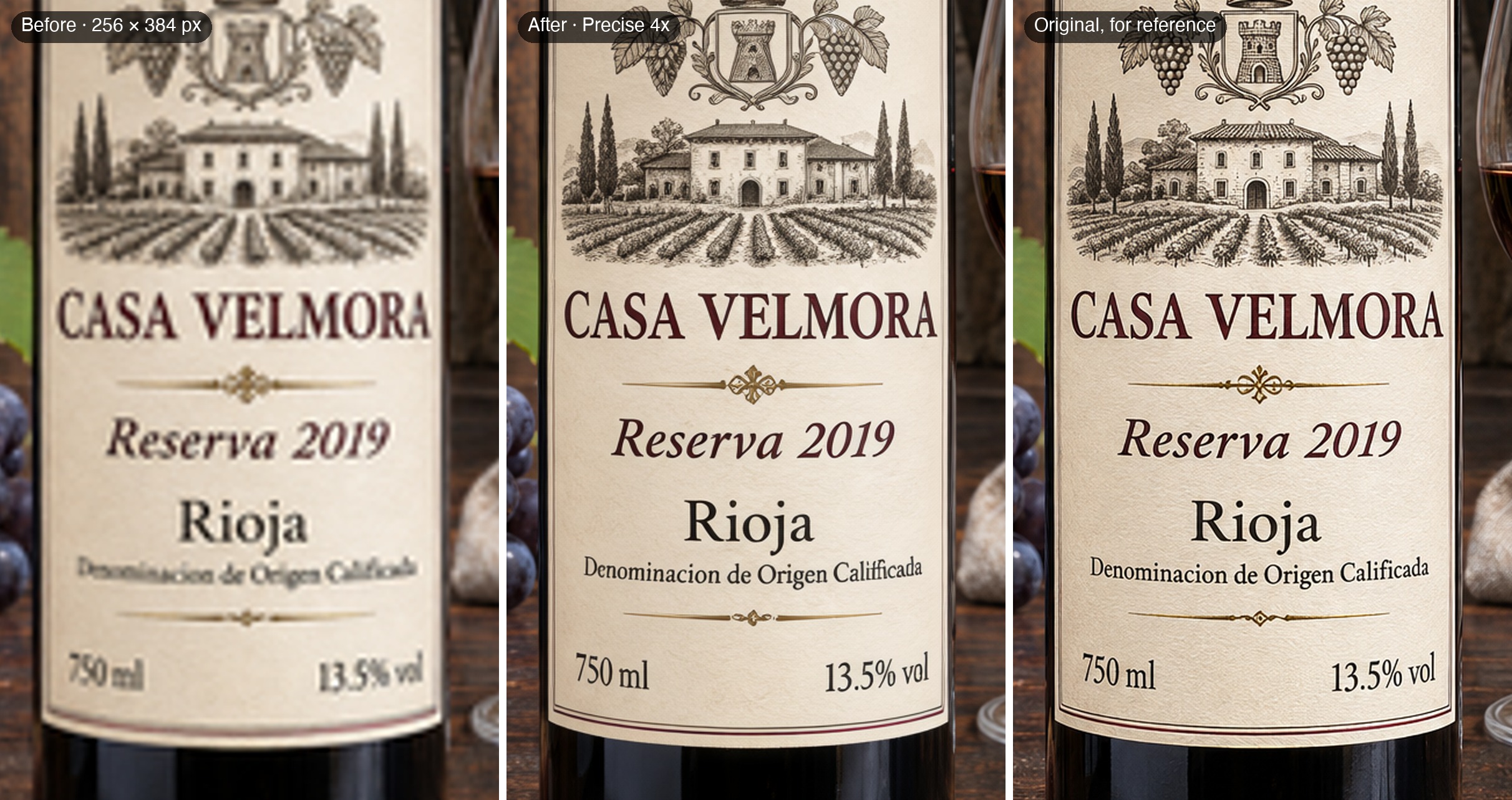
About the examples: for the comparisons we shrank a sharp original, upscaled it back with Precise and checked the result against the original (the third panel, where shown). The poster in the print section was upscaled directly. The photos, brands and logos were made up for this article.
Text and logos come back the way they went in
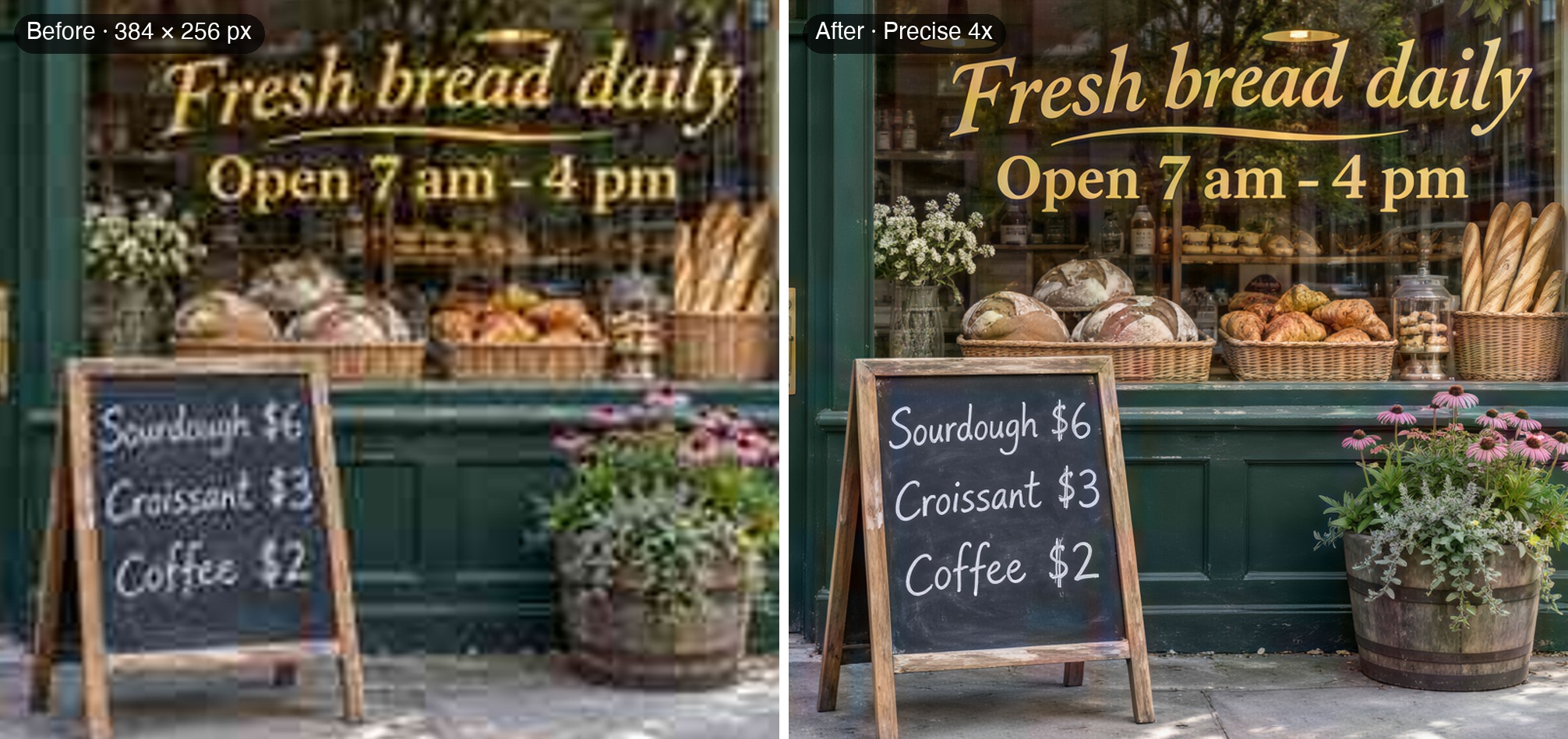
A sharp image with a wrong letter in it is a wrong image, so this is where we tested hardest. We took 16 photos of labels, signs, packaging and logos, shrank each to a quarter of its size, upscaled them 4x and had a text-recognition reader check the words against the originals, 390 in all.
Precise returned 97% of the words letter for letter and kept 86% of the edge sharpness the text had in the originals. A classic bicubic resize of the same files kept 31% of the sharpness, and the reader could make out 84% of the words.
 View larger image
 View larger image
How small can the text be?
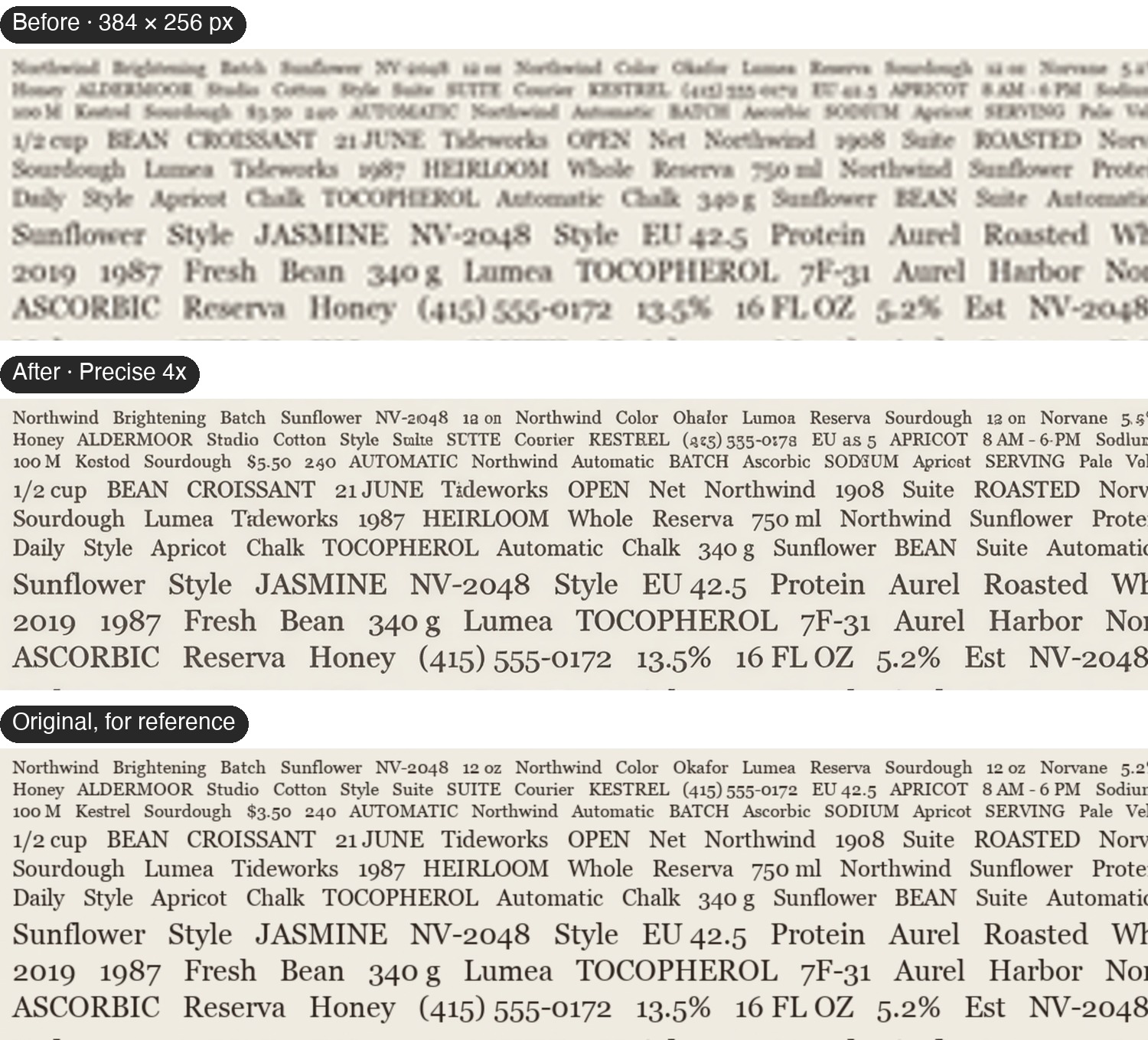
Small print is where upscalers usually give up, so we tested it separately with type charts: rows of words and numbers at shrinking sizes.
The rule of thumb that came out of it: if capital letters are at least 4 pixels tall in your source image, Precise brings them back right. On the charts it kept 99% of those words, and that held even for the smallest of them, 4 to 6 px tall.
 View larger image
Below 4 px there isn't much left of each letter for any method. Precise still got 65% of those words right on the charts, about twice as many as stay readable after a classic resize, and 95% of the smallest words in the test photos. For print that small, or fine print that wraps around a can at an angle, start from the largest file you have and read it at 100% before you publish.
Real files are rarely clean, so we also saved the test photos as low-quality JPEGs first. With letters 4 px and up, Precise still returned 97% of the words. Counting the smallest print too, it returned twice as many as the classic resize: 78% against 39%.
 View larger image
Portraits that still look like the person
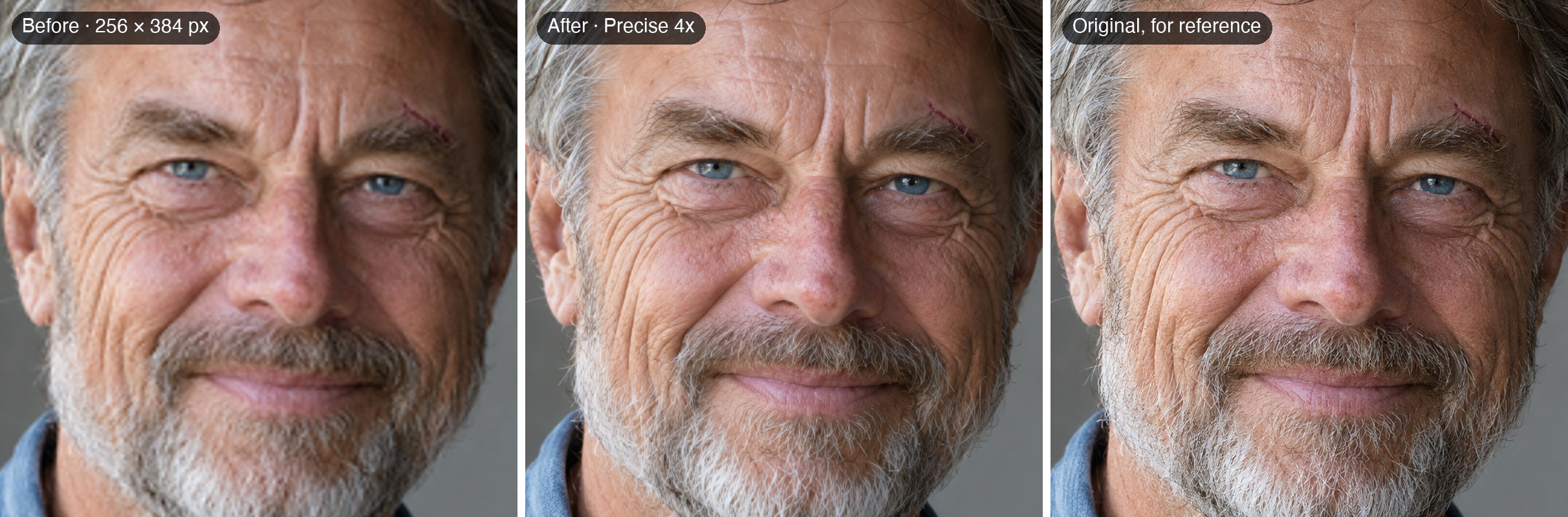
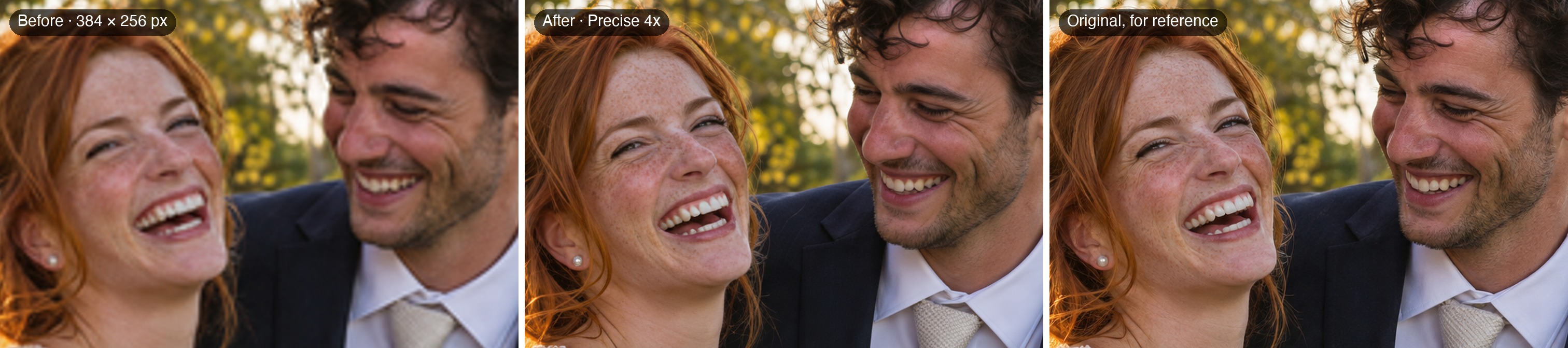
The usual complaint about AI enhancement is the face: sharper, and somehow someone else. Precise adds definition to skin, hair and eyes without restyling them. There's no prompt to write and nothing to tell it to leave alone.
 View larger image
 View larger image
Very small faces, like the back row of a group shot at around 20 px wide, don't give any upscaler much to work with. Start from the largest file you have, and compare Precise with Prime on those.
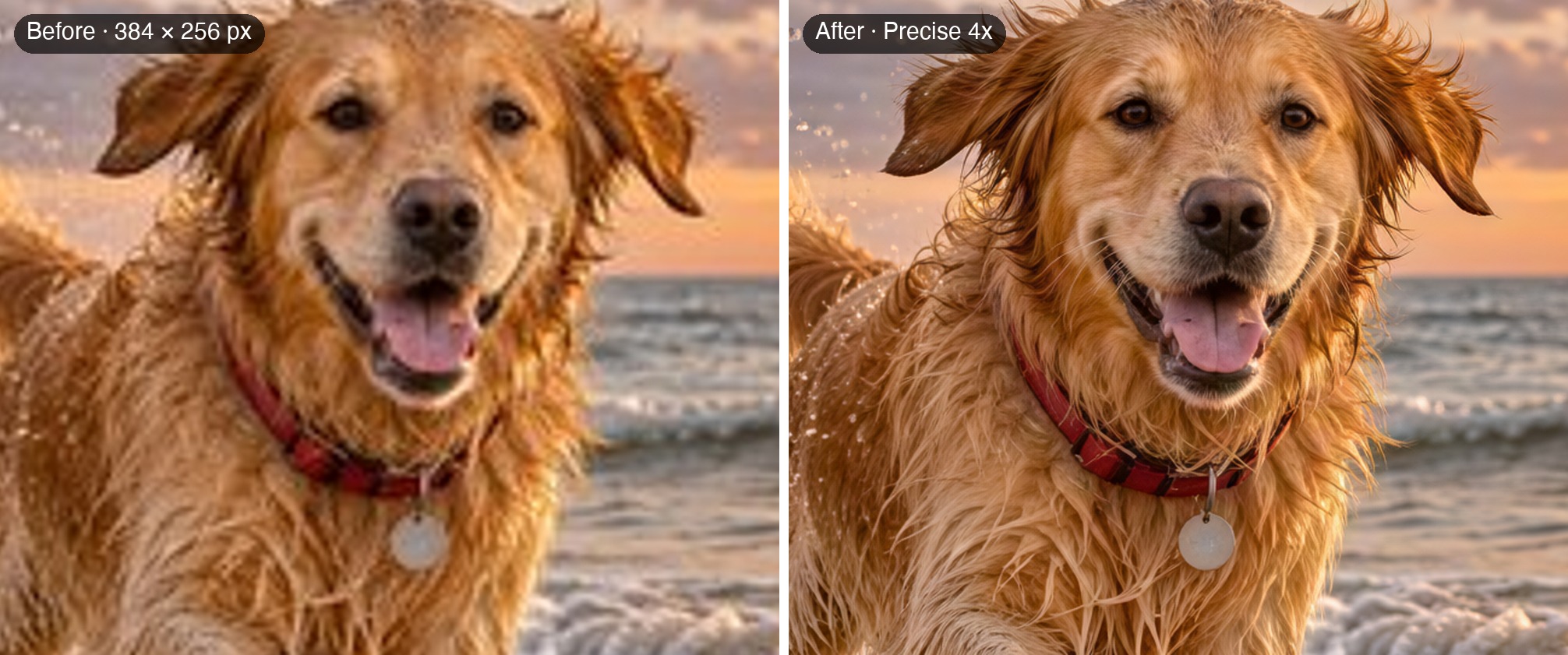
Everyday photos get the same treatment.
 View larger image
Artwork for print
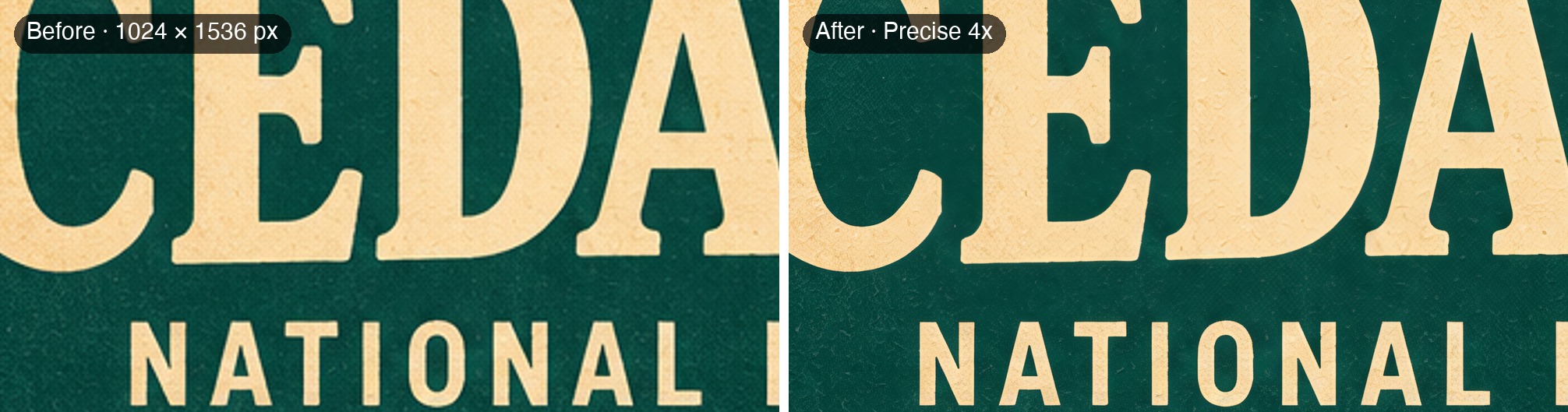
For print, the question is whether the file has enough pixels for the size you want. This poster design started at 1024 × 1536 px, a common size for AI-generated art. At 4x it becomes 4096 × 6144 px, enough for a print of about 13 × 20 inches at 300 ppi. For larger formats you can go up to 16x and 512 MP, depending on your plan.
 View larger image
A 4K image in about 15 seconds
Precise is quick enough to use on every image, not only the important ones. We upscaled five photos to 4K (3840 × 2160 px), once from 1080p and once from 960 × 540 px. Processing took 10 to 18 seconds, with a median of 12. Smaller results, like most of the examples in this article, were ready in under 10 seconds.
Those times cover processing only, measured through our API, so upload and download come on top.
Precise, Prime or Gentle: which one to pick
Precise is the starting point for most images. Prime and Gentle stay right next to it for when you want a different result.
Scroll horizontally to see all columns.
| Upscaler | Use it when |
|---|---|
| Precise (default) | You want a clearer, larger image that stays true to the original. Photos, product shots, artwork for print, anything with people, text or a logo. |
| Prime | You want a stronger finish: more pronounced sharpness and richer texture, especially on portraits. |
| Gentle | The image is already clear and you only need it bigger. Gentle is our most conservative, non-generative upscaler. |
If you're not sure, run the same image through Precise and Prime and compare the parts you care about at 100%.
How to try it
- Open LetsEnhance and upload an image.
- Under "Upscale & Enhance", pick Precise. It's already selected unless you've chosen another upscaler before.
- Choose your output size and click "Enhance".
Precise costs the same as Prime: 1 credit for outputs up to 8 megapixels, and more for larger sizes. The credit table in the FAQ has every step.
For a quick test, upload something with a face or small text and look at the result at 100%.
Upscaling at scale
Processing images in bulk, such as print orders, catalog photos or customer uploads? Precise is available through our API in early access, powered by Claid.ai. Talk to our team.
FAQ
Can I upscale a photo without changing the face?
Yes, that's what Precise is built for. It sharpens skin, hair and eyes and keeps the features, marks and expression of the original, with no prompt. The portrait examples above show the result next to the original. For very small faces in a group photo, compare Precise and Prime.
Can I upscale an image with text or a logo?
Yes. In our test on 16 photos of labels, signs and packaging, Precise returned 97% of the words letter for letter at 4x, and logos kept their shapes and colors. Text comes back reliably when capital letters are at least 4 px tall in the source.
Is Precise a non-AI upscaler?
No, Precise uses AI. If what you want from "no AI" is an image that doesn't get reinvented, Precise does that and still sharpens. A classic resize such as bicubic adds no detail at all, which is why it looks soft: in our tests it kept about a third of the original text's edge sharpness at 4x, against 86% with Precise.
For the most conservative result, choose Gentle. It's a non-generative upscaler: it enlarges and cleans up the image you give it and doesn't generate new detail, which makes it a good fit when the original is already clear.
How fast is Precise?
A 4K result (3840 × 2160 px) took 10 to 18 seconds of processing in our runs, and smaller results under 10 seconds. If you've been using Prime: in 33 paired runs, Precise typically finished about 3x sooner. Upload and download times come on top.
How much does Precise cost?
The same as Prime. The price depends on the output size in megapixels (MP):
Scroll horizontally to see all columns.
| Output size | Credits |
|---|---|
| Up to 8 MP | 1 |
| Up to 16 MP | 2 |
| Up to 32 MP | 3 |
| Up to 64 MP | 4 |
| Up to 96 MP | 5 |
| Up to 128 MP | 6 |
| Up to 192 MP | 7 |
| Up to 256 MP | 8 |
| Up to 384 MP | 9 |
| Up to 512 MP | 10 |
A 4K image (3840 × 2160 px, 8.3 MP) costs 2 credits. You can test Precise with the 10 free credits every new account gets.
How large can I go?
Up to 512 MP, depending on your plan: 256 MP on Starter, 350 MP on Pro and 512 MP on Max. On paid plans you can pick a scale factor up to 16x or set an exact width and height. Free accounts can use 1x, 2x and 4x, up to 8 MP.
How did you test Precise?
We used 28 images: 16 photos of labels, signs, packaging and logos, 4 type charts and 8 packaging mock-ups. Each was shrunk to a half or a quarter of its size, and some were also saved as low-quality JPEGs. We enlarged them back with Precise and, for comparison, with a classic bicubic resize, then a text-recognition reader with spell-correction turned off checked about 4,000 words against the originals. For faces we added 8 portraits and group photos and compared the crops side by side with the originals, as we did for the logos. Timings come from runs through our API.
Does Precise work on illustrations and AI art?
It does, as the poster above shows. For anime and paintings, try DigiArt as well (under "More models") and compare the two results.
What's happening to Strong, Ultra, Magic and Legacy?
We're simplifying the lineup, and these older upscalers will be retired. If you use one of them, it stays available for now, with a notice in the app. Try the same images with Precise and Prime, and tell us through the support chat if neither gives you the result you need.
Related articles
Improve photos · Update
Introducing Prime: the upscaler that makes images sharper without making them fake
New Prime upscaler boosts resolution while preserving skin texture, fine details, and natural look. No plastic skin. No identity drift. Try it now.
Improve photos · Tutorial
How to upscale an image without losing quality in 2026
Learn how to enlarge images online with LetsEnhance.io. Improve resolution, enhance details, and preserve quality - for photos, AI art, and prints.
Print and resolution · Tutorial
Upscaling pictures to poster size printing with AI | 2026 tutorial
Use LetsEnhance to upscale small digital posters for large prints in using LetsEnhance's AI-powered upscaler. It all takes a few seconds.