
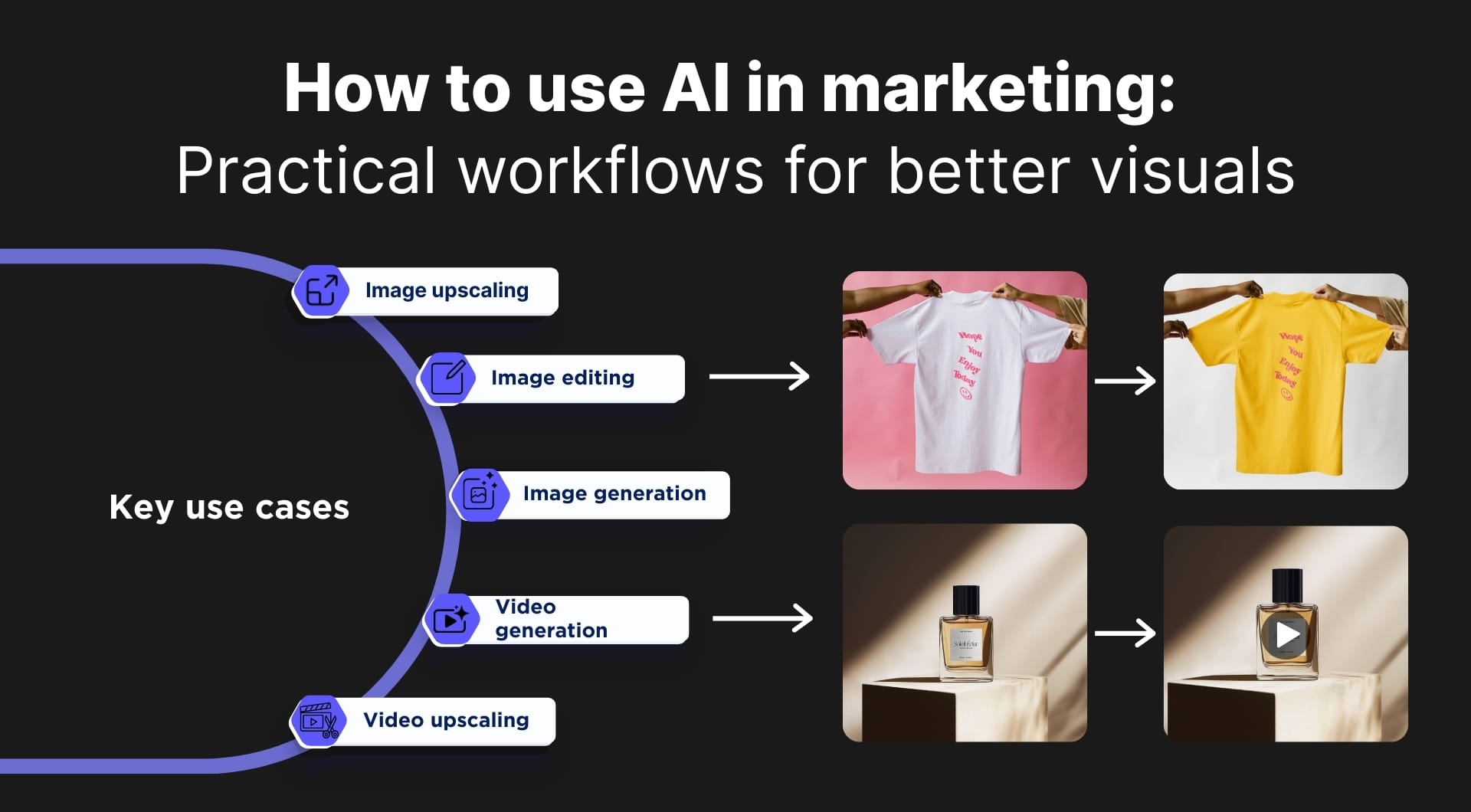
Integrating AI tools in marketing workflows is becoming a must. This article shows how to use AI to get more usable visual assets. Read on and you'll learn how to stay ahead of the curve and save time using tools like LetsEnhance in 2026.
Overview of LetsEnhance
LetsEnhance.io is a web-based AI image toolkit that helps to turn imperfect visuals into campaign-ready assets. It started as a consumer-facing web app in 2017 and has been in the image enhancement space for over eight years. Today, marketers can use it mainly for three jobs: improving image quality, creating variations, and preparing files for specific outputs (web and print).
Here's an easy way to think about it:
- You upload an image, choose a task, and export a result. Common tasks include upscaling (adding pixels while preserving detail), cleanup (reducing artifacts and noise), background work, and targeted edits through a prompt-based editor.
- It runs on a credit model. In simple terms, one processed image consumes one credit. This makes it easy to estimate cost per deliverable and standardize how your team uses the tool.
- There is a low-friction starting point. New accounts can test the platform with free image processing, so you can validate results on your real assets before you commit to a plan.
- It covers both “fix what you have” and “create what you don't have.” Beyond enhancement and upscaling, LetsEnhance also includes AI image generation and short image-to-video for marketers who need net-new creatives or motion variants.
Now, let's delve in and see in what cases you can actually use it.
Image upscaling when visuals are not good enough
If you ever had a creative that converts, but had low resolution, we feel you. AI tools like LetsEnhance upscale images to add pixels and detail instead of stretching the original. If you need a sharper hero image for a landing page or need to repurpose a single winning asset into multiple placements, you can give it a try. Note that free users can enlarge images up to 64 megapixels, and paid plans go higher, up to roughly 500 MP depending on the plan.
For which fields it can be used? Basically, anywhere that marketing depends on visuals. Restaurants and cafes can use it to clean up and enlarge menu photos and signage assets. Real estate teams can use it to make listing images hold up on portals and blog listicles. Ecommerce teams can use it to rescue supplier photos and UGC for PDPs, marketplaces, and ads.
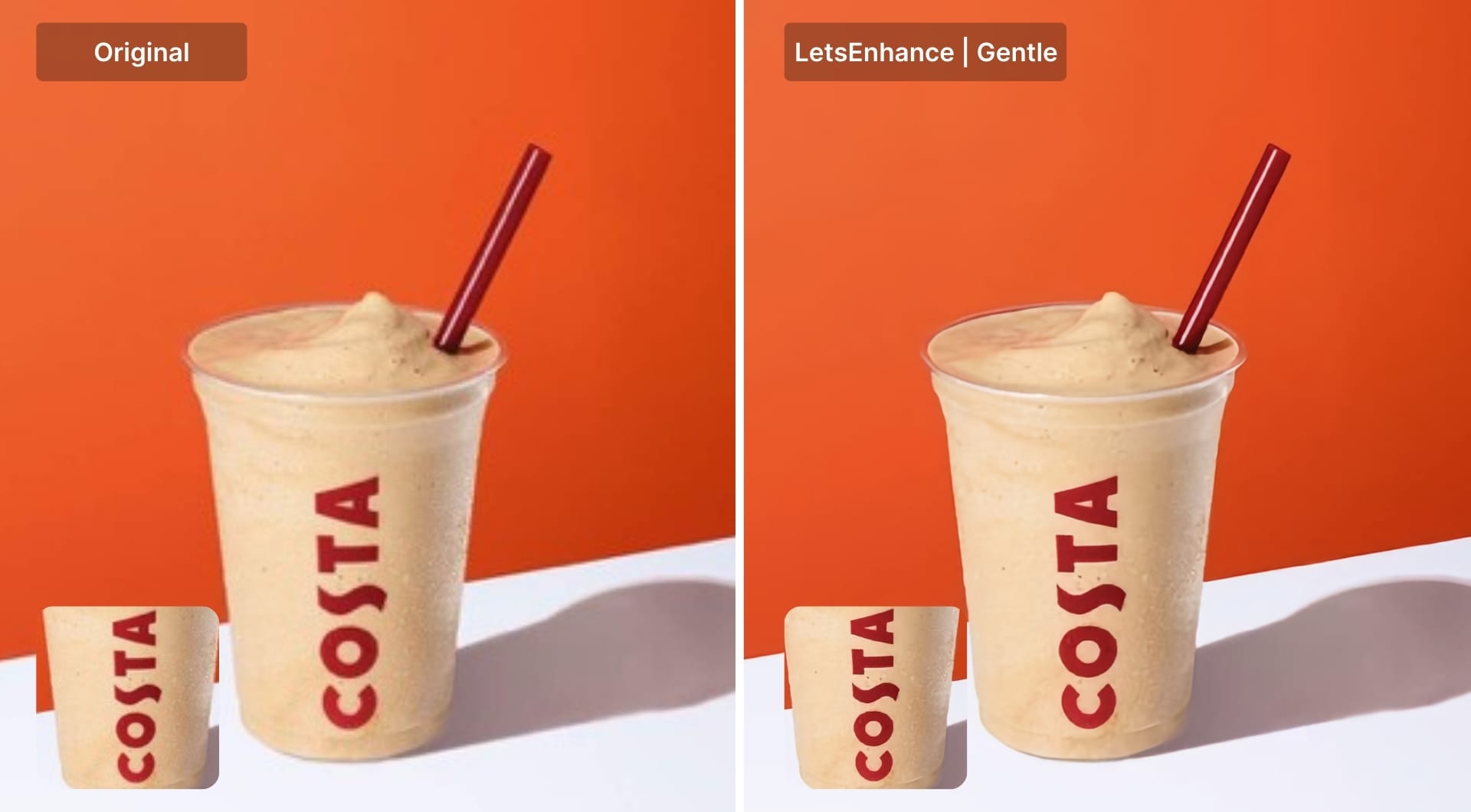
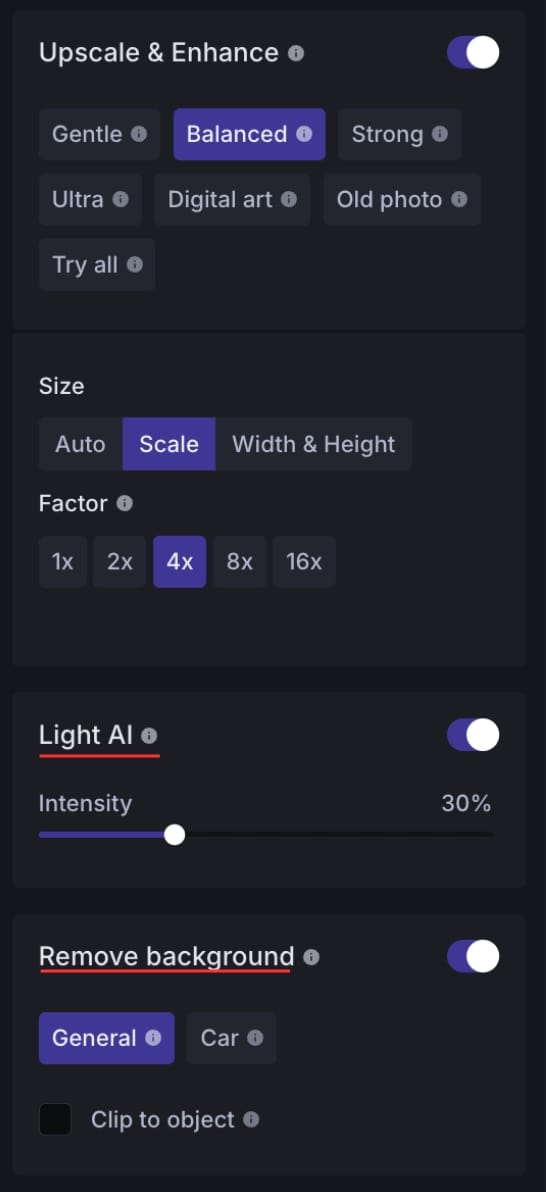
LetsEnhance includes six upscaling models, designed for different source material: Gentle, Balanced, Strong, Ultra, Digital art and Old photo. When you have product photos and images with small text, use Gentle model that gives subtle enhancement while preserving the original.
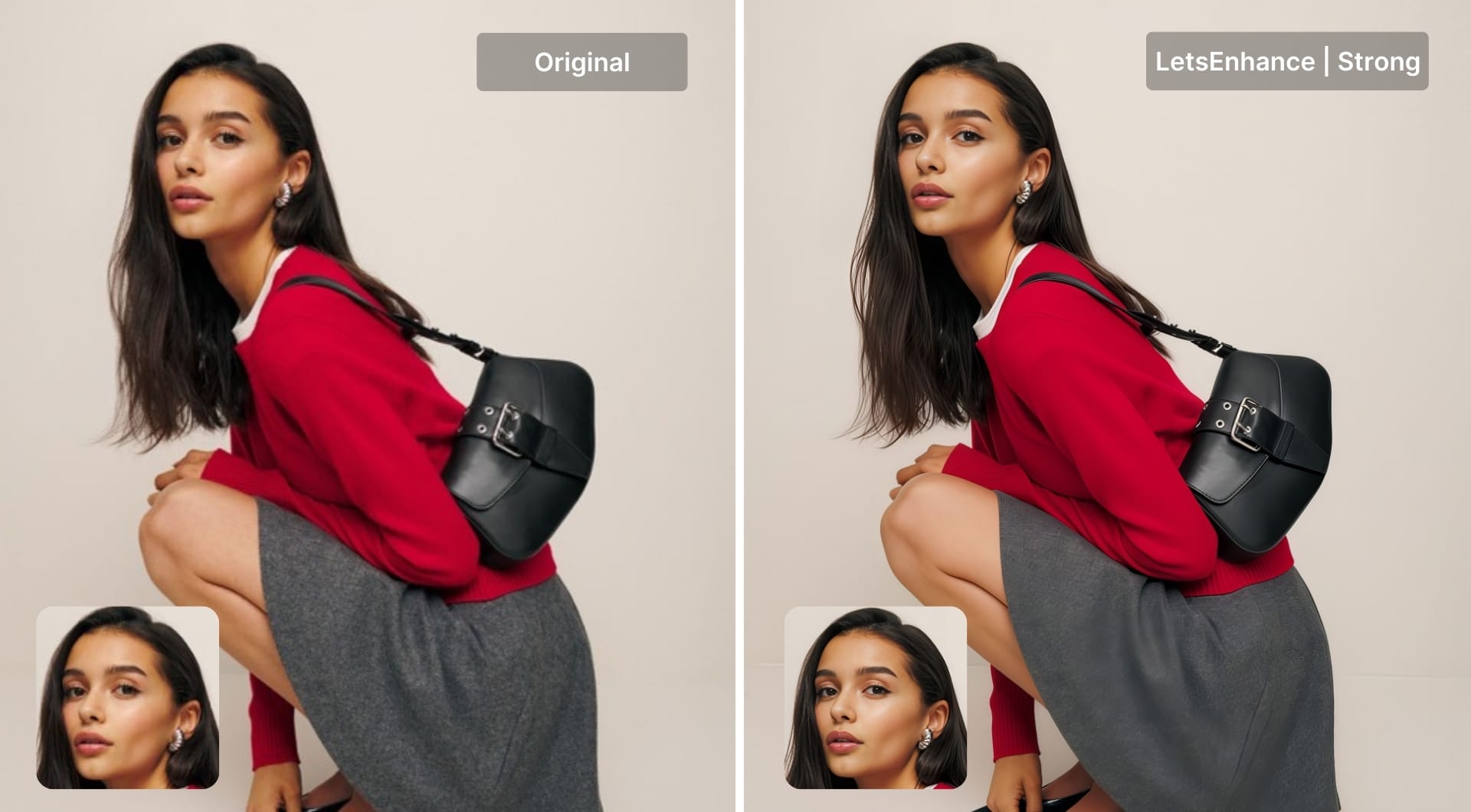
In cases when you need powerful restoration or you have images with faces, Strong is your best option. After choosing the model, turn the "Enhance faces" toggle on and the AI will do the rest.
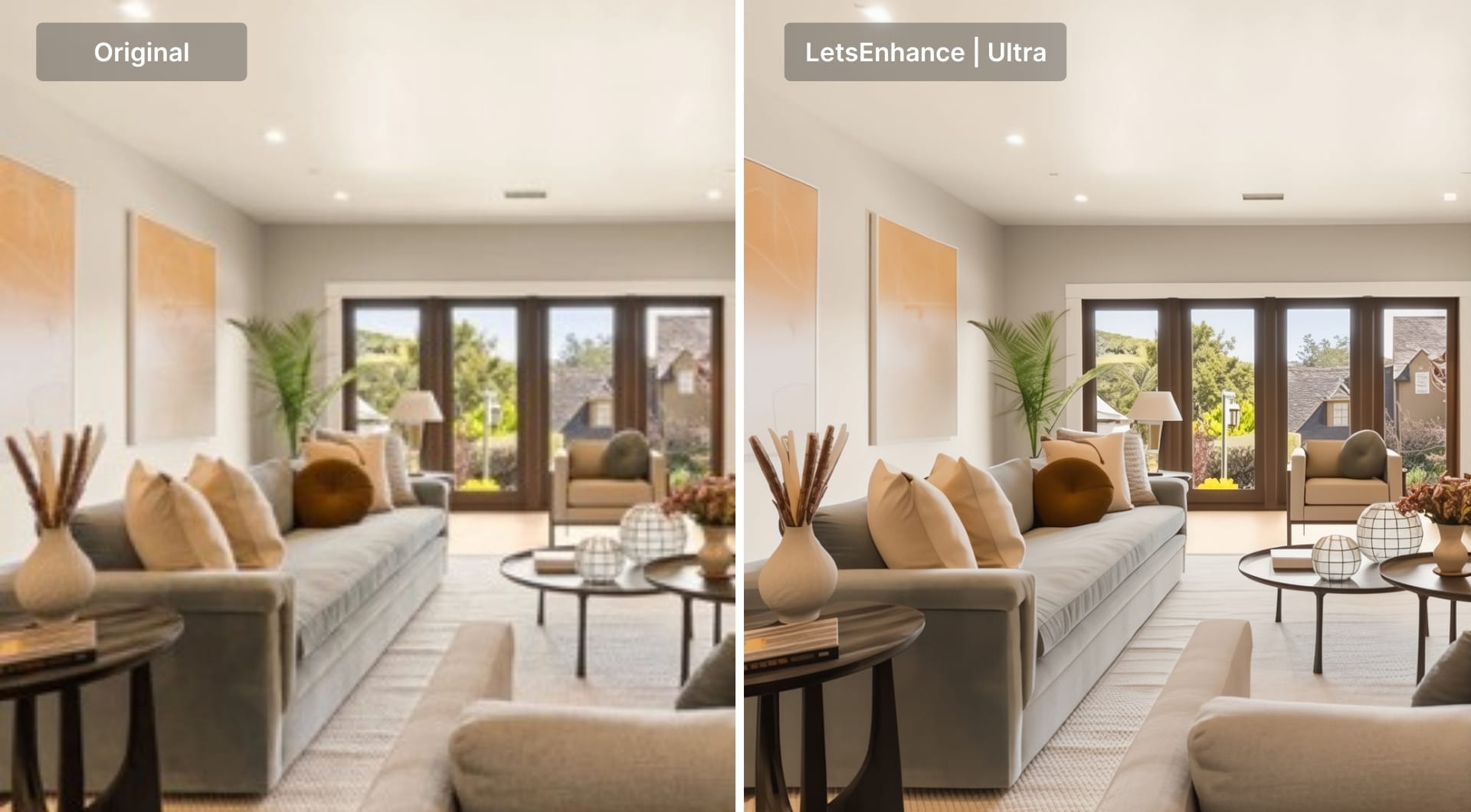
If your image is very small and you are pushing scale hard, but still want it to look natural, then you should try our most powerful AI upscaler, Ultra. It's a powerful generative enhancer that rebuilds a low-quality source into a crisp, detailed image.
Quick image updates without a designer
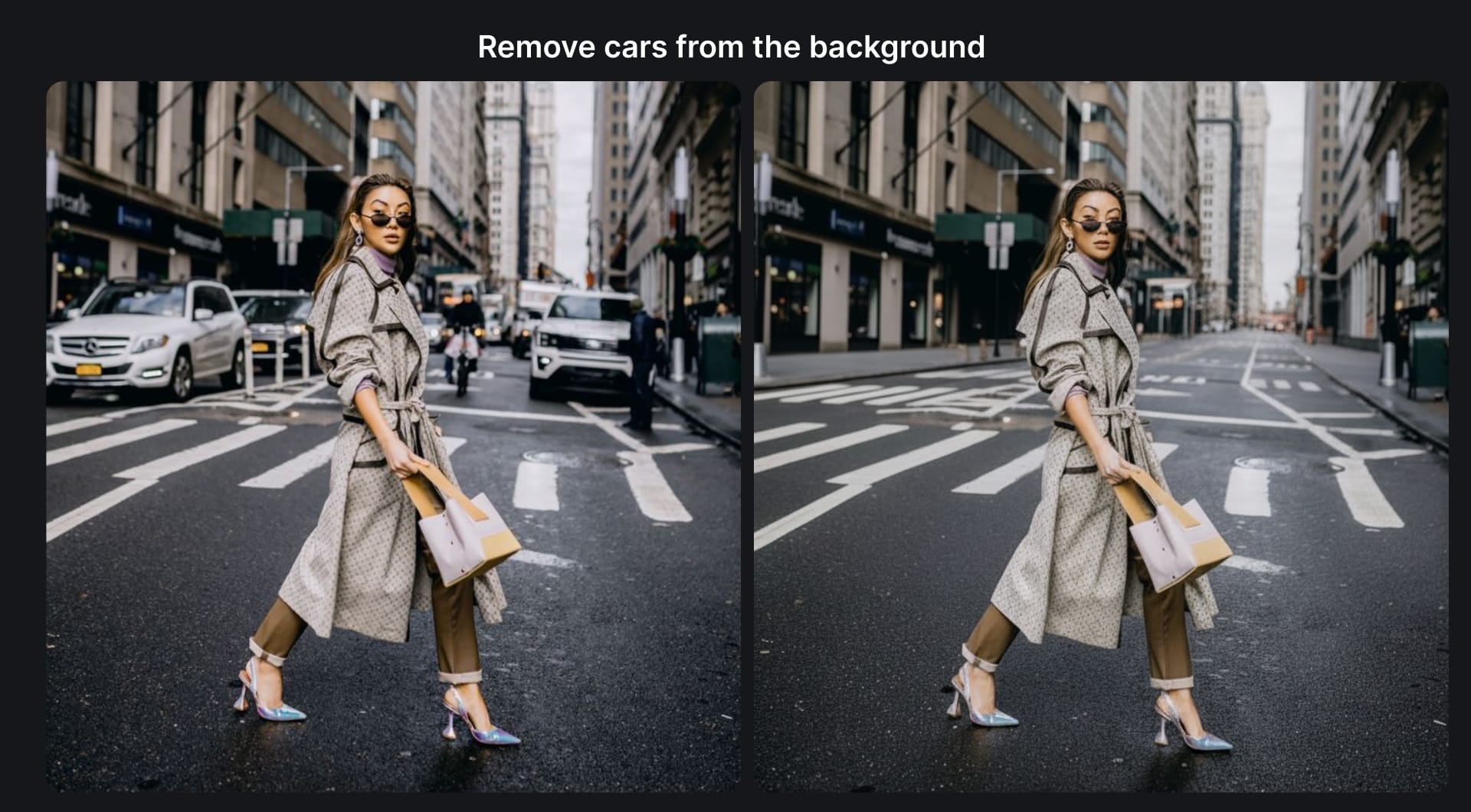
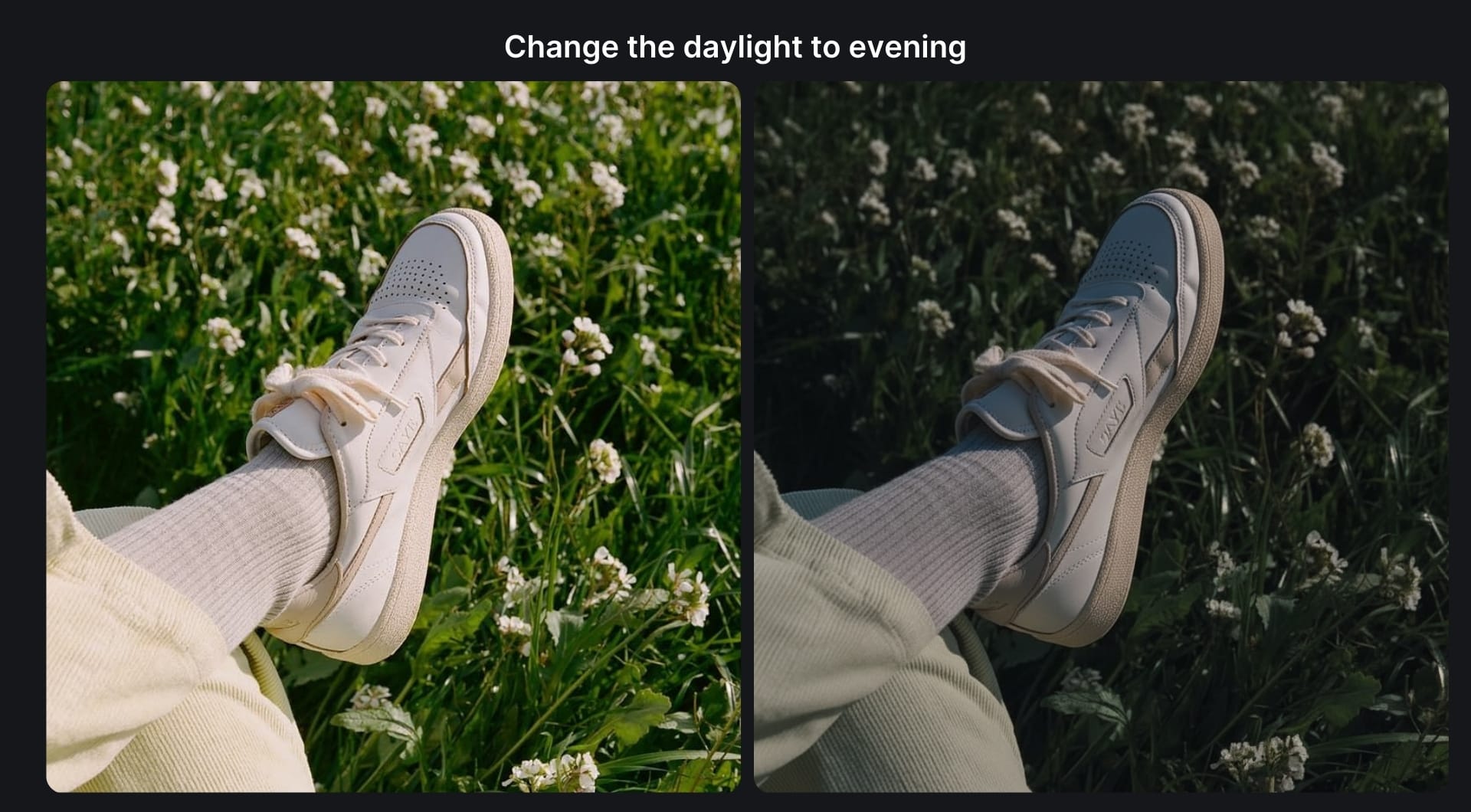
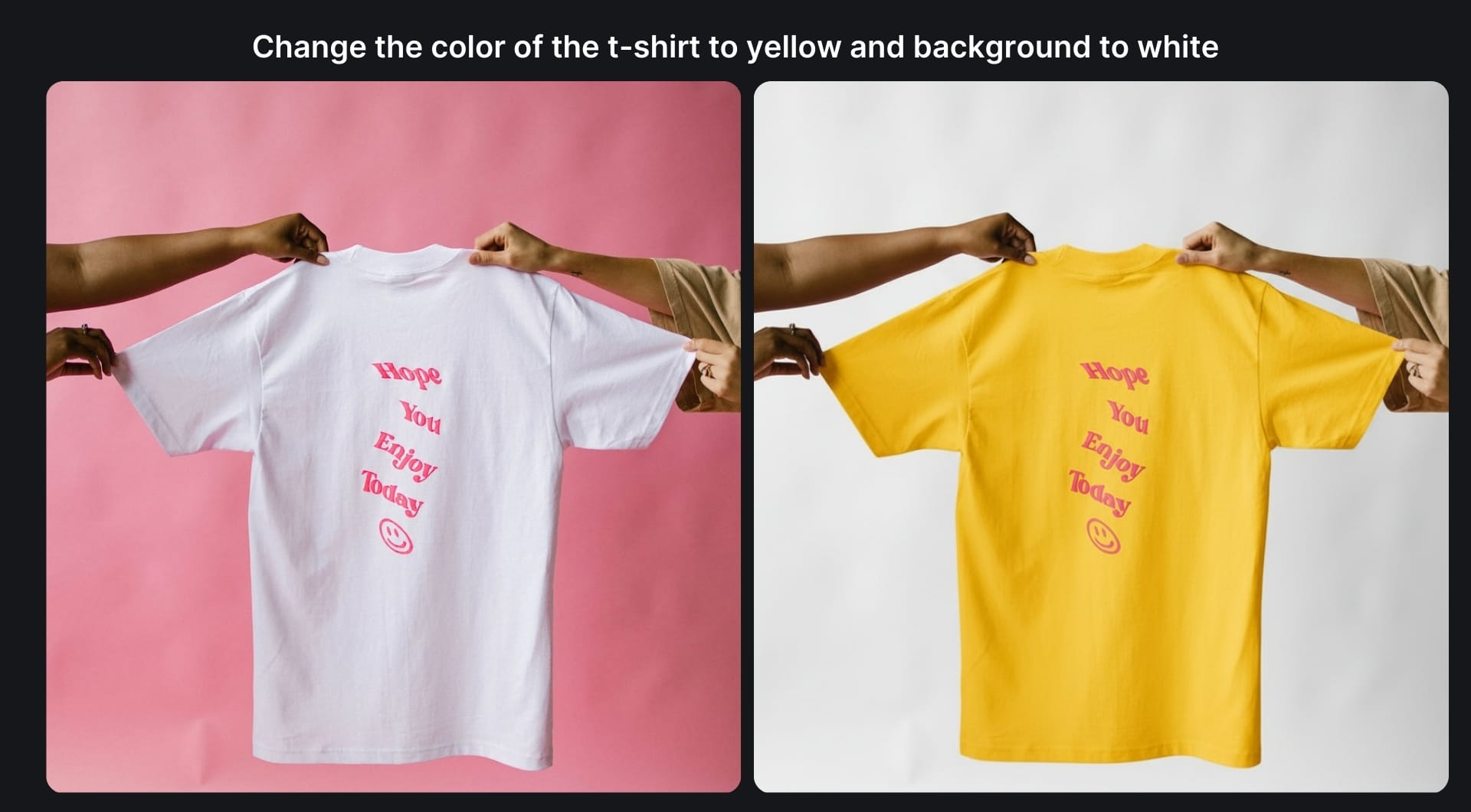
Most marketing design work is about removing a distracting object, fixing lighting, swapping the background or producing five variants for an ad set. You don't need design skills to make quick updates. It's easy to do with Chat Editor that allows you to make edits by typing what you want to change. Take into account that Chat Editor is designed for step-by-step edits, not one giant prompt where you ask for five changes at once.
Ecommerce teams can use it to iterate product images without reopening a design file. Restaurants can use it to clean up photos for menus, delivery apps, and posters. Service businesses use it to standardize “before and after” visuals for ads. Real estate teams use it to correct lighting and clarity on listing photos when reshoots aren't realistic.
Here are some real-life edits we made using Chat Editor + the prompts. With this tool, sky is really the limit: you can ask to change anything that comes to your mind.
If your “edit” is really a cutout problem, LetsEnhance also has a background removal workflow with batch processing up to 20 images. For other common problems such as flat lighting and muddy colors, you can also use the built-in operations like Light AI. Both features are available on the right tab under the Enhancer tool.
New image generation from a base image
Almost all companies need ongoing fresh creatives, so performance won't drop. Reshooting is expensive, slow, and sometimes even unnecessary. If you have a single high-quality base image, you can generate new variations using AI. All you need is just upload a simple PNG into Chat Editor (ideally a clean packshot, often with a transparent background), then describe what you want to create.
This is a common workflow for ecommerce teams: take one clean product image and use prompts to generate a set of ready-to-test creatives with different backgrounds, lighting setups, compositions, and formats for ads, PDPs, marketplaces, or social.
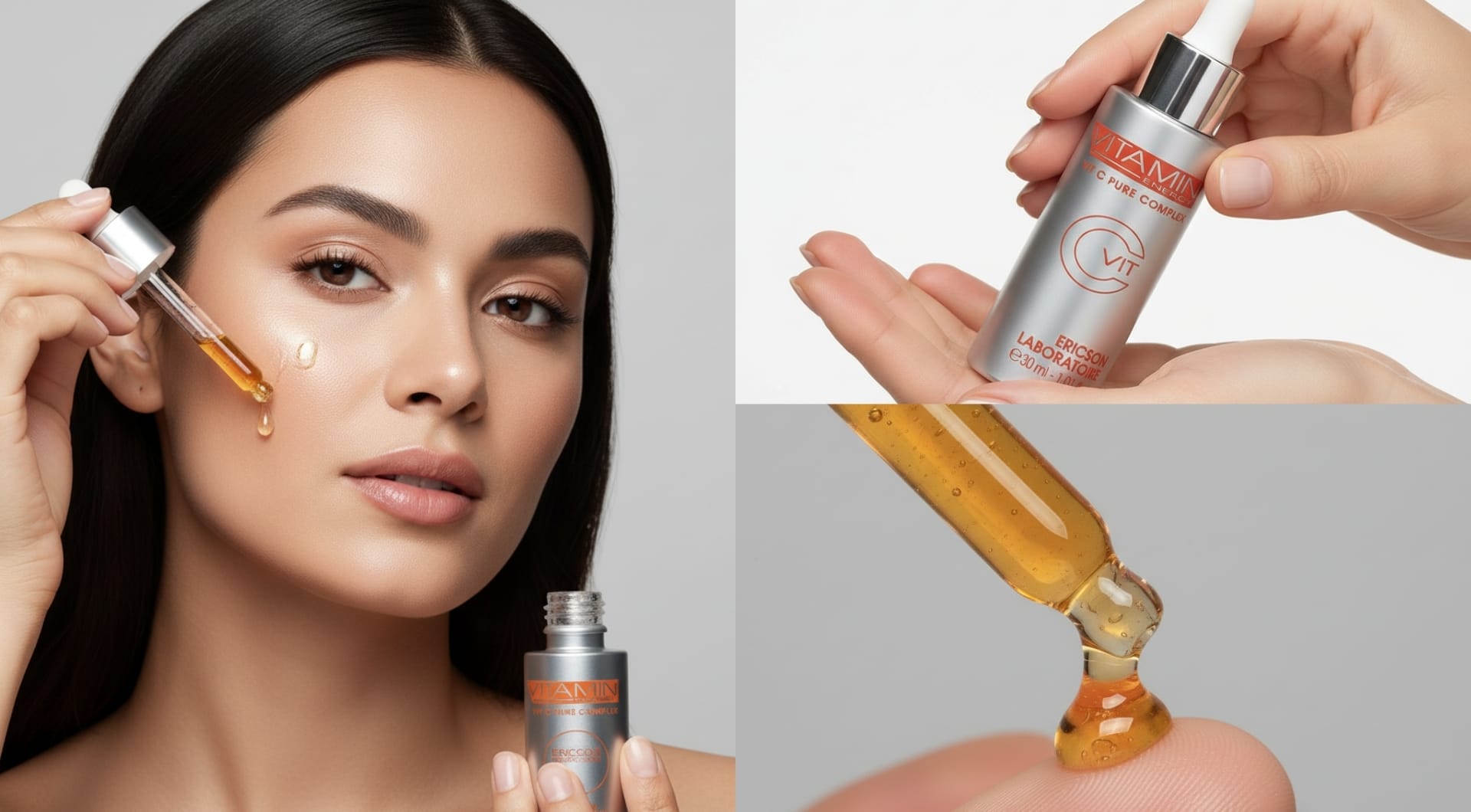
The same approach works for almost anything you market: from coffee cups to cosmetics, from sneakers to sofas, from restaurant dishes to tech gadgets, from packaging mockups to real estate visuals.
Another useful use case for Chat Editor is generating the “same shot” in different angles or framing, so you can cover the typical content needs without reshooting. You can generate close-up detail shots (texture, label, material), side profile or 3/4 angle, low-angle shot, etc.

DPI increase and print optimization
Most of the times, the image that looks fine on screen prints soft as fine lines break and texture turns into mush. You can use AI tools to increase actual resolution so an image can survive physical output. This is not about changing a DPI number in metadata, but is about adding detail so the file holds up at the size you need.
This matters most in cases where print is a primary channel. For example, packaging and CPG teams that constantly need print-ready label, retail and field marketing teams that need posters, shelf talkers, rollups, window decals, and event signage or hospitality groups that need menus, table tents, and in-venue promo materials.
Here's is how LetsEnhance made the low-quality and pixelated image and print-ready by increasing the DPI form 50 to 300.
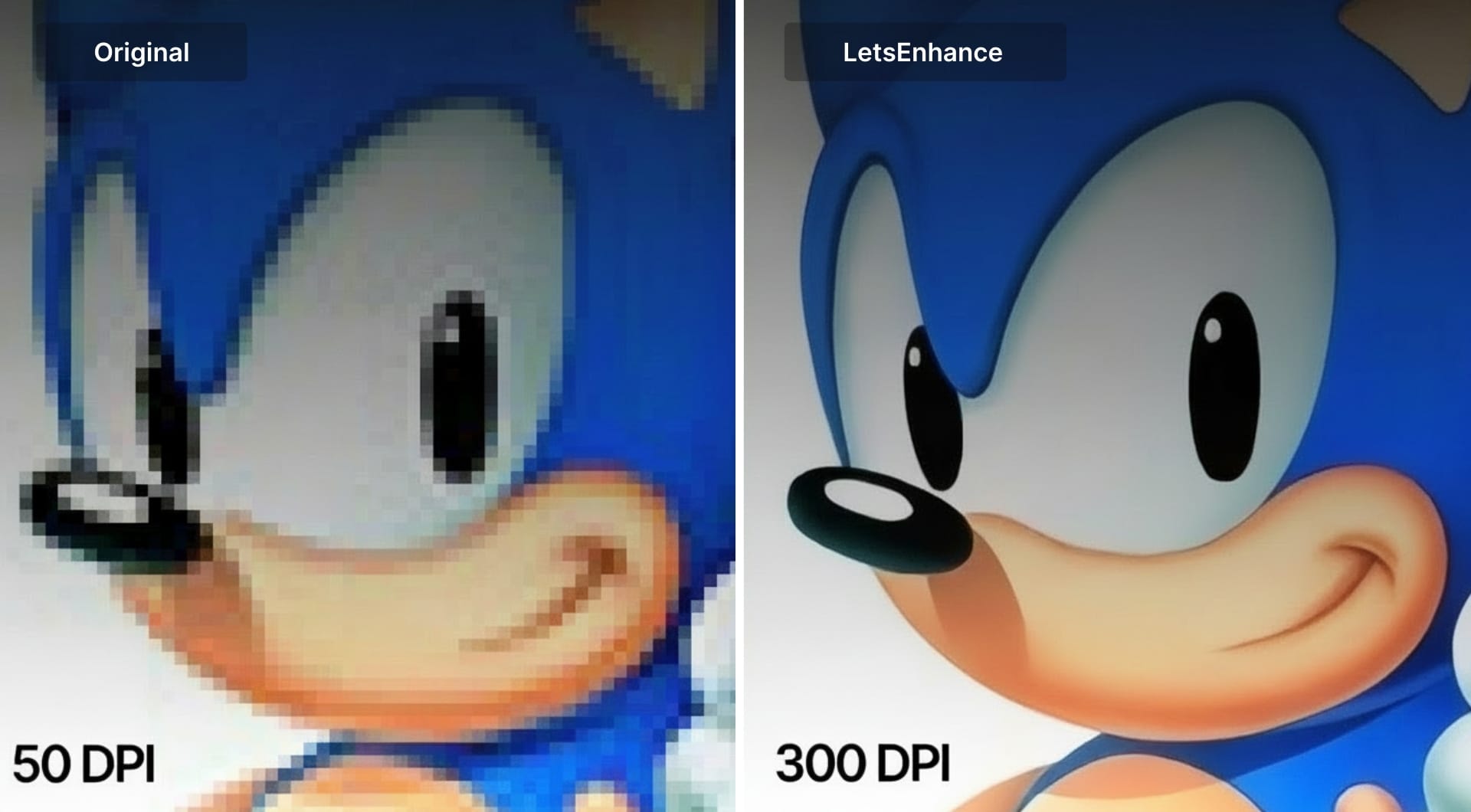
Besides increasing the DPI, LetsEnhance also offers built-in printing presets for different sizes such as posters, photo and international. This option gives you the right pixel dimensions and decreases the manual work.
Video generation for social media
Short-form videos are performing better and getting more attention than static images. Turning a still image into a short motion clip is often all you need for a story, a reel, an ad variation, or a PDP loop. Image-to-video tools are built exactly for these purposes.
You can turn a product photo into a loop for reels, stories or ad variations. Or you can make “announcement creative” feel alive, for example a webinar promo, a report drop, a partnership post, when you only have a single key visual.
LetsEnhance's image-to-video tool makes video generation simple. You just upload an image, choose a preset or write a short prompt, and get a 5-second clip in 1080p as an MP4. To get better outputs, start with a clean and high-quality image. If the input is soft, compressed, or noisy, upscale or enhance it first.
Let's have a look at video generations made with LetsEnhance.
Still-to-video demo adds subtle motion to cozy autumn scene with coffee
Product shot animated from still image for short-form ads
Landscape image animated with aeiral camera motion
The best part about this tool is that you don't need to have a prior experience using AI tools or animating images. The website is completely beginner-friendly and intuitive. Inside the image-to-video generation, you'll find ready-to-use presets for portraits, group shots, product shots or universal images, as well as various camera movements (zoom in, zoom out, pan, orbit) and pace speed (slow-motion, gentle, natural, dynamic). With that being said, you can generate a video from a static image with just 5 clicks.
Video upscaling when the footage is low quality
AI video is finally good enough to use, but if you want to go a step further and get 4K results, video upscaling is what you need.
It's isn't about stretching pixels. Real upscaling reconstructs detail so texture doesn't collapse: skin should not turn to plastic, fabric should not smear, and edges should not buzz.
If you are publishing on Instagram, YouTube, TikTok, or anywhere else that re-encodes your upload, quality drops from platform compression. On YouTube specifically, the recommended upload bitrate for 2160p (4K) is substantially higher, which is one reason 4K masters tend to survive transcodes better on big screens.
One way to solve this issue is by using LetsEnhance's recent Video Upscaler that makes low-quality videos usable in production. How about seeing real examples? Let's delve in!
Video upscaling adds micro-texture while keeping facial structure stable
When your video with a person is low-quality but decent enough that shows clear facial details, video upscaling can take it a step further. Pay attention that the upscaled version added believable micro-texture while keeping facial structure stable.
Food video upscale improves texture and clarity in close-ups
Drink video upscale makes the pour and glass edges cleaner
Food and drink content lives or dies on texture. When resolution is low, the details that trigger appetite disappear and the need for upscaling becomes more and more important.
Claid.ai for ecommerce teams and API workflows
LetsEnhance is a strong choice when the problem is to make an asset usable. Claid.ai is useful when the problem is to make thousands of assets consistent.
If you work in ecommerce, marketplaces, or any catalog-driven business, your bottleneck is not one image. It is throughput and standardization: supplier photos come in inconsistent, UGC is unpredictable, and every channel has its own requirements.
Claid is built for repeatable ecommerce outputs and API-first workflows. That includes operations like background removal, lighting correction, upscaling, smart framing, background generation and AI photoshoot in a pipeline. For both fixing issues and generating new materials, it's an AI tool that saves time, energy and resources for teams.
Try LetsEnhance now
If you don't have an account on LetsEnhance yet, signup and get 10 free credits to try the tool.
If you're satisfied with the results after the free trial, you can get a monthly subscription starting from 9$. There are also one-time credit bundles if you don't want a subscription.
FAQ
How do I use AI in marketing workflows?
Use AI where the bottleneck is production, not thinking. If the problem is “we lack assets,” “this file is too small,” “we need ten variations,” or “we need print-ready output,” AI helps. If the problem is positioning, messaging, or creative direction, AI is at best a draft partner. The fastest teams separate the two: humans decide what to say, AI helps ship the visual output. AI tools like LetsEnhance and Claid.ai are great in upscaling low-quality visuals, generating new materials, making quick edits and turning a single image into animation.
Can I generate marketing visuals in LetsEnhance without paying?
New users get 10 free credits to test the too. After that, the AI image generator creates 4 different variations for every request, but removing the watermark costs 1 credit per image. This matches how most teams use it: generate options for free, then “pay” only for the one you will actually use.
Can I use LetsEnhance AI-generated images commercially?
Yes. Images generated with LetsEnhance can be used for commercial purposes.
For teams, the bigger risk is not licensing. It is product truth. Don't generate anything where exact packaging, ingredients, claims, or UI must be accurate.
How do I avoid “AI-looking” results?
Start with a clean input, avoid extreme settings when you do not need them, and don't stack too many edits at once. For video, keep motion subtle and don't force the model to invent complex movement.
Does LetsEnhance support batch processing?
Yes, it supports processing 20 images at once, and for automated high-volume workflows the recommended route is to use Claid.ai API. If you are consistently processing hundreds or thousands of images, moving to API is usually the difference between “nice tool” and “repeatable pipeline.”
Can I test the Claid API before committing?
Yes. Claid offers 50 free credits to start testing the API. That is usually enough to validate one full pipeline, for example upscale plus background removal plus light correction.
Should I upscale before uploading to Instagram, TikTok, or YouTube?
If your source is soft, yes. Many social media platforms compress and users tend to convert more when they see high-quality materials. If you don't have a chance to reshoot again, you can upscale the existing materials up to 16x using LetsEnhance.
