
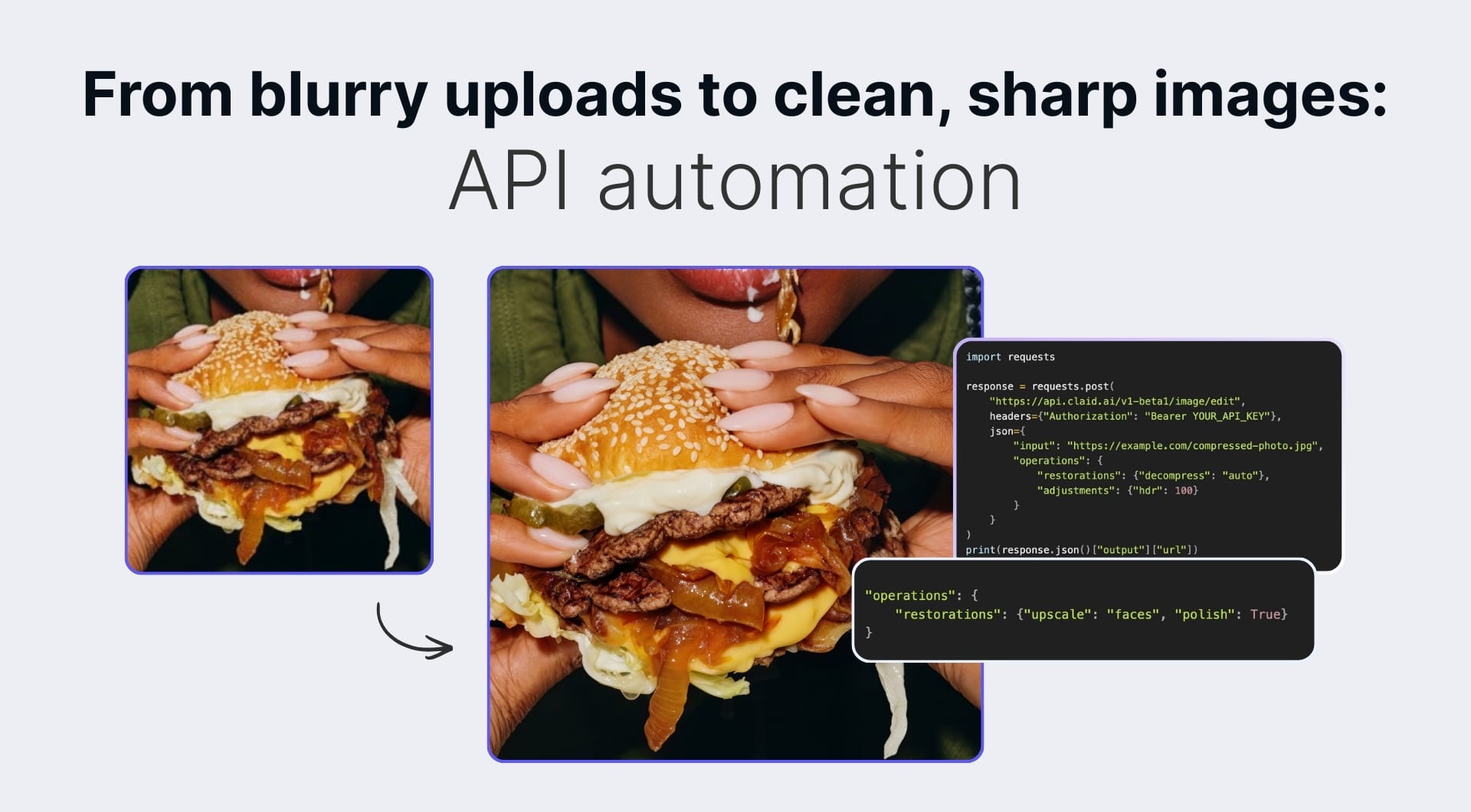
Low-quality images are everywhere. User uploads arrive blurry. Old photos have noise. Compressed JPEGs show blocking artifacts. When you're processing thousands of images, manual cleanup isn't realistic.
An image enhancer API solves this by applying AI-powered quality corrections programmatically. You send a degraded image, specify what to fix, and receive a cleaner version without changing the resolution.
This guide covers how image enhancement APIs work, when to use them, and how to integrate one into your workflow using Claid API by LetsEnhance.
What does an image enhancer API do?
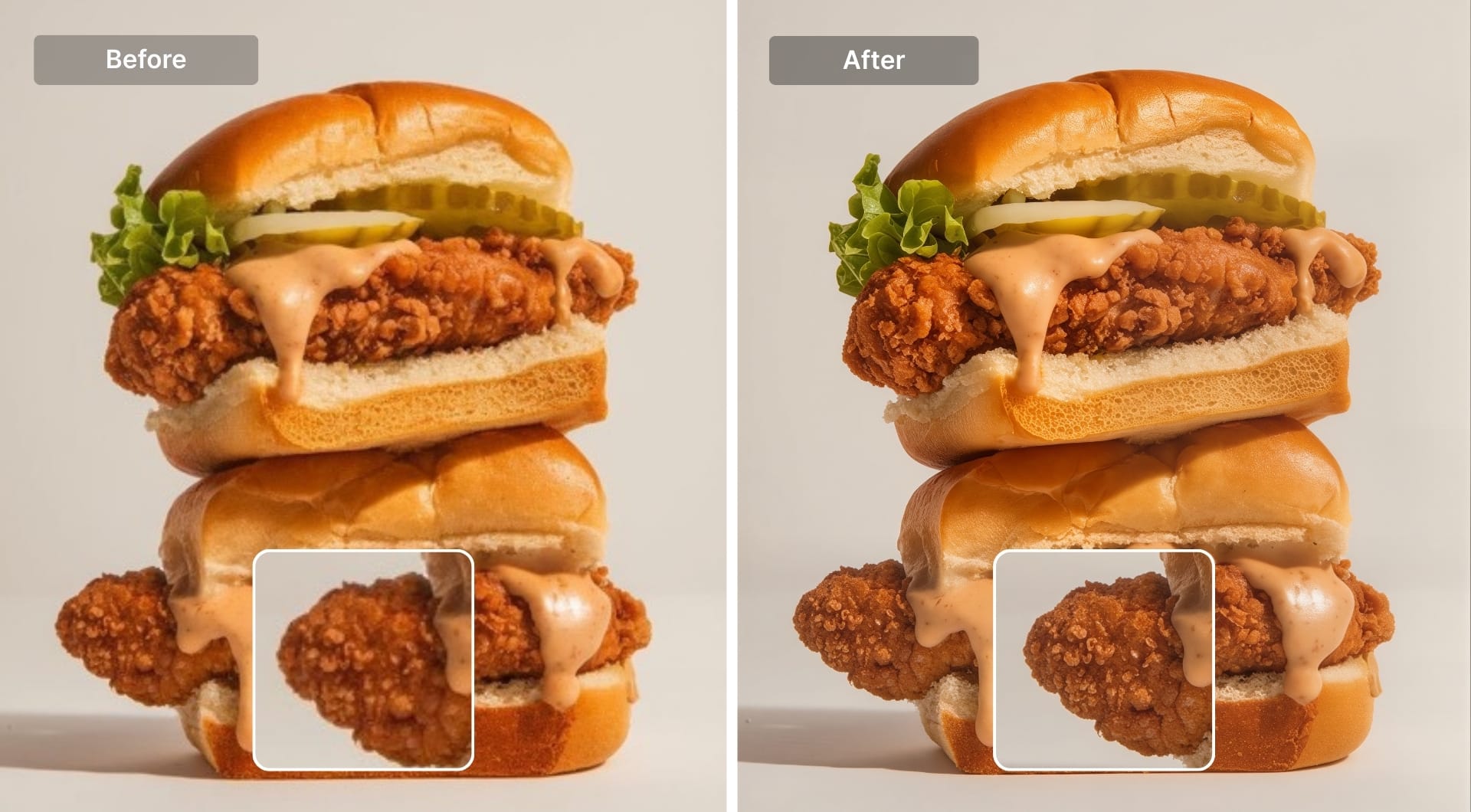
Image enhancement focuses on fixing quality problems in existing images. Unlike upscaling, which increases resolution, enhancement corrects issues like:
- Blur and soft focus from camera shake or low-quality sources
- Digital noise from low-light photography or old sensors
- JPEG compression artifacts (blocking, color banding, mosquito noise)
- Poor lighting and color from inconsistent shooting conditions
The key difference: enhancement can work at 1x, improving quality without enlarging the image. This matters when you need cleaner images but don't need bigger files.
Common use cases
Cleaning user-generated content
Marketplaces and platforms accept images from anyone with a phone. Quality varies wildly. An enhancement API built into your upload pipeline can automatically sharpen soft photos, reduce noise from low-light shots, and remove compression artifacts.
Zepto, a quick commerce platform, uses this approach to clean product photos from restaurant partners, resulting in more consistent listings and higher click-through rates.
Restoring old or archived photos
Scanned photos, legacy archives, and images from older cameras often suffer from grain, softness, and color degradation. Enhancement APIs can restore these automatically, making them usable for printing, digital archives, or customer-facing applications.
Fixing over-compressed images
Images that have been through multiple saves, social media uploads, or aggressive compression accumulate artifacts. The decompress operation specifically targets JPEG blocking and ringing artifacts, recovering detail that traditional sharpening can't fix.
Improving product and food photography
Even professional photos benefit from automated enhancement when shot under varying conditions. Consistent sharpness and color across a catalog improves the browsing experience. Rappi uses automated enhancement to maintain quality standards across thousands of restaurant menu images.
How to enhance images using Claid API
Claid API provides several enhancement operations that can be combined in a single request.
Step 1: get your API key
Sign up at Claid.ai to get 50 free credits for testing. You'll find your API key in the dashboard.
Step 2: choose your enhancement operations
The API offers three main enhancement operations under restorations:
decompress removes JPEG compression artifacts:
moderate: standard artifact removalstrong: more aggressive cleanup for heavily compressed imagesauto: automatically detects and applies appropriate strength
polish sharpens and clarifies details while preserving the original character. Works well on photos that are soft but not severely degraded.
upscale models at 1x can improve quality without enlarging by reconstructing detail (smart_enhance for products, photo for photography, faces for portraits).
You can also add color adjustments:
hdr automatically balances exposure and color. Set intensity from 0-100 (100 recommended for most cases).
Step 3: send your request
Here's a Python example that removes JPEG artifacts and applies color correction:
import requests

response = requests.post(
    "https://api.claid.ai/v1-beta1/image/edit",
    headers={"Authorization": "Bearer YOUR_API_KEY"},
    json={
        "input": "https://example.com/compressed-photo.jpg",
        "operations": {
            "restorations": {"decompress": "auto"},
            "adjustments": {"hdr": 100}
        }
    }
)
print(response.json()["output"]["url"])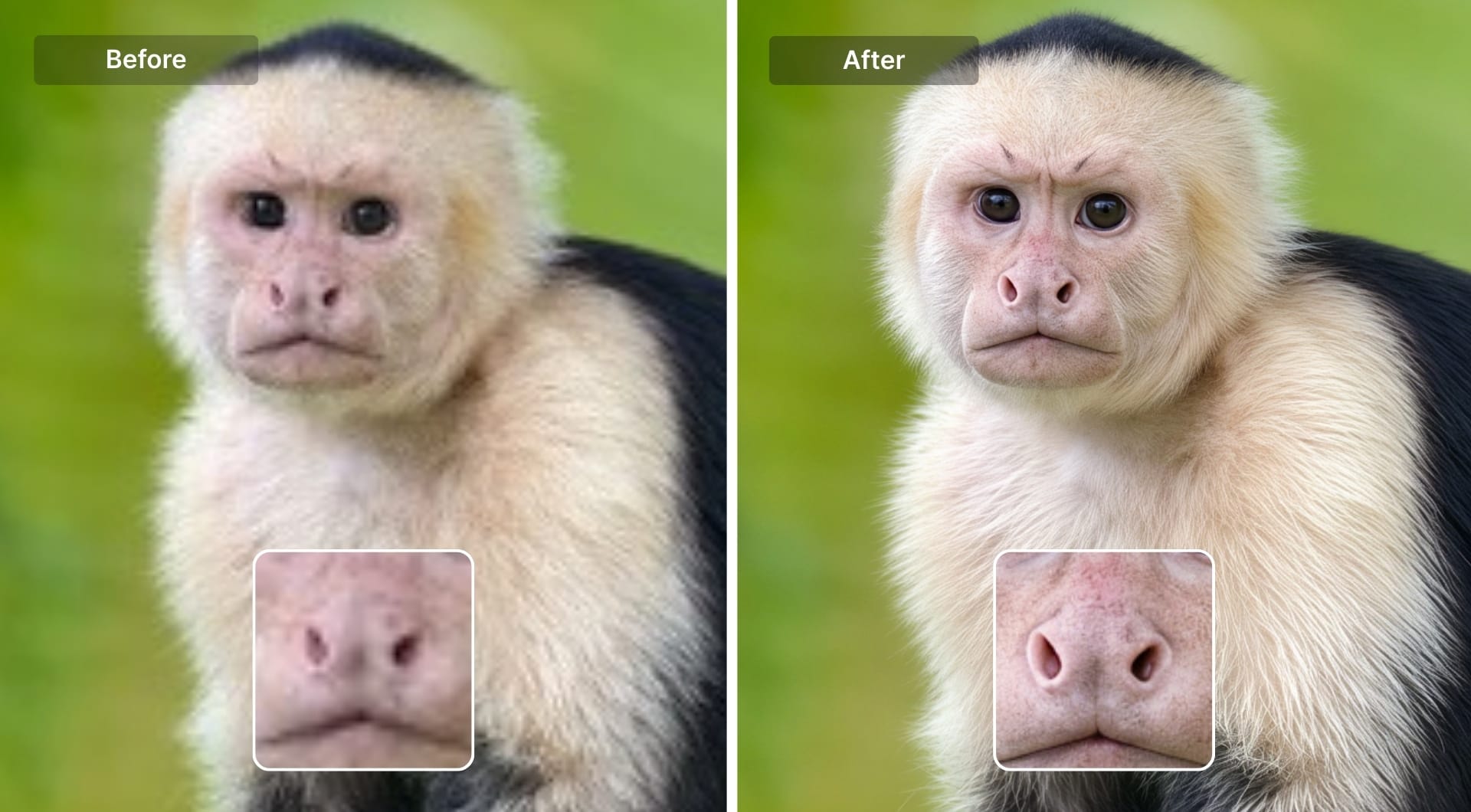
For polishing with face enhancement, change the operations:
"operations": {
    "restorations": {"upscale": "faces", "polish": True}
}
For complete code examples including error handling and batch processing, see the Claid API documentation.
Step 4: handle the response
The API returns a URL to the processed image. For production workflows, you can use webhooks for async processing, connect cloud storage for direct I/O, or process multiple images with the batch endpoint.
Combining enhancement with other operations
One practical benefit of Claid API is combining operations in a single request. You might want to remove the background, enhance quality, and resize all at once. Or clean up an image before generating an AI background. This reduces API calls and processing time compared to chaining separate services.
Enhancement vs. upscaling: when to use each
| Goal | Use |
|---|---|
| Fix blur, noise, or compression artifacts | Enhancement (decompress, polish) |
| Increase resolution for larger displays or print | Upscaling |
| Clean up and enlarge an image | Combine both in one request |
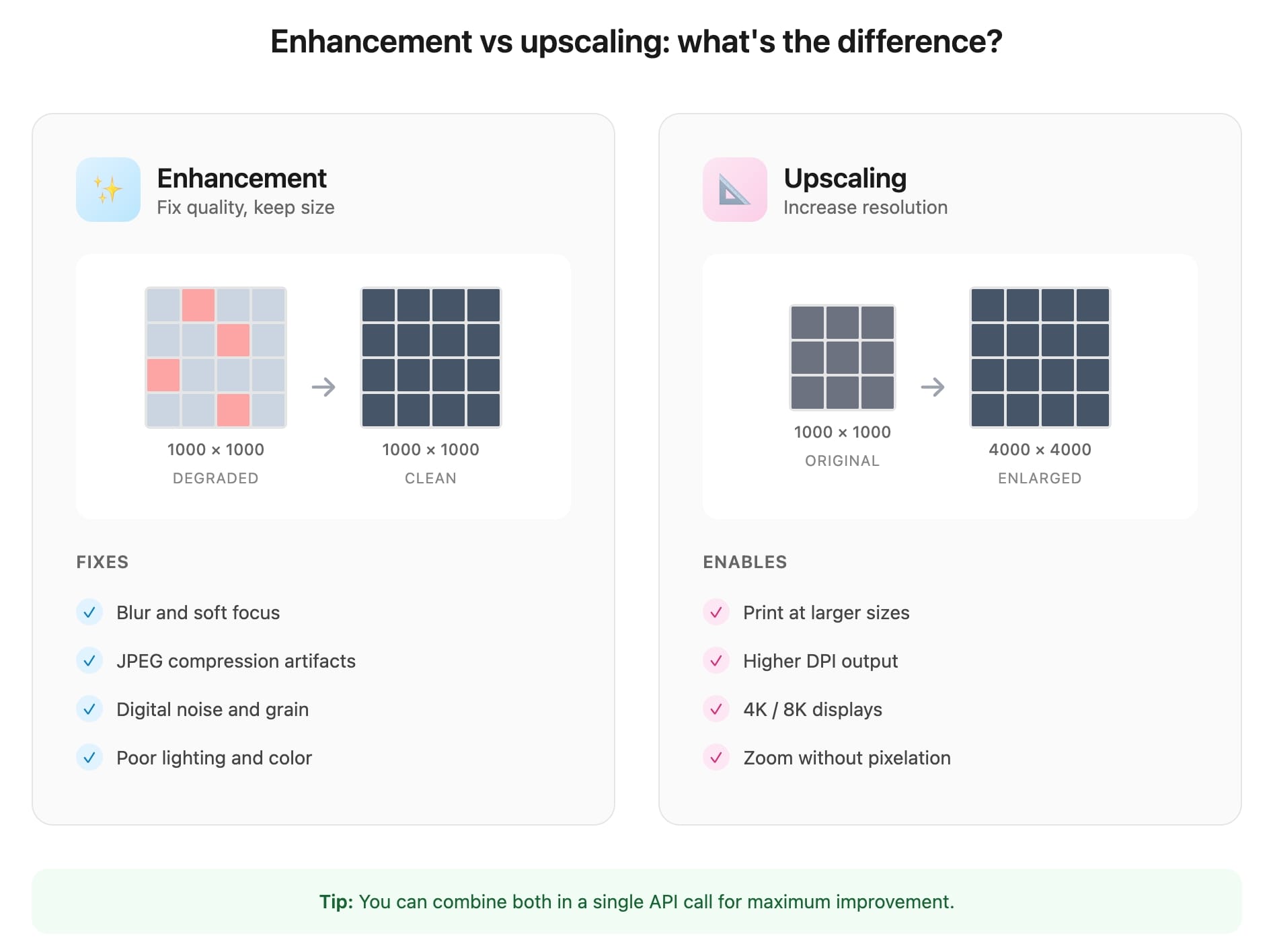
If an image is already high-resolution but looks bad, enhancement alone may be enough. If you need a bigger image, upscaling with a specialized model will both enlarge and improve quality.
Pricing and getting started
Claid API uses a credit-based system:
- Enhancement operations (decompress, polish, HDR): 1 credit per image
- Free trial: 50 credits included on signup
- Paid plans: starting at $59 for 1,000 credits
See full pricing details for volume discounts and enterprise options.
For integration help, the API documentation includes code examples, SDKs, and endpoint references. Enterprise teams can schedule a demo to discuss custom requirements and SLAs.
FAQ
What's the relationship between Claid API and Let's Enhance?
Claid API is the API platform built by Let's Enhance. LetsEnhance.io is the original web tool for individual users. Claid.ai is where businesses access the same AI technology via API for integration into their own products and workflows.
What's the difference between an image enhancer API and an upscaler API?
An enhancer API focuses on fixing quality issues (blur, noise, compression artifacts) often without changing image dimensions. An upscaler API increases resolution by adding pixels. You can use enhancement at 1x (same size) or combine both for maximum improvement.
Can the API remove JPEG artifacts automatically?
Yes. The decompress operation with auto mode detects compression artifacts and removes them. For heavily compressed images, use strong mode.
How does this compare to Photoshop or Topaz for image enhancement?
Desktop tools like Photoshop require manual work per image and don't scale to thousands of images automatically. Topaz offers batch processing but runs locally. An API provides similar AI-powered enhancement with cloud automation: integrate it into your pipeline, process at scale, and pay per image.
Can I enhance images without changing their resolution?
Yes. Operations like decompress, polish, and hdr work at the original resolution. You only get size changes if you explicitly use resizing parameters.
What image formats are supported?
Input: JPEG, PNG, WebP. Output: JPEG, PNG, or WebP with configurable quality settings.
Is there a maximum image size?
For enhancement operations, images up to 64 megapixels are supported. Contact sales for larger requirements.
How long does processing take?
Most images process in 1-5 seconds. Use the async API with webhooks for large batches to avoid timeout issues.
Can I combine enhancement with background removal or other edits?
Yes. Claid API lets you chain multiple operations in a single request: enhancement, background removal, resizing, color correction, and more.
What's coming next for the API?
We're adding Prime, a new model that improves clarity and detail while respecting original textures from skin and fabric to product labels. It's designed for cases where preserving authenticity matters as much as enhancement.
Where can I find more API options for image enhancement?
See our comparison of best image enhancer APIs for an overview of available solutions.
