
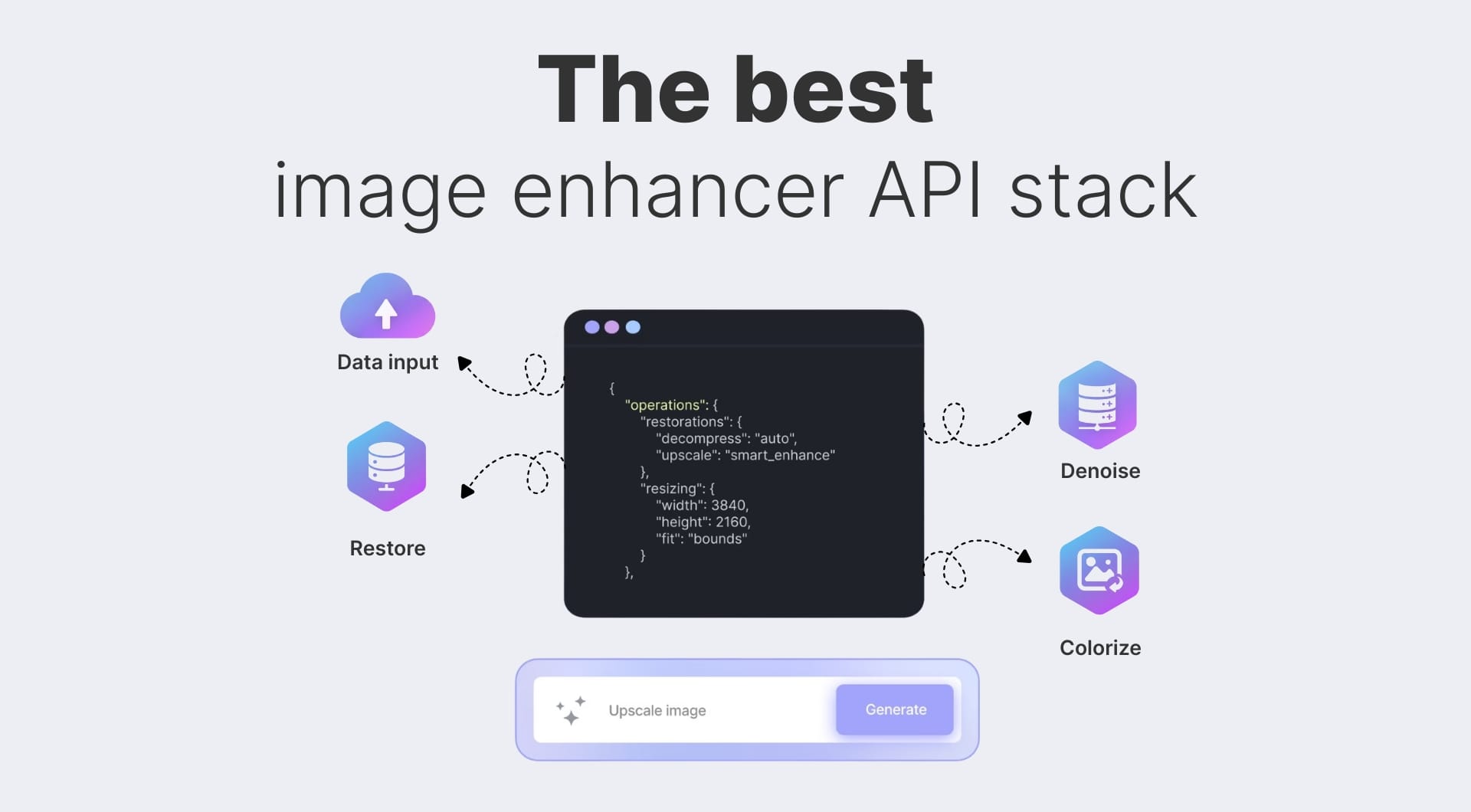
If you ship images at scale, your image enhancement API matters more than your image editor. This guide compares the strongest options for clarity, speed, and integration.
Quick look at the best image enhancement APIs
| Tool name | Best for | Pricing model | Key strength |
|---|---|---|---|
| LetsEnhance.io (backed by Claid API) | Best overall image enhancement for apps | Web subscription plus credit based API | High fidelity upscaling up to ~512 MP, multiple modes, print ready |
| Claid.ai API | Marketplaces and eCommerce at scale | Credit based API, free trial credits | Purpose built for product photos, backgrounds, fashion, automation |
| Stability AI image upscaling API | AI art tools and creative workflows | Pay per image via platform credits | Diffusion based upscaler plus ESRGAN models, strong creative controls |
| Clipdrop image upscaling API | Quick plug in upscaler in SaaS tools | Credit based, 100 free dev credits | Simple REST, unified with other edit APIs, generous dev trial |
| DeepAI image enhancement APIs | Simple, low cost AI stack | Free tier plus DeepAI Pro from about $9.99/mo | Very low entry cost, broad AI endpoints including image enhancement |
| Deep-Image.ai API | High resolution print and photo workflows | Subscription and pay per usage | Upscaling up to about 300 MP, generative upscaling option |
| Cutout.pro photo enhancer API | UGC and marketplace cleanup | Credit based, free API credits | Strong “one click” unblur and upscale, plus background tools |
| PicWish photo enhancer API | Face focused enhancement in apps | Free trial, credit based API | Very good on blurry faces, 4x enlargement support |
| Perfectly Clear Web API (EyeQ) | Photo labs and pro photography | Tiered per 100 images, first credits free | Mature auto correction stack, Docker option for on prem |
| AILab Tools APIs | High variety of AI image utilities | Pay per usage, many endpoints | 50+ image APIs including enhancement and enlarging |
| DIY ESRGAN and Clarity upscaler via API (self hosted or Replicate) | Teams that want full control | Infra plus per run or self hosted | Open source Real ESRGAN and Clarity upscaler models, flexible deployment |
1. LetsEnhance.io (backed by Claid API)
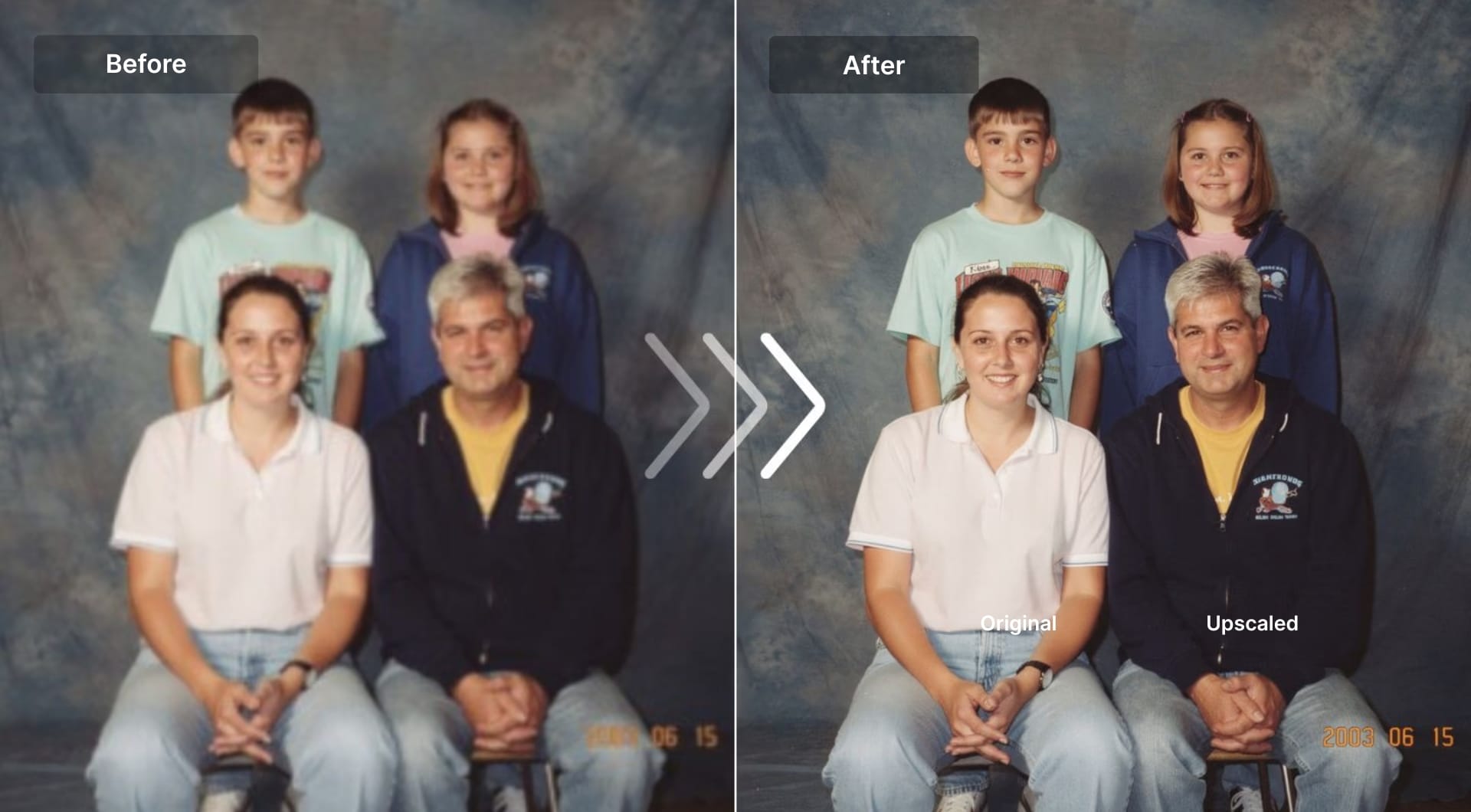
LetsEnhance is a web product that sits on top of the Claid API stack. Users get a polished UI for designers and marketers, plus API access for developers who want to automate the same upscaling and enhancement flows inside their own apps. LetsEnhance combines two things most tools separate:
- Generative upscaling that can add new detail and texture.
- High fidelity modes that preserve products, text, and UI very closely.
LetsEnhance offers six different modes for different needs:
- Gentle (fidelity first)
- Balanced (medium-strength enhancement)
- Strong (powerful restoration)
- Ultra (maximum reconstruction and resolution)
- Old photo (restoration and colorization)
- Digital art (anime and illustration)
Maximum output is on the order of hundreds of megapixels, up to about 512 MP depending on plan, which is enough for large format printing and high DPI (dots per inch) marketplaces.
Key features
- Multiple enhancement presets optimized for photos, art, UGC, and text.
- Print ready upscaling for posters, canvases, and POD workflows.
- Strong at fixing compression artifacts from social media and old uploads.
- Chat editor for “edit with text” changes, plus text to image and image to video.
- Uses the same backend as Claid, so users can prototype in LetsEnhance and then wire the flows into API.
Best for
- Teams that need both UI and API access.
- Print on demand, real estate, marketplaces, and SaaS tools that want natural, non “over sharpened” results.
- Startups that will later grow into full Claid API workflows.
Pricing
- Web: available free trial with subscriptions starting at 9$/month.
- API: credit based via Claid, with free starter credits on Pro and higher Claid plans.
Pros
- Very good balance between detail and realism.
- Multiple modes for different content types instead of one generic “sharpen everything” pass.
- Backed by Claid, which is already used in marketplaces and eCommerce at scale.
- Studio friendly UI lets non technical teammates iterate before you formalize an API pipeline.
Cons
- The API requires a stable internet connection, as all processing is cloud-based.
- Compared to running models locally (like Real-ESRGAN), users have less granular control over the process.
2. Claid.ai image enhancement and upscaling API
Claid.ai is the dedicated API product in the LetsEnhance ecosystem. It is built to power product photography, marketplaces, and image heavy SaaS products with high volume, high reliability enhancement workflows.
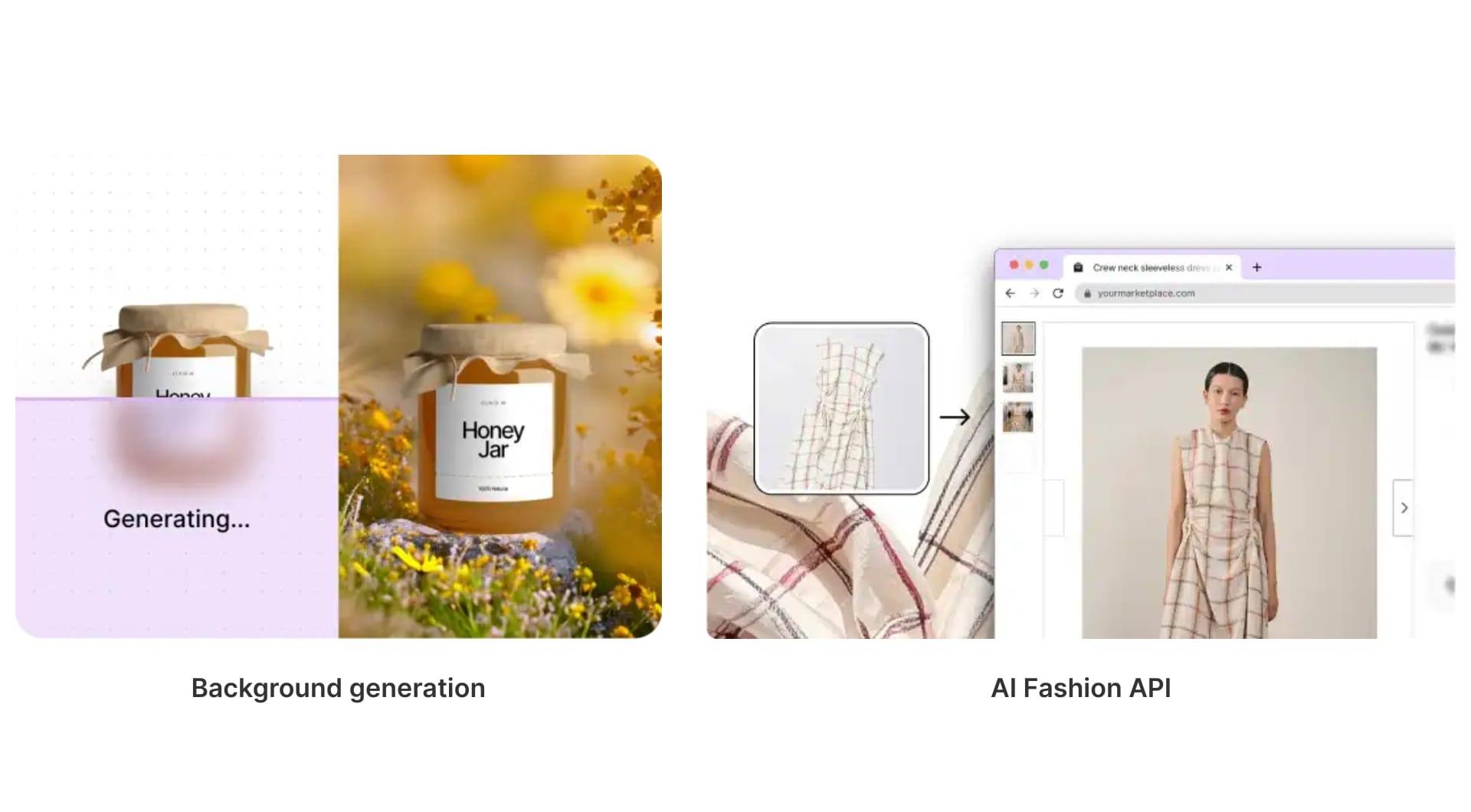
It offers a credit based API with operations for upscale, quality restoration, light and color, background removal and blur, AI backgrounds, AI photoshoot text to image, image to video, fashion models, shadows, and other product focused utilities.
Key features
- Image upscale API that can handle up to around 64 MP per image by default, with support for higher resolutions and up to roughly 559 MP on higher tiers.
- Quality restoration API to fix overcompressed, noisy, or low light photos at scale.
- AI backgrounds and AI fashion APIs to generate product scenes and virtual models for apparel.
- Light and color enhancement for poorly lit user generated content.
- Multiple operations tuned for eCommerce use cases like license plate blurring, shadows, identity cropping and more.
Best for
- Marketplaces that must standardize thousands of seller photos per day.
- ECommerce brands and aggregators that want automatic, studio quality photography without manual retouching.
- SaaS tools that need a robust image pipeline with clear SLAs, not a hobby project API.
Pricing
- Free trial with around 50 credits that also include 50 API credits to test the endpoints.
- Credit priced operations per image, for example image upscale from 1 to 6 credits per image, light and color enhancement at 1 credit, background removal at 2 credits, AI backgrounds at 3 credits, text to image at 1 credit, image to video at 35 credits per 5 seconds, and more.
- Plan tiers with varying maximum operations and maximum output resolution, up to about 559 MP for downloads on top tiers.
Pros
- Purpose built solution for product and fashion photography, not just generic upscaling.
- Very detailed API surface that maps closely to real marketplace problems like cropping, backgrounds, license plate blur, and shadows.
- The same engine that powers LetsEnhance, so you can prototype visually then move the exact operations into code.
Cons
- More moving parts to understand compared to a minimalist single endpoint upscaler.
- It is easy to overspec operations if you do not think about credit cost per image.
3. Stability AI image upscaling API
Stability AI offers an image upscaling API as part of its wider image services. The service originally combined an ESRGAN model with a Stable Diffusion 4x upscaler, letting you enlarge images while adding detail when needed.
Today, upscaling is exposed through the same REST platform as other Stable Image and Stable Diffusion endpoints, so you can move from text to image to upscale in one stack.
Key features
- Diffusion based upscaler with options that can increase perceived detail, not just pixel count.
- ESRGAN style super resolution for more conservative upscaling.
- Single platform for generation, editing, and upscaling.
- Available through Stability’s own API, and through services like Amazon Bedrock as “Stability AI Image Services” across edit, upscale, and control tools.
Best for
- AI image tools that already use Stable Diffusion.
- Teams that want creative upscaling for AI art and concept work.
- Workloads deployed via public clouds like AWS where Bedrock integration makes sense.
Pricing
- Credit based and usage based through Stability’s platform or cloud partners. External docs and community posts describe it as a per image service layered on top of the general Stability credit system.
Pros
- Strong creative upscaling for AI generated content.
- Stable Diffusion ecosystem is well documented with many community SDKs and clients.
- Easy to plug into an existing “generate then upscale” workflow.
Cons
- Less tailored to classic eCommerce photos than Claid or LetsEnhance.
- Fine control over hallucination vs fidelity requires prompt tuning, which may be overkill for some product pipelines.
4. Clipdrop image upscaling API
Clipdrop, now part of the Stability ecosystem, exposes a family of image editing APIs that include background removal, relighting, cleanup, and an image upscaling endpoint. The upscaler is simple: send an image, get a higher resolution copy, pay one credit per successful call.
Key features
- Image upscaling API that fits into the same auth and billing as other Clipdrop APIs.
- 100 free API credits for development and debugging.
- REST endpoints plus simple examples for curl and common languages.
- Rate limit defaults around 60 requests per minute per key, with the option to ask for more.
Best for
- SaaS tools that need background removal and basic upscaling.
- Small teams that want a no nonsense REST image processing API.
- Developers already consuming other Stability or Clipdrop services.
Pricing
- 1 credit per successful upscale call.
- 100 free credits per account for testing. After that you negotiate or buy additional credits.
Pros
- Very low barrier to entry.
- Nice fit for “smart upload” pipelines where you already use background removal.
- Documentation is straightforward with copy paste request examples.
Cons
- Less specialized control for product photos compared to a marketplace first API.
- Tied to the Clipdrop pricing and Stability ecosystem, so not ideal if you want a standalone vendor.
5. DeepAI image enhancement APIs
DeepAI offers a collection of REST APIs that include image enhancement and generation. You can test many endpoints for free, then upgrade to DeepAI Pro for higher volume and additional HD usage.
The enhancement related APIs cover super resolution, deblurring, and stylization, making it a decent generalist choice if you also want text to image and other AI features in the same stack.
Key features
- Multiple image focused endpoints alongside text and other AI services.
- Simple REST interface using JSON and standard auth headers.
- Example snippets in curl, Python, and JavaScript.
Best for
- Early stage products that want “good enough” image enhancement plus other AI features.
- Hackathons, prototypes, and side projects where setup speed beats perfect quality.
Pricing
- Free usage for experimentation.
- DeepAI Pro around 9.99$ per month for higher volume and private generations; extra HD image generations priced by wallet usage.
Pros
- Very low cost of entry, easy to test.
- Many AI endpoints under one roof, which simplifies billing and auth.
- Docs are concise, with minimal ceremony.
Cons
- Not as tuned for eCommerce or print quality as Claid, LetsEnhance, or Deep-Image.
- Limited transparency about underlying models and training data.
6. Deep-Image.ai API
Deep-Image.ai focuses squarely on image enhancement and upscaling. Its API allows you to upscale images up to about 16x and up to roughly 300 megapixels. The product emphasizes a distinction between standard AI upscaling and “generative upscaling”, where the system adds entirely new detail.
Key features
- Upscaling up to 16x and around 300 MP.
- Options for noise removal, lighting correction, and background handling.
- Generative upscaling that can reimagine low resolution areas rather than simply interpolating.
Best for
- Photo labs, real estate portals, and marketplace archives with very low resolution inventory.
- Teams that need very large output files, close to the upper limit of what printers can handle.
Pricing
- API oriented pricing on Deep-Image’s site with tiers based on number of images and megapixels; exact dollar amounts are subject to plan and often quoted in sales calls.
Pros
- Very high maximum resolution compared to many competitors.
- Clear focus on photo enhancement tasks rather than general AI features.
- Good fit for bulk migration of legacy image libraries.
Cons
- Less of an all-in-one suite than Claid or Cutout.pro.
- Generative modes can introduce “too perfect” detail if you are not careful with settings.
7. Cutout.pro photo enhancer API
Cutout.pro offers a suite of image and video APIs. The photo enhancer endpoint specifically is pitched as a way to unblur and enlarge images without losing quality in a single call. Docs include sample curl commands that accept either file uploads or URLs, plus credit based pricing per call.
Key features
- Photo enhancer API that upscales and sharpens at once.
- Extra endpoints for background removal, video, ID photo, compression, AI art generation, and more.
- Credit based billing per operation; for example, each successful photo enhancer call costs 2 credits.
Best for
- Marketplaces dealing with a lot of user generated content.
- Apps where “unblur and enhance” is the main UX, such as printing or gift products.
Pricing
- Free API credits to start.
- Per operation credit pricing; photo enhancer is 2 credits per call, with other endpoints priced separately.
Pros
- Single vendor for many enhancement operations beyond upscaling.
- Good documentation with concrete request examples, which reduces integration friction.
- Reasonable default pricing granularity via credits.
Cons
- Quality is tuned for quick B2C use cases rather than maximum print fidelity.
- Feature variety can distract from choosing a simple, opinionated pipeline.
8. PicWish photo enhancer API
PicWish comes from the same family as other Apowersoft tools and targets photo enhancement as a service with an explicit focus on faces. The Photo Enhancer API is a way to fix blurry faces and enlarge images up to 400 percent without visible quality loss.
Key features
- Face aware enhancement that is particularly effective on portraits and avatars.
- Background removal, colorization, compression, and related image services in the same API family.
- Official OpenAPI spec with language agnostic docs.
Best for
- Apps that manage profile pictures, social avatars, and marketplaces where faces matter.
- Tools that want simple, “just works” enhancement for small to medium size images.
Pricing
- Trial with free credits, often around 50 free image enhancements per key in some regions.
- Then credit based per image pricing.
Pros
- Very strong at face restoration relative to generic upscalers.
- Clear docs and straightforward onboarding, plus SDKs from the community.
- Good browser based UI for QA before integrating the API.
Cons
- Less control over advanced parameters compared to Claid or Upsampler.
- Not as tuned for large format print as some of the heavier APIs.
9. Perfectly Clear Web API (EyeQ)
Perfectly Clear from EyeQ is a veteran in automatic photo correction. The Web API exposes the same technology as their SDKs and desktop products, focusing on color, exposure, contrast, and noise, rather than purely on resolution. It also offers a Docker container option so you can run the same API inside your own infrastructure.
Key features
- Cloud Web API plus drop in Docker container that mirrors the cloud API surface.
- High quality automatic correction tuned with years of photographic research.
- Call structure that is simple JSON over HTTP with clear docs.
Best for
- Photo labs, photo sharing sites, and print services.
- Teams that care more about exposure and color accuracy than resolution alone.
Pricing
- Tiered per 100 images per month, billed monthly.
- Around 0.10$ per image at low volume, dropping to 0.005 dollars per image at high scale, plus a free test tier of 100 photo corrections and a small amount of video.
Pros
- Very mature algorithms and business processes.
- On prem via Docker for compliance heavy workloads.
- Strong results on real world photos that suffer from poor lighting or contrast.
Cons
- Upscaling itself is not the main focus, you may still need a separate super resolution step.
- Less relevant for AI art or illustration heavy workloads.
10. AILab Tools photo enhancer API
AILab Tools is a broad toolbox of over 50 AI APIs, mostly around images and portraits. The photo enhancer API is part of this family and is marketed as “one click access to world class AI services,” with a strong focus on uptime and ease of integration.
Key features
- 50 plus image APIs spanning enhancement, background removal, head extraction, portrait effects, and more.
- Claimed system stability over 99 percent and simple integration path from their docs.
- REST interface suitable for building your own tools and SaaS products.
Best for
- Teams that want a “Swiss army knife” of image features with one vendor.
- Builders in markets where AILab’s pricing and latency are favorable.
Pricing
- Standard pay per usage model; exact numbers vary but it’s a cost effective way to embed multiple AI tools.
Pros
- Very wide feature coverage in a single API ecosystem.
- Explicitly marketed as developer friendly for custom tools.
- Good fit if you want many niche features without juggling multiple vendors.
Cons
- Enhancement quality varies by endpoint.
- Documentation is less polished than more focused competitors.
11. DIY: Real ESRGAN and Clarity upscaler via API
If you want full control or to avoid ongoing per image fees, you can roll your own image enhancement API using open source super resolution models like Real ESRGAN and Clarity upscaler.
- Real ESRGAN extends the ESRGAN architecture to more practical image restoration, handling JPEG artifacts and real world noise well.
- Clarity upscaler by philz1337x is an open source alternative to Magnific AI, with controls for creativity and resemblance, available as a model on Replicate and as self hosted Docker code.
You wrap either model inside a simple server (FastAPI, Express, etc.), expose it as a REST endpoint, and you have your own upscaling API.
Key features
- Real ESRGAN for more faithful super resolution and JPEG artifact removal.
- Clarity for creative, “Magnific style” upscaling with hallucination controls.
- Complete control over latency, concurrency, and cost once you manage your own GPU(s).
Best for
- Teams with existing GPU infrastructure or strong DevOps.
- Privacy sensitive workloads where images cannot leave your own cloud.
- Products that want tightly controlled creative upscaling similar to Magnific.
Pricing
- Your cost is infrastructure, maintenance, and engineering time.
- If you use Replicate or similar hosted model providers for Clarity, you pay per run (for Clarity on Replicate, around 0.017$ per run on an A100.
Pros
- Maximum flexibility. You select models, resolutions, and parameters.
- No vendor lock in or per image surcharge once infra is in place.
- Great fit for power users and AI art tools with unique quality needs.
Cons
- Non trivial to run in production at scale, especially with tiling, memory and concurrency.
- No vendor SLAs, support, or ready made docs; you own everything.
How to choose an image enhancement API
Get specific about your use case
Are you dealing with ecommerce product photos, AI art, real estate images, old scans, or profile avatars? The same image upscaling API that looks impressive on AI artwork can be unusable on marketplace photos if it hallucinates textures or changes colors.
Write down:
- typical resolutions in and out
- main image types (products, faces, documents, UI, artwork)
- where results are seen (mobile screen, desktop, print)
Everything else follows from this.
Decide on fidelity vs creativity
Most image enhancement apis sit on a spectrum:
- Fidelity first: clean up noise, fix jpeg artifacts, improve clarity, do gentle sharpening. Ideal for ecommerce, documents, UI, logos, anything where “looking different” is bad.
- Creative: diffusion or generative upscalers that reimagine detail and add texture. Ideal for AI art tools, marketing imagery, and concept work.
If your product photos must match reality, you want a super resolution image API that behaves like a careful retoucher, not like an illustrator. For AI art and cinematic content, you want the opposite.
Choose cloud vs self hosted
Cloud image enhancement APIs give you rest endpoints, SDK examples, and someone else’s GPUs. You pay per image or per credit and get a clear SLA.
Self hosted options use models like ESRGAN or real ESRGAN on your own infrastructure. You expose your own rest image processing API, control vram usage, and tune performance, but now you own maintenance, scaling, and monitoring.
If you do not already manage GPU workloads, a hosted API is usually the correct default.
Model latency, throughput, and integration
Do a quick back of the envelope:
- how many images per day at launch
- peak requests per second during traffic spikes
- how much latency your users will tolerate
Then map that to the integration style:
- Synchronous APIs are enough for low volume or back office tools.
- Async jobs with polling or webhooks are safer for high resolution super resolution runs and bulk jobs.
Check that the docs show clear examples in curl and at least one language your team uses. Look for simple auth, clear error codes, and real API limits per minute or per day.
Think about future features, not just today’s endpoint
Even if you only need a photo enhancer API now, your roadmap may include automatic background cleanup, AI backgrounds and product scenes, fashion models or virtual try on and bulk processing for legacy image libraries.
An API that already offers these adjacent tools can save you a migration later. It is often better to start with a slightly richer platform that fits your roadmap than to chase the absolute lowest price on a single image upscaling API today.
FAQ
What is the best AI image enhancement API in 2026?
For most developer and SaaS use cases the best all rounder is LetsEnhance powered by Claid API. You get strong high fidelity upscaling, generative capabilities for creative work, and a robust API with operations tuned for marketplaces and product photography.
For AI art heavy workloads, Stability AI’s upscaling endpoints or a Clarity upscaler deployment may be a better fit.
Which image upscaling API gives the best clarity?
For product and marketplace photos, Claid’s upscale plus quality restoration endpoints give the best mix of clarity and realism, especially on user generated content with JPEG artifacts and low light noise.
For AI art and stylized content, creative upscalers like Stability’s diffusion upscalers or Upsampler’s Smart and Dynamic modes can produce extremely detailed results, at the cost of some hallucination.
Is there a free AI image enhancer API for commercial use?
You have a few options:
- DeepAI offers free usage plus a low cost Pro tier.
- Clipdrop gives 100 free API credits for development before you need to pay.
- Real ESRGAN and Clarity can be self hosted on your hardware; the code is free, but you pay for compute.
Always confirm license and terms before using a “free” service commercially.
Which image enhancement API is best for ecommerce photos?
For modern ecommerce stacks, Claid.ai is usually the best choice thanks to dedicated APIs for upscaling, quality restoration, AI backgrounds, fashion models, light and color corrections, shadows, and license plate blur.
LetsEnhance is excellent when you need a studio style UI plus some API usage via Claid. Cutout.pro and PicWish are also strong candidates if you mainly need background removal and one click enhancement.
What is a super resolution image API?
A super resolution image API is a REST endpoint that takes a low resolution image and returns a higher resolution version using AI models such as ESRGAN, Real ESRGAN, diffusion based upscalers, or proprietary networks. Typical capabilities include:
- Increase resolution by 2x to 16x.
- Remove noise and JPEG compression artifacts.
- Sharpen edges and restore fine details.
- Sometimes optionally “hallucinate” new details.
How do I avoid “AI sharpened” artifacts in upscaled images?
Prefer fidelity focused models or modes for product photos. In Claid, choose conservative upscale and enable a polish or deartifact step instead of a creative mode. Avoid stacking multiple sharpen or clarity filters after the AI upscaler.
For creative upscalers like Clarity or Upsampler, keep creativity and detail sliders moderate, and consider running a light denoise or “polish” pass if the output looks too crunchy.
