
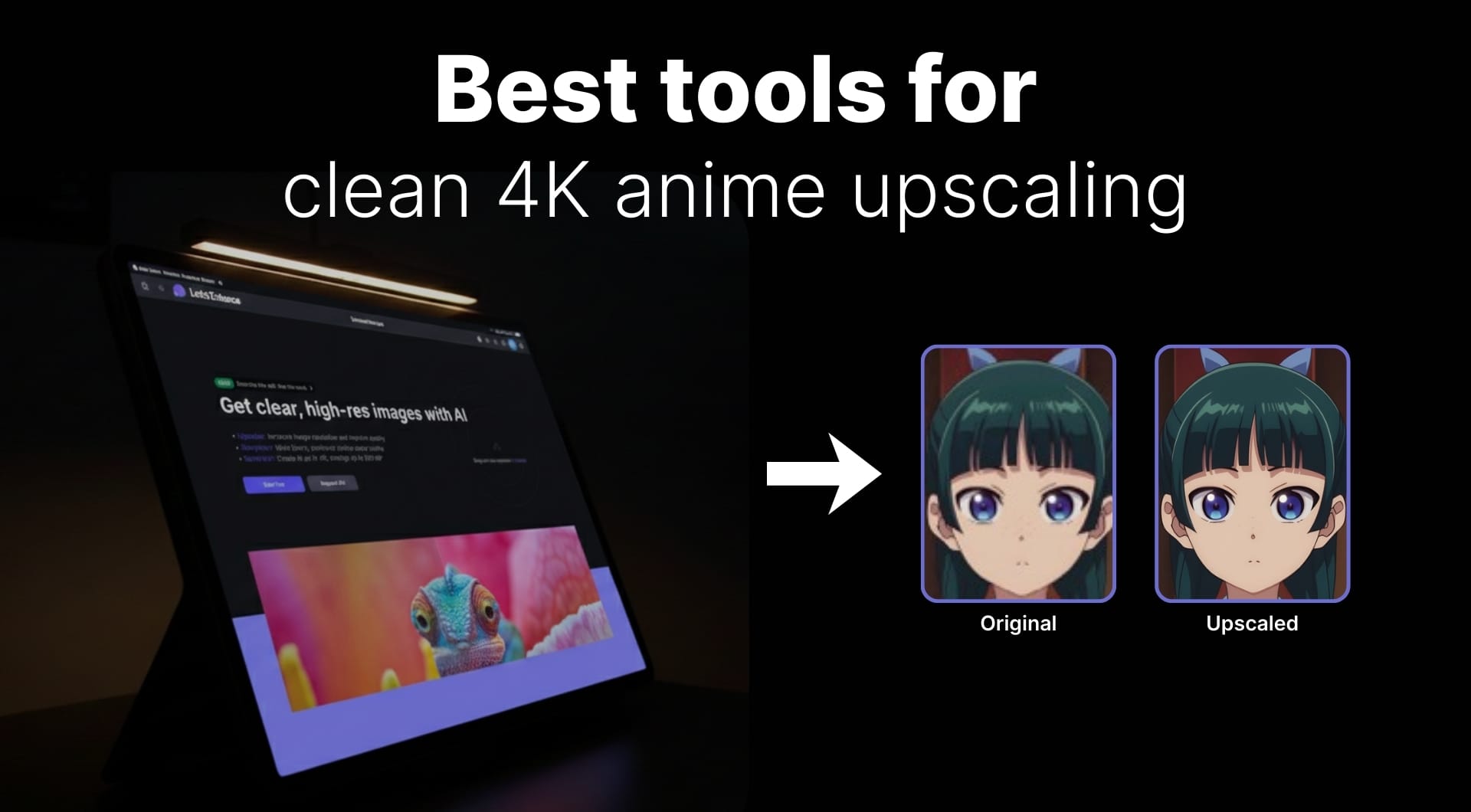
If you're looking for an anime upscalers that keep sharp lines, clean gradients, and true colors while pushing images to 4K or even 8K, then read on. This guide compares the best AI anime upscalers in 2026 for wallpapers, manga scans, VTuber assets, and AI-generated anime art.
Overview of best anime image upscalers
| Tool name | Best for | Pricing model | Key strength |
|---|---|---|---|
| LetsEnhance | Best overall anime image upscaler | Freemium, subscriptions, credits | High fidelity anime art upscaling with huge max resolution |
| Waifu2x | Classic free anime image upscaler | Free, open source | Conservative, clean line preservation |
| Real-ESRGAN Anime 6B (Upscayl / SD / ComfyUI) | AI-native and power users | Free, open source (desktop) | Modern anime model for SD art and wallpapers |
| Bigjpg | Simple online anime image upscaler | Freemium, low cost plans | Anime and illustration focused, dead simple |
| VanceAI Anime Upscaler | One-click waifu and wallpaper tool | Credits plus subscriptions | 2x–8x online anime upscaling |
| ImgUpscaler / Upscale.media | Quick free web upscalers | Freemium | Zero setup, decent general anime quality |
1. LetsEnhance (best overall anime image upscaler)
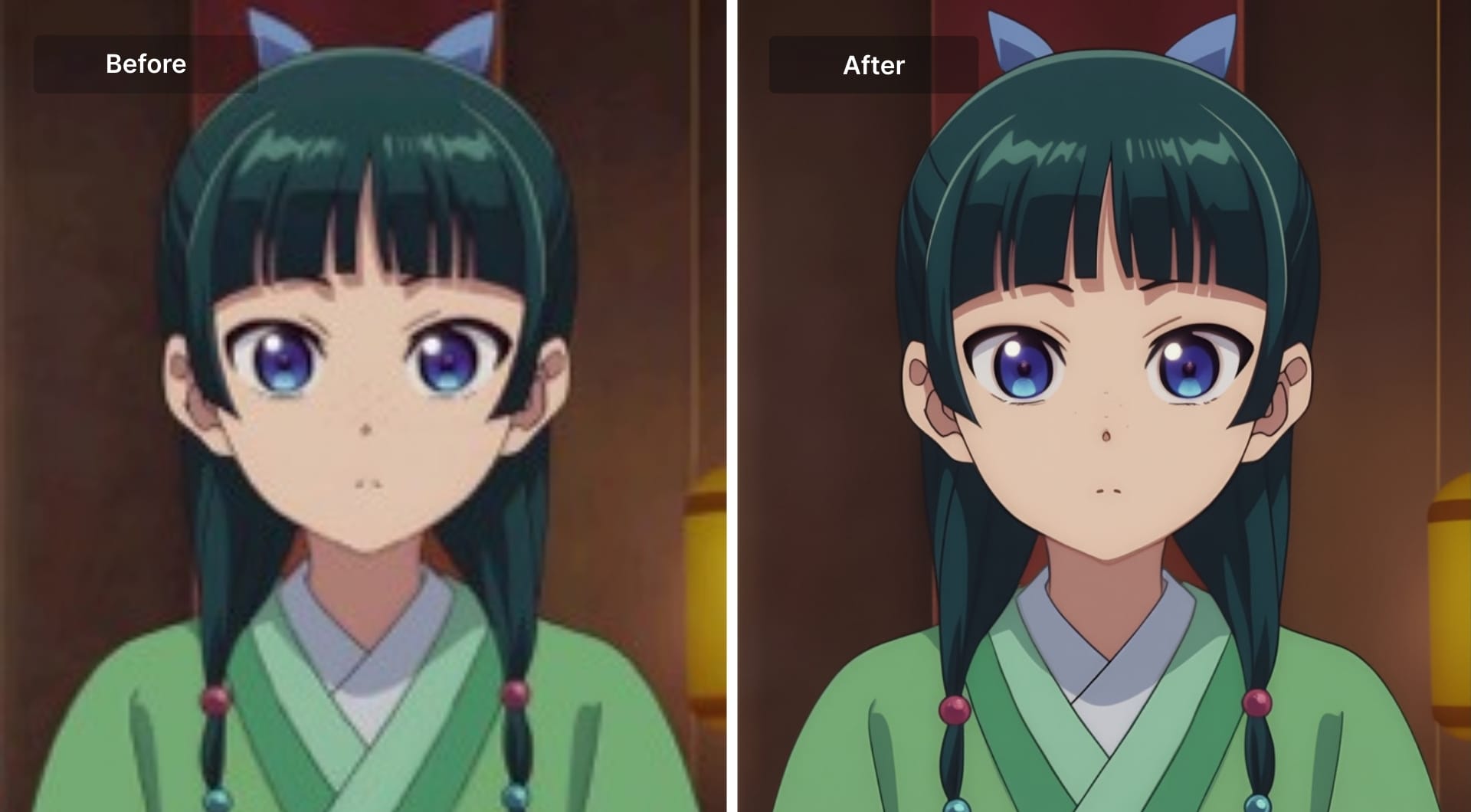
LetsEnhance is a cloud image enhancer with specialized models for photos, digital art, and stylized content. From available 6 upscalers, he Digital art model is trained specifically on stylized and anime-style artwork. Instead of just stretching pixels, the model:
- Increases resolution while sharpening real edges
- Preserves the original flat-shaded, cel-style look
- Avoids the “oily” artifacts you get from photo-tuned upscalers
Key features
- Anime-friendly Digital art model that keeps lines sharp and colors flat
- 2x–16x upscaling with effective output far beyond 4K for large sources
- Strong artifact removal for over-compressed anime wallpapers
- Batch processing directly in the browser, no local GPU needed
- Extra tools in the same tool: text to image, chat-based editing, image to video and the new video upscaling for other creative work
Best for
- Upscaling Stable Diffusion and ComfyUI anime generations to 4K and 8K
- Cleaning and enlarging anime-style illustrations, VTuber model art, overlays, and stream assets
- Turning anime screenshots into clean posters or desktop wallpapers
- Manga or webtoon pages where readability and line precision matter
Pricing
- Free sign-up with 10 trial credits so you can test anime upscales
- Subscriptions starting from 9$ a month, plus pay-as-you-go budnles packs
- High input and output resolution limits compared to most web tools
Pros and cons
Pros
- High fidelity by default; you can push harder only when you want to
- Huge resolution ceiling for posters and print
- No installs, no VRAM drama, works on any OS with a browser
- Handles mixed content well, from pure anime to semi-realistic art
Cons
- Cloud only, no offline desktop client
- Geared toward still images, not full anime episodes
- Power users may want finer sliders than the current UI exposes
2. Waifu2x (classic free anime image upscaler)
Waifu2x is the original deep learning upscaler that is trained explicitly on anime-style images. The two core operations are: denoise (remove noise and compression junk) and 2x super resolution.
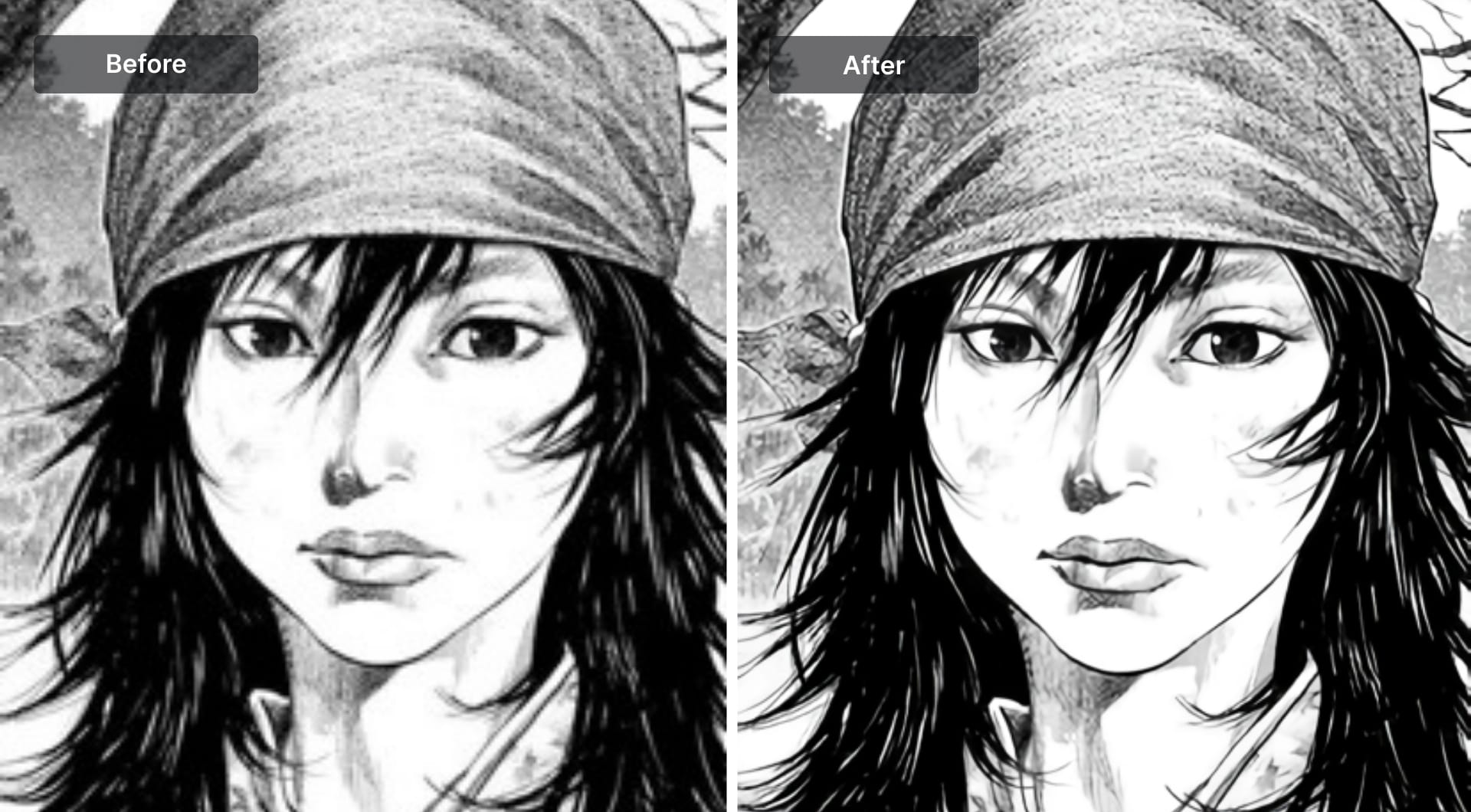
Waifu2x’s main strength is conservative line preservation. It makes low res anime images look cleaner and bigger without drastically changing the style.
You can use it through web interfaces, desktop clients and ports and command line tools on Windows, macOS, and Linux.
Key features
- Anime-specific convolutional model
- 2x upscaling with optional denoise strength
- Multiple forks and GUIs, including CUDA / GPU accelerated versions
- Reasonable speed on modern hardware for individual images
Best for
- Cleaning low bitrate anime screenshots
- Upscaling fanart, avatars, Discord and Steam profile images
- Manga page upscaling where sharp black lines matter more than textured detail
Pricing
- Completely free and open source
- Some third party web frontends may have their own limits, but the model itself is free
Pros and cons
Pros
- Predictable and stable output
- Very good at keeping line integrity and font clarity
- Lightweight compared to many newer models
Cons
- Limited to modest scaling; 2x is the core use case
- Can look a bit soft compared to newer Real-ESRGAN variants
- The ecosystem is fragmented, with many forks and interfaces to choose from
3. Real-ESRGAN Anime 6B (Upscayl, Stable Diffusion, ComfyUI)
Real-ESRGAN is a family of practical super resolution models. The Anime 6B variant is tuned for anime and anime-like illustrations. It is a go-to in:
- Stable Diffusion pipelines (hires fix, latent upscaler)
- ComfyUI graphs
- Desktop apps such as Upscayl
Compared to Waifu2x, Anime 6B has a more modern architecture, better handling of heavy JPEG artifacts, and more aggressive reconstruction of detail.
Upscayl wraps these models in a simple cross-platform desktop app. You choose a model, drop in images, and run 2x–4x upscales on your own GPU.
Key features
- RealESRGAN_x4plus_anime_6B model designed for anime-style content
- Integrates directly with SD / ComfyUI as an upscaler node
- Upscayl desktop app for Linux, Windows, and macOS
- Optional cloud variants if you do not have a strong GPU
Best for
- Stable Diffusion and ComfyUI users who already work with checkpoints and nodes
- Power users who want maximum control over tiling, scale, and model choice
- Upscaling AI-generated anime art and heavily compressed wallpapers
Pricing
- Models are free and open source
- Upscayl desktop is free
- Optional paid cloud services if you want to outsource GPU work
Pros and cons
Pros
- Excellent at repairing low quality, blocky anime images
- Easy to integrate into automated pipelines and batch scripts
- Strong results for AI-native art where you are less worried about “purity”
Cons
- Setup can feel technical: model downloads, folder paths, GPU drivers
- More likely than Waifu2x to hallucinate detail if pushed hard
- You must manage updates and compatibility yourself
4. Bigjpg (simple online anime image upscaler)
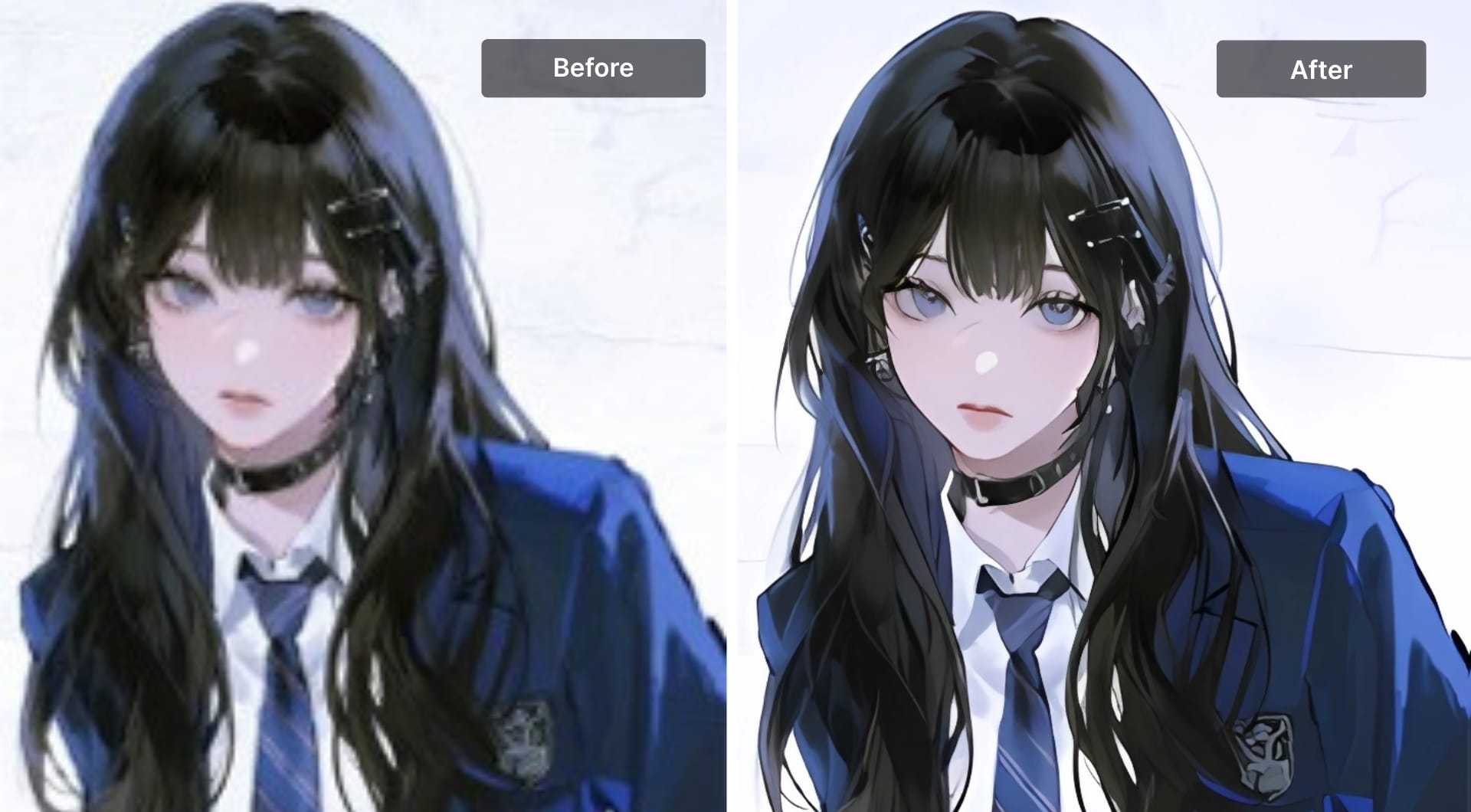
Bigjpg is a web-first upscaler originally positioned around anime and illustration. It uses deep convolutional networks tuned for clear outlines, flat color areas, noise and artifact reduction.
You upload an image, choose scale and noise reduction, and download the result. No installation, no model selection.
Key features
- Large scale factors (2x, 4x, and beyond depending on plan)
- Anime / illustration mode alongside photo mode
- Desktop and mobile apps for convenience
- API for automation in custom tools
Best for
- Quick upscaling of anime wallpapers, avatars, and art
- Users who do not want to touch model files or command lines
- People who need a predictable “just works” online tool
Pricing
- Free tier with limits on size and number of images
- Paid plans that increase quotas, speed, and max resolution
- Simple subscription structure, suitable for regular use
Pros and cons
Pros
- Extremely low friction workflow
- Tuned specifically for anime and stylized images
- Multiple client options plus API
Cons
- Web service constraints on free tier
- Less control than local tools
- No support for very niche workflows like SD hires fix inside a pipeline
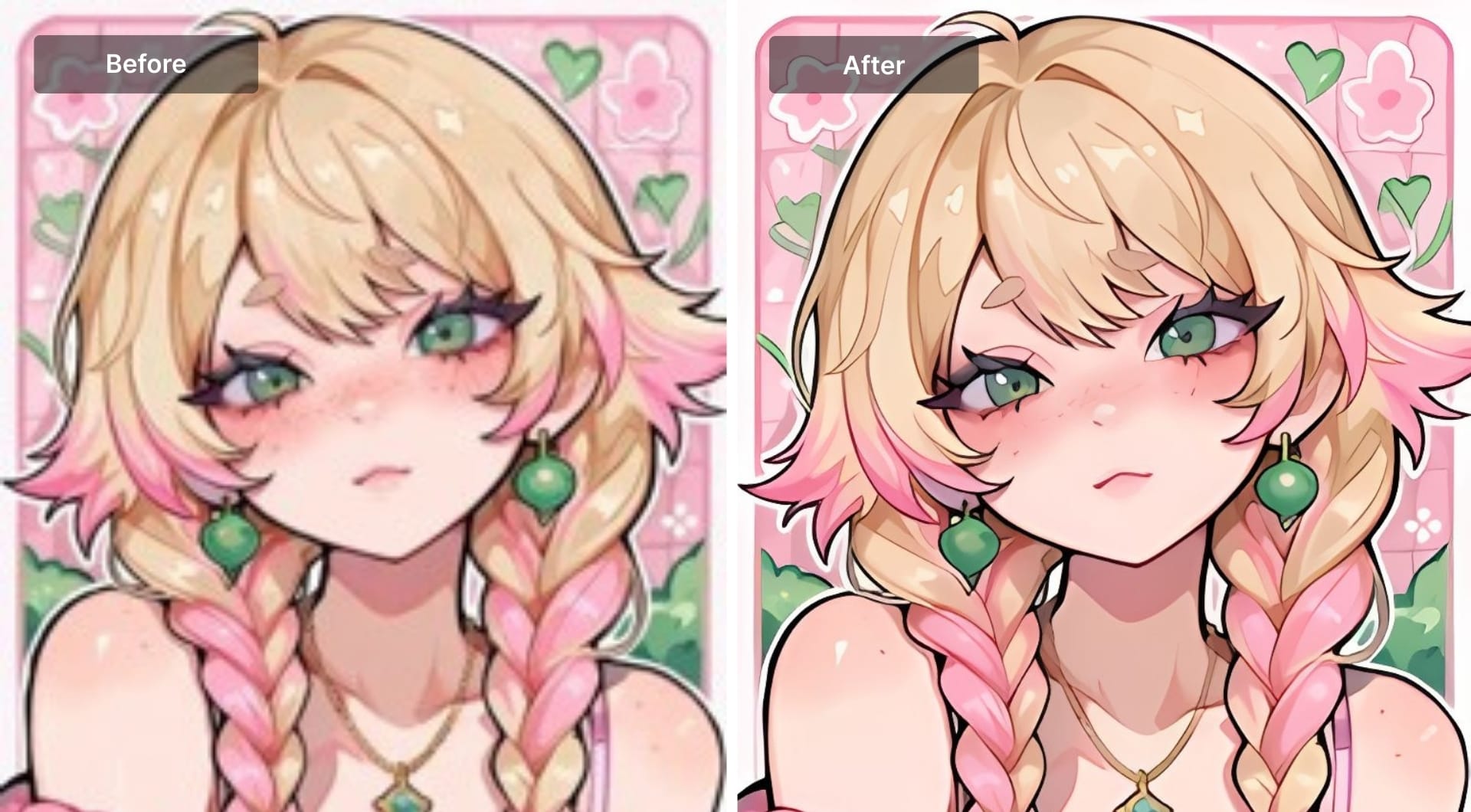
5. VanceAI Anime Upscaler (online waifu and wallpaper tool)
VanceAI offers a bundle of AI image tools. The Anime Upscaler is a dedicated model for anime art, manga pages and waifu-style illustrations.
It provides 2x, 4x, and 8x enlargement, focusing on reducing blur, sharpening edges, and improving overall clarity.
Key features
- Anime-specific model with multiple scale options
- One-click workflow: upload, pick scale, download
- Works well for JPG anime wallpapers, avatars, character art
- Sits beside other tools like general upscaler, denoiser, sharpener, and old photo restorer
Best for
- Users who want a convenient, browser-only anime upscaler
- Enhancing images for avatars, thumbnails, and phone wallpapers
- Cleaning low res anime-style art before using it in graphics or layouts
Pricing
- Free account with a small number of credits
- Credit-based system plus subscription plans for heavier usage
- Anime upscaler consumes more credits per image than basic tools
Pros and cons
Pros
- Very easy to get started
- 8x scale helps rescue tiny source images
- Fits nicely into a general online editing workflow
Cons
- Strict size and resolution caps on free tier
- Costs add up if you process many images monthly
- Less control than running Real-ESRGAN locally
6. ImgUpscaler / Upscale.media and similar web tools
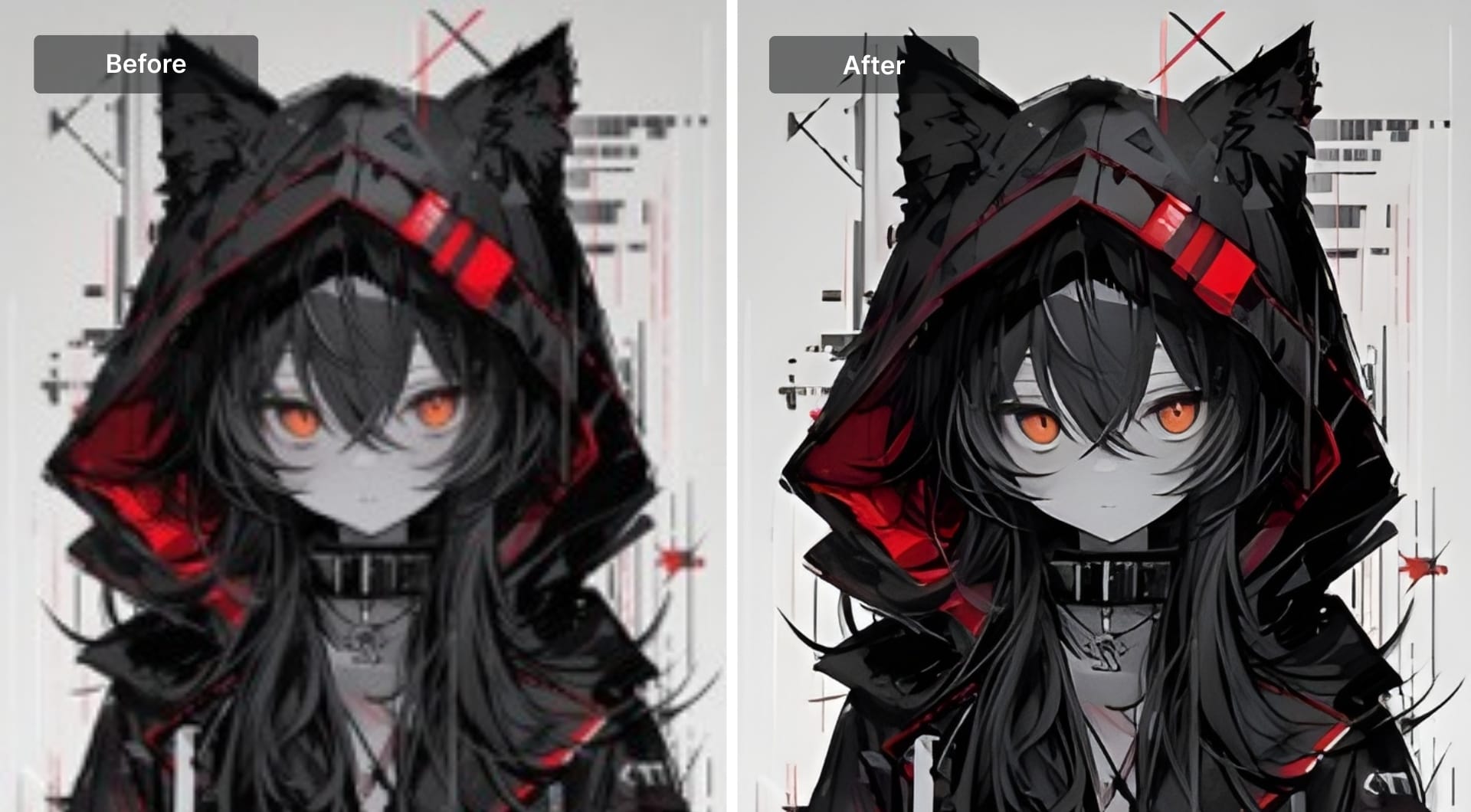
There are several lightweight web upscalers like ImgUpscaler and Upscale.media that use AI super resolution under the hood but present a minimal interface. All you need is just upload an image, choose scale (often 2x or 4x) and download.
They are not anime-only but work reasonably well on anime content, especially cleaner, newer images.
Key features
- Fast 2x or 4x upscaling in a browser
- General-purpose models that also handle anime decently
- Some let you chain denoise or sharpening
Best for
- Casual users who have a handful of anime pics to improve
- Quick upscales for memes, reaction images, profile pictures
- Situations where you do not care about perfect line fidelity but want better clarity
Pricing
- Usually freemium: small images or limited monthly usage for free
- Paid plans for bigger files and higher priority processing
Pros and cons
Pros
- No setup, ideal for one-off jobs
- Good enough for many social media use cases
- Very accessible for non-technical users
Cons
- Not tuned specifically for anime line art
- Limited controls
- Long term heavy users quickly hit paywalls
Buying guide: how to choose an anime image upscaler
What are you upscaling?
- Anime screenshots are usually already compressed, so you need models that handle noise and blocking well. Good options are LetsEnhance's Digital art model, Real-ESRGAN Anime 6B via Upscayl, and Waifu2x with moderate denoise.
- AI-generated anime art from Stable Diffusion or ComfyUI is often cleaner but lower resolution. In this case use Real-ESRGAN Anime 6B in your pipeline, or LetsEnhance's Ultra or Digital art if you prefer a cloud UI.
- Manga scans and line art have thin lines and halftones that are fragile. Here, LetsEnhance's Digital art on a conservative setting, Waifu2x with low denoise, and Bigjpg anime mode work well.
- Wallpapers and posters need large output and minimal artifacts. LetsEnhance is a strong choice for very high resolutions, Bigjpg or VanceAI are good for quick 4x or 8x from a browser, and Real-ESRGAN Anime 6B helps with heavy compression cleanup.
Cloud versus desktop versus pure open source
Cloud tools such as LetsEnhance, Bigjpg, VanceAI, and Upscale.media do not require a GPU or installation and offer strong UX, but they come with recurring cost, upload limits, and potential privacy concerns for unreleased art.
Desktop tools like Upscayl, Waifu2x clients, and SD or ComfyUI setups give you full control, offline processing, and no per-image cost, but they need a compatible GPU and time to configure.
Raw models and CLI workflows such as Real-ESRGAN, Waifu2x, and Real-CUGAN provide maximum flexibility, are scriptable, and are ideal for batch processing, but they have the steepest learning curve.
Conservative vs generative upscaling
Think about how creative you want the model to be. Conservative setups aim to preserve every line. Waifu2x, LetsEnhance's Digital art and Bigjpg anime mode at modest scales are good examples.
More generative setups try to reconstruct detail and texture. Real-ESRGAN Anime 6B, LetsEnhance's Ultra for stylized art, and some VanceAI settings at higher scale fall into this category.
For archival or scanlation work, lean conservative. For AI art that already deviates from an original, you can push generative models harder.
Free vs paid
You can get excellent results with free tools if you are willing to invest time. Waifu2x, Real-ESRGAN Anime 6B, and Upscayl are strong free options.
Paid tools pay you back in time saved and friction removed. LetsEnhance is ideal for “upload and done” workflows with huge resolutions, and Bigjpg or VanceAI are good choices if you like credit-based web apps.
FAQ
What is the best anime image upscaler in 2026?
There is no single best anime upscaler for every situation. For most creators, LetsEnhance with the Digital art model is the strongest overall choice because it balances sharp lineart, artifact cleanup, and very high output resolutions in a simple web workflow. If you want a completely free stack and do not mind some setup, pairing Waifu2x with Real-ESRGAN Anime 6B (for example via Upscayl) covers both conservative restoration and more aggressive enhancement. For quick online jobs, Bigjpg and VanceAI Anime Upscaler are convenient options that work well for wallpapers, avatars, and fanart.
What is the best free anime image upscaler?
If you are comfortable installing software, the best free options are Waifu2x and Real-ESRGAN Anime 6B. Waifu2x is ideal when you want conservative, clean 2x upscales that preserve lineart and text, while Real-ESRGAN Anime 6B handles heavy JPEG artifacts and rough sources better and can push to higher scales. If you prefer to stay in the browser, services like Upscayl Cloud and Upscale.media offer limited free usage that can still be enough for occasional anime upscaling without installing anything.
Which anime upscaler is best for Stable Diffusion and ComfyUI?
For Stable Diffusion and ComfyUI pipelines, Real-ESRGAN Anime 6B is usually the default recommendation. It plugs directly into hires fix workflows and upscaler nodes, so you can generate at a lower resolution and then upscale cleanly in the same graph. Many users also export their SD or ComfyUI outputs and run them through Upscayl or LetsEnhance as a final finishing pass, especially when they need very large 4K or print-ready images.
How do I upscale anime images without losing quality?
To upscale without ruining quality, start by choosing an anime-aware model such as LetsEnhance’s Digital art model, Waifu2x or Real-ESRGAN Anime 6B. Begin with a modest scale factor, usually 2x, and move to 4x only if the source is clean enough. If your tool exposes denoise or strength controls, keep them around the middle; increase them only when you are dealing with noisy DVD caps and decrease them if faces or lines start to look plastic. Always review the result at 100 percent zoom and check thin lines, text, and gradients; if they look smudged or over-sharpened, back off the strength or scale and try again.
How can I turn a low resolution anime wallpaper into a 4K or 8K wallpaper?
If you prefer a simple cloud workflow, you can upload the wallpaper to LetsEnhance, select the Digital art model, and target a 4K output in one pass, then decide if a further upscale is worth it. Extremely small or messy sources may never look truly native 4K or 8K, so it is better to aim for a clean 4K result than force an oversized 8K image full of artifacts.
Do AI anime upscalers create “fake” detail?
All AI anime upscalers generate new pixels that did not exist in the original; that is how super resolution works. The key difference between tools is how aggressive they are. Conservative models such as LetsEnhance and Waifu2x mostly clean noise and refine edges while staying close to the source. More creative models such as Real-ESRGAN Anime 6B and stronger modes in cloud tools will reconstruct texture and micro-detail, which can look great on AI art but may feel too “invented” on archival material.
What scaling factor should I use for most anime images?
For most anime use cases, 2x is the safest default. It delivers a noticeable improvement in clarity without stressing the model or introducing obvious artifacts. You can move to 4x when the source is clean and you need a larger wallpaper or print, but check the result carefully for halos or over-sharpening. Going beyond 4x should be reserved for specific situations, such as very small but clean sources or workflows where you will downscale slightly after upscaling.
