
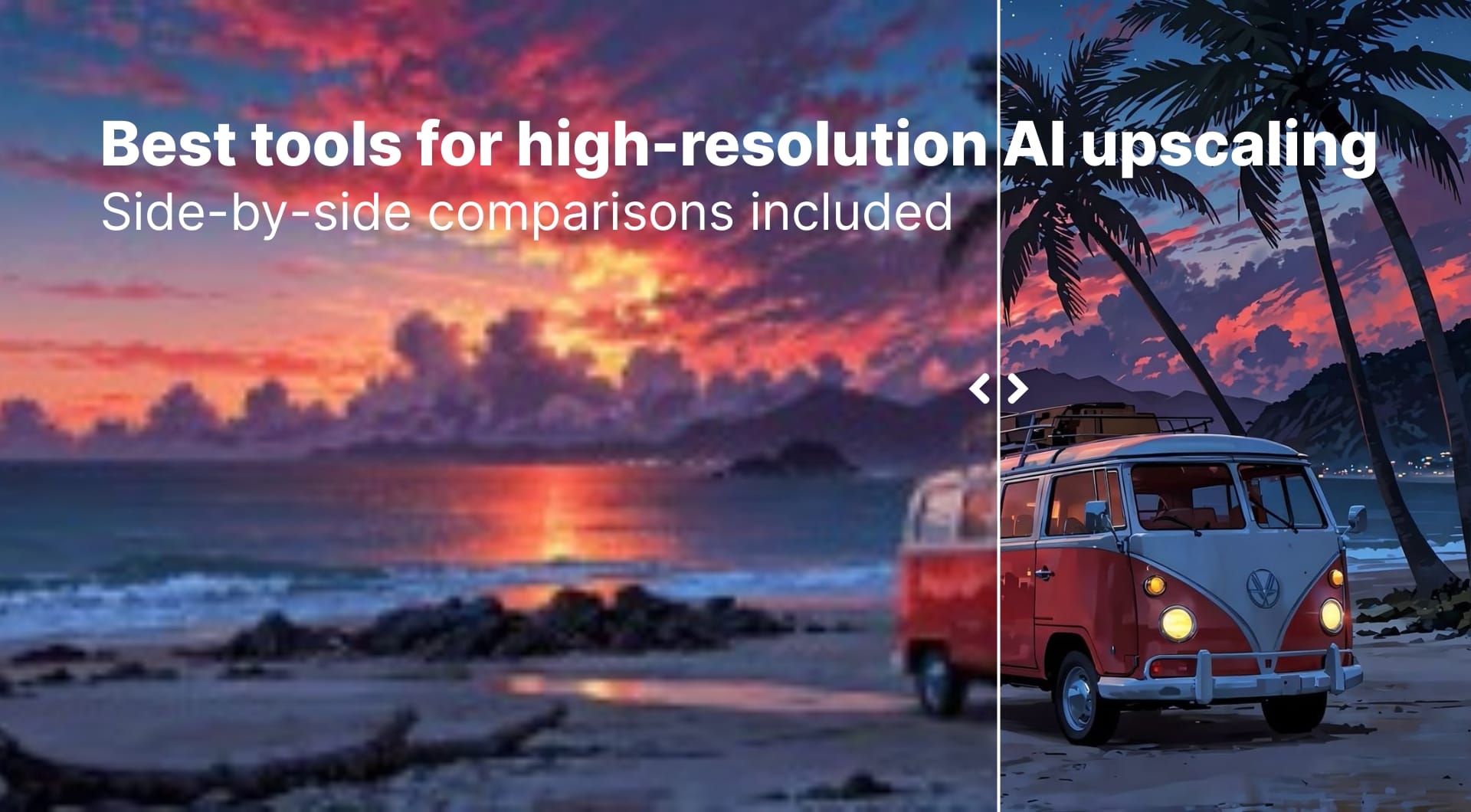
Standard interpolation (bicubic resampling) is dead. If you are preparing files for large-format print, eCommerce, or restoring archives, you need AI upscaling that understands texture beyond pixels. This guide compares the best AI image upscalers in 2026 for print, ecommerce, AI art, and social, including free and paid options.
Read on to learn more!
Top AI upscalers at a glance
| Tool name | Best for | Pricing model | Key strength |
|---|---|---|---|
| 1. LetsEnhance | Best overall all-round upscaler | 10 free credits, subscriptions from ~$9 / month | High-res print (up to 500MP), multiple smart modes |
| 2. Topaz Gigapixel | Print photographers, detail-critical work | Perpetual license + optional upscale | Class-leading detail and face handling |
| 3. Magnific AI | Generative AI art and extreme detail | Subscription from about $39 / month | Adding heavy artistic detail to simple renders |
| 4. ON1 Resize AI | Large prints, photo pros | One-time license | Print tools, gallery-size enlargements |
| 5. VanceAI | Flexible online and desktop upscaling | Subscriptions + desktop license | Up to 8x online, up to 40x desktop |
| 6. Upscayl | Free/Open source | Free (FOSS) | Decent quality for zero cost; local privacy |
| 7. HitPaw FotorPea | 4K / 8K / 16K photo enhancement | Desktop license + online tools | Very high resolutions and restoration |
| 8. Claid.ai | eCommerce & API | Subscription / Usage | Bulk processing, color correction & API |
1. LetsEnhance
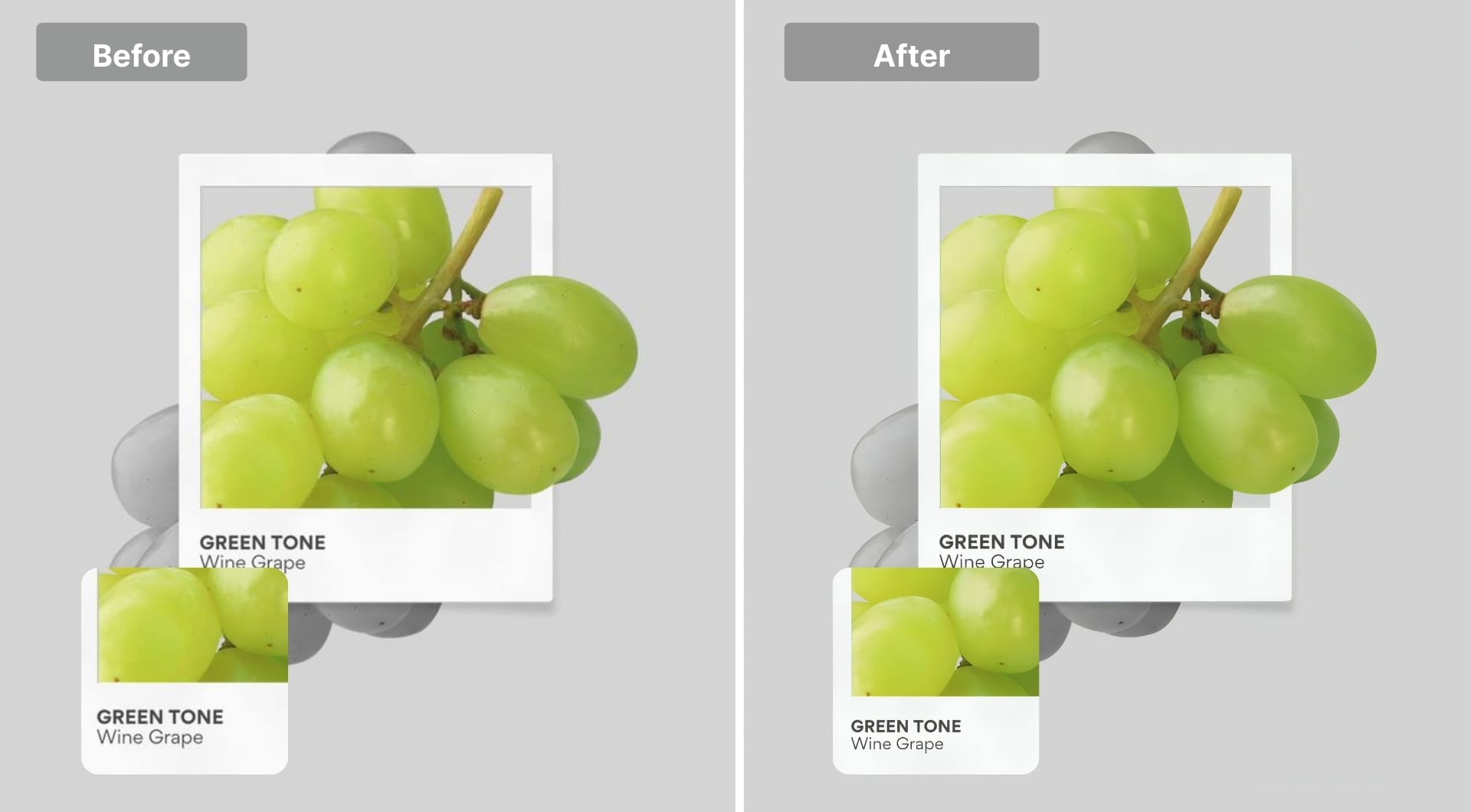
LetsEnhance stands out as it offers a spectrum of AI models ranging from preservation (keeping the original pixels accurate) to transformation (rebuilding bad quality). Whether you need to upscale a product shot containing text without distorting the letters, or take a pixelated AI-content and hallucinate realistic 4K textures, LetsEnhance has a specific mode for it. It operates entirely in the cloud and delivers up to 512MP resolution.
Key features
- Multiple super resolution modes: Gentle, Balanced, Strong, Ultra, Digital Art and Old photo
- Built in denoising, artifact cleanup, and color enhancement aimed at low quality or compressed files
- Max output around 256 to 512 megapixels depending on plan, suitable for 4K, 8K, and very large prints
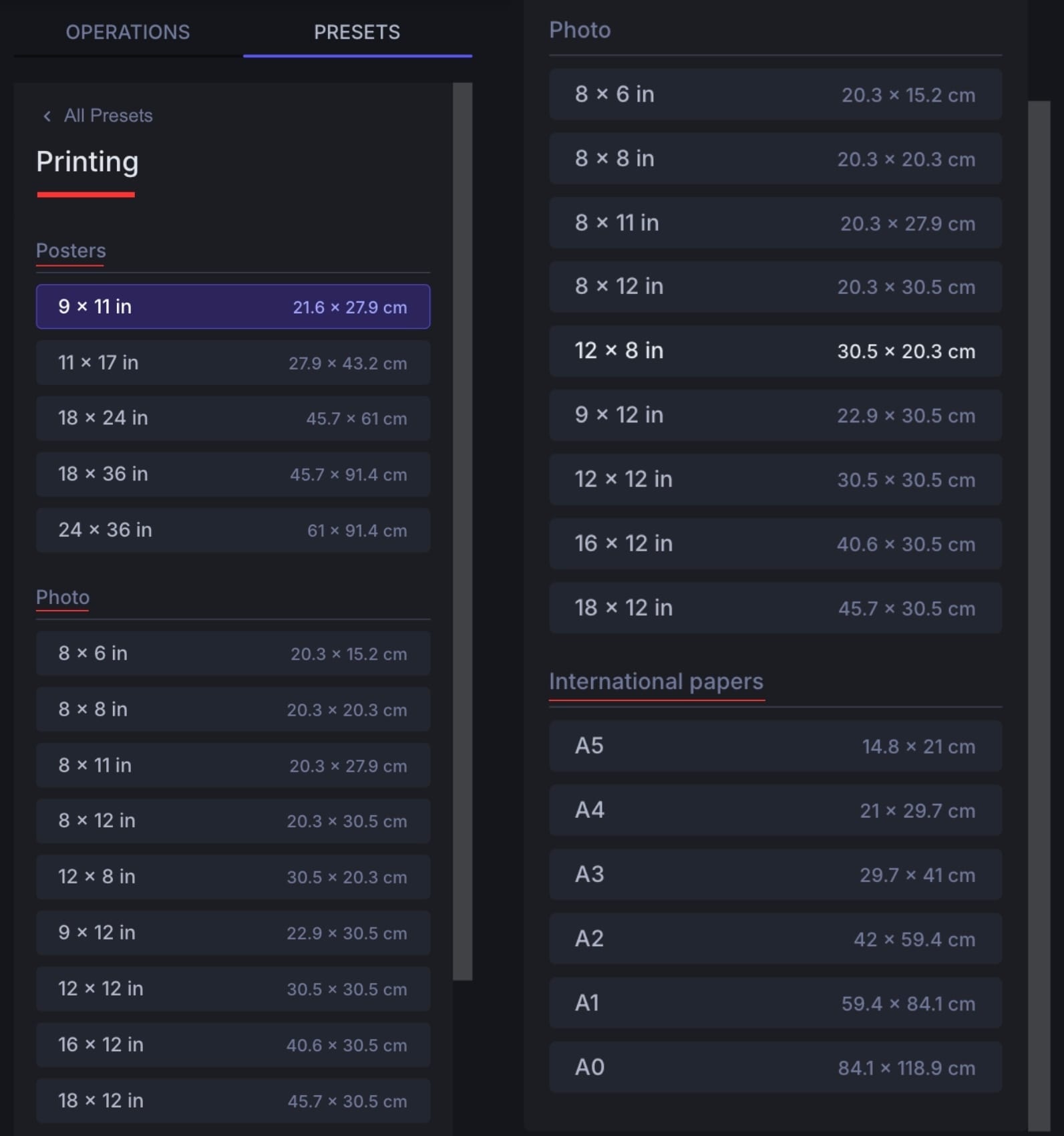
- Built-in printing presets for posters (e.g., 24x36"), photo papers, and international papers (A4, A3). It automatically sets your image to the correct resolution and 300 DPI
- Chat Editor: Edit images by typing prompts (e.g., "remove background," "fix lighting") before upscaling
Best for
- Photographers who need print ready enlargements without leaving the browser
- Ecommerce sellers who must upscale mixed assets: product shots, images with text, logos
- Ai art users who want a controlled, high fidelity upscale rather than heavy hallucination
- Agencies that handle many asset types and need a consistent look across them
Pricing
- Free trial: 10 credits
- Subscription: Starts at $9/mo.
- Pay-as-you-go: One-time bundles available.
Pros
- Very large max resolution, suitable for 4K, 8K, posters, and billboards
- Distinct models for photos, AI art, old scans, and product images so you do not have to tweak low level settings
- Strong balance between fidelity and added detail, especially in Gentle vs Ultra modes
- Web based, so it runs on any machine and in team workflows
- Integrates with Claid.ai for API based and ecommerce scenarios
Cons
- No offline mode (requires internet connection).
- Continuous or extensive use requires a paid subscription.
- Less granular control and fewer custom settings for expert editors.
2. Topaz Photo AI (and Gigapixel)
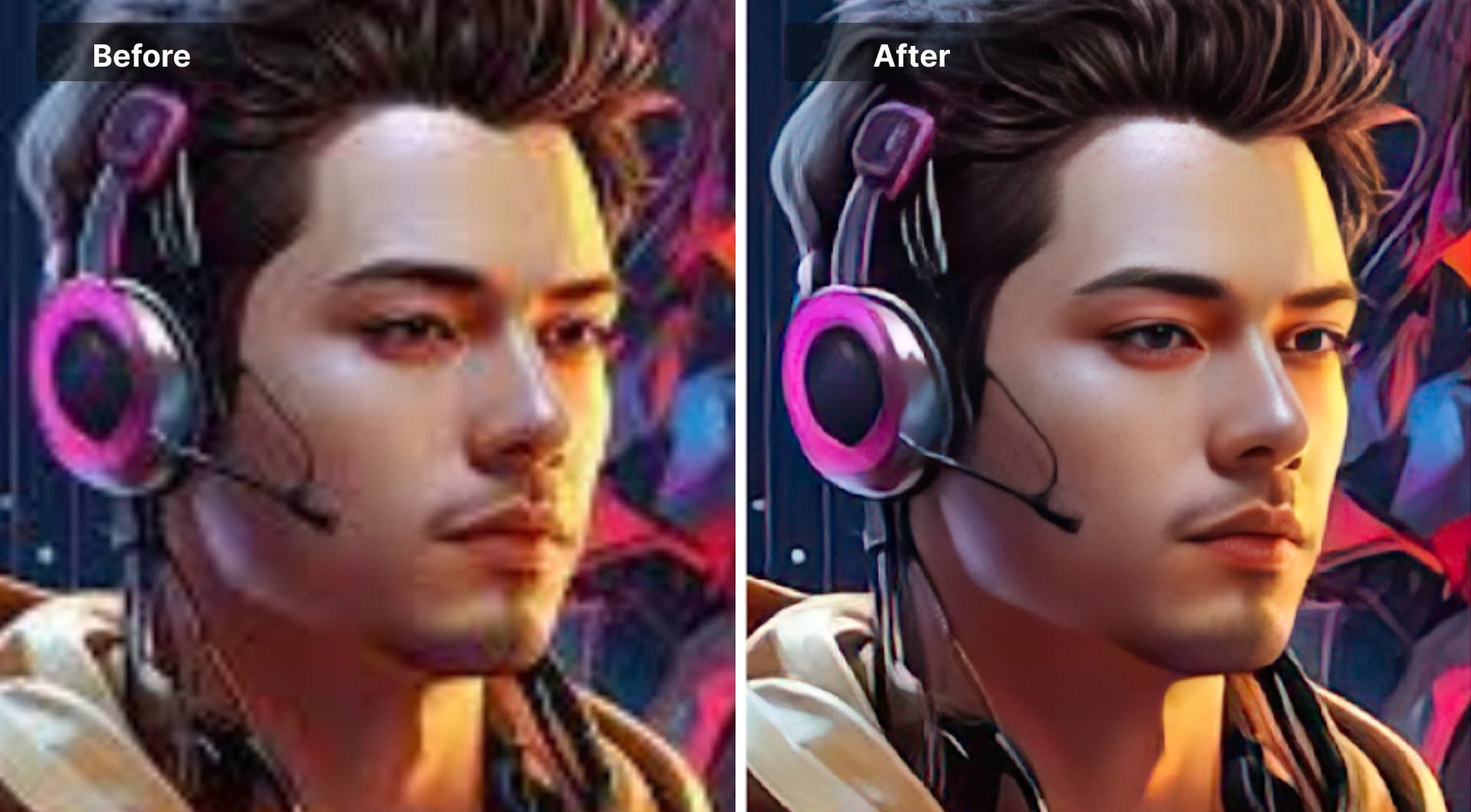
Topaz Photo AI combines sharpening, denoising, and upscaling in one desktop application and effectively replaces the older standalone Gigapixel AI for many users. It is repeatedly recommended as one of the best upscalers for realistic photos, especially faces and fine textures, because it recovers detail without creating as many plastic or over sharpened artifacts.
Photo AI runs locally and uses your GPU for acceleration. That makes it ideal for large raw files or batch upscaling for print.
Key features
- Super resolution models tuned separately for detail enhancement, noise, and sharpening
- Upscaling up to 6 to 8x depending on the workflow, suitable for large prints and severe crops
- Face aware enhancement that keeps skin natural while restoring eyes, lashes, and hair
- Raw support, plus plugins for Lightroom and Photoshop workflows
- Side by side preview with automatic settings suggestions
Best for
- Portrait, wedding, and landscape photographers printing big
- Users who want maximum quality for a few critical images rather than mass batch work
- AI art users who want a photographic finish for Midjourney or Stable Diffusion images
Pricing
- Perpetual license (Topaz Photo) about $199 one-time per device
- Ongoing upgrade plans and subscriptions around $17 to $21 per month
Pros
- Among the highest quality upscalers for real world photography
- Excellent face enhancement and noise handling compared with many alternatives
- Offline processing; good for private or client sensitive shoots
- Integrates cleanly into existing Adobe or raw based workflows
Cons
- Desktop only and GPU hungry at high resolutions
- Up front cost is higher than simple web tools
- Workflow is richer than a one click web upscaler, so there is a learning curve
3. Magnific AI
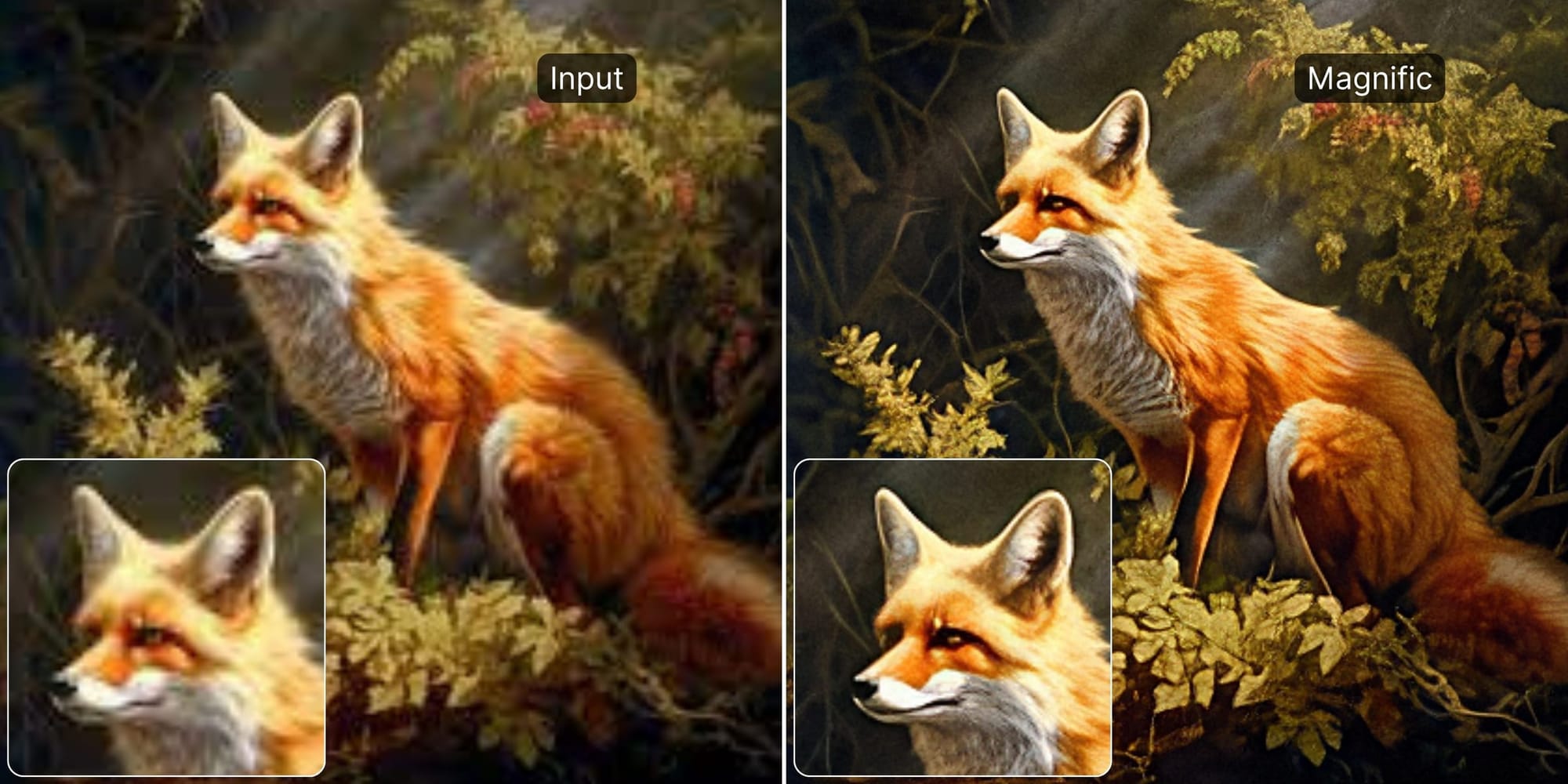
Magnific AI is a cloud based image upscaler and enhancer that leans into generative editing. It aggressively adds details that were not in the original image. This is fantastic for taking a simple 3D blockout or a sketch and turning it into a detailed render, but it can be dangerous for photography where likeness and truth are required.
Users praise it for dramatically improving AI art and resolving typical issues like mushy details or repetitive patterns, but cost is a frequent concern.
Key features
- Aggressive generative upscaling that invents new micro detail
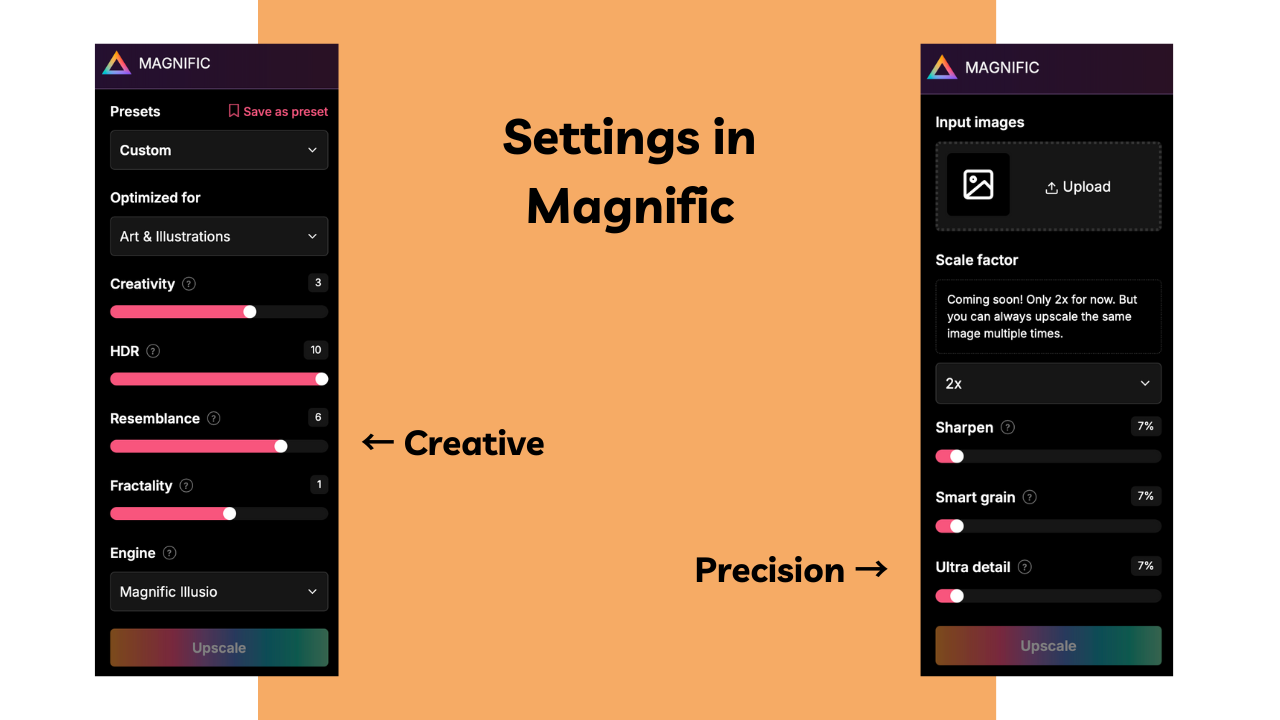
- Controls for creativity vs fidelity so you can keep the original composition intact or push it further
- Strong at fixing artifacts often seen in AI art, such as warped hands or textures
- Web based with token based usage
Best for
- AI art users who want the most dramatic before and after upscaler
- Creators selling posters and prints of Midjourney or Stable Diffusion work
- Users who are comfortable with some creative deviation from the source image
Pricing
- Subscription only, starting from about $39 per month
- Higher tiers available at about $99 and $299 for Premium and Enterprise.
Pros
- Among the strongest tools for enhancing AI generated images
- Can turn small AI thumbnails into huge, sellable art prints
- Highly configurable creativity level
Cons
- Expensive relative to more traditional upscalers
- Overkill if you just need faithful 2x or 4x photo upscaling
- Less suitable for documentary or client work where fidelity is critical
4. ON1 Resize AI
ON1 Resize AI is a dedicated upscaler for photographers who print big. It is built around super resolution models plus traditional print tooling such as margins, tiling, and output sharpening. It can enlarge images up to about 10x while maintaining detail and edge clarity and is often recommended when comparing with Topaz Gigapixel for print ready workflows.
Key features
- AI super resolution up to 10x enlargement, with print specific sharpening and grain options
- Built in presets for common paper sizes and galleries
- Face recovery features for portraits and people in larger prints
- Can run as a standalone app or plugin for major raw editors
Best for
- Fine art and landscape photographers printing large wall pieces
- Studios that need predictable print margins and resampling control
- Users who want a perpetual license instead of subscriptions
Pricing
- Standalone license ranging from $50 to $120 depending on version
Pros
- Strong print oriented tooling that others lack
- Good value in bundles if you also need noise reduction or portrait tools
- Perpetual license model
Cons
- Less known than Topaz, so there is less community guidance and presets
- Interface can feel heavier than simple web upscalers
- Mostly aimed at photographers, not AI art or social media users
5. VanceAI
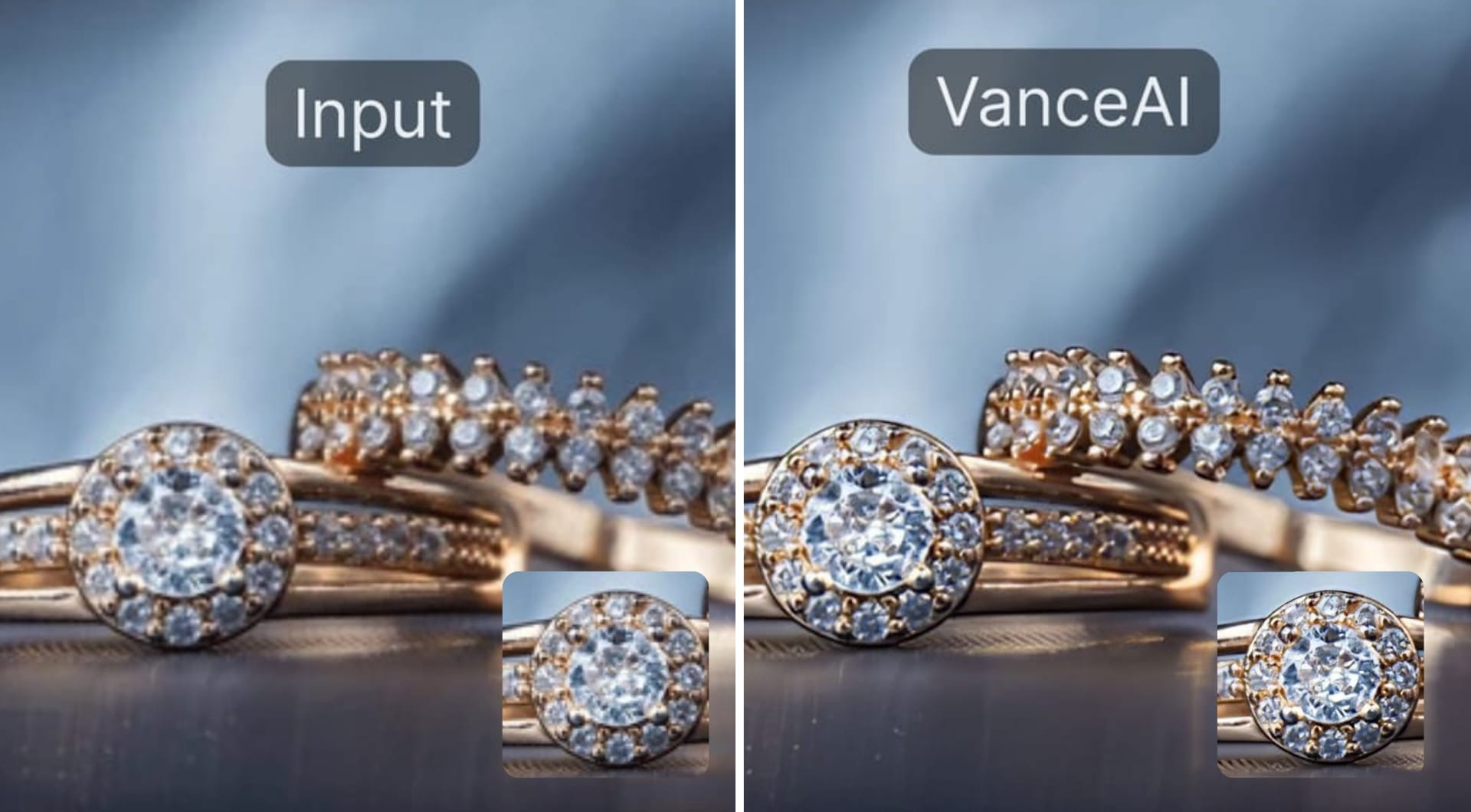
VanceAI offers an image upscaler that can enlarge images up to 8x online and up to about 40x with its desktop software. It has multiple AI models, including options for anime and art, and is used for product photos, portraits, and illustrations.
Key features
- Online upscaling up to 2x, 4x, and 8x with model choice for photos, anime, and text
- Desktop app that supports extreme upscaling up to around 40x for specific use cases
- Noise reduction and artifact removal along with scaling
- Browser based batch support for multiple images
Best for
- Users who need both online and offline options from one vendor
- Anime and illustration workflows that benefit from dedicated models
- Small ecommerce sellers who want higher quality pack shots without heavy software
Pricing
- Online plans starting at $4.95 for 100 credits
- Desktop version with $39.90 for one month license
Pros
- Wide scaling range, from modest 2x to extreme 40x
- Multiple specialized models, including anime oriented ones
- Both web and desktop paths
Cons
- Pricing structure is more complex than a simple flat subscription
- Interface is more consumer oriented, which some pros find limiting
- Desktop extreme scaling can be slow and hardware dependent
6. Upscayl
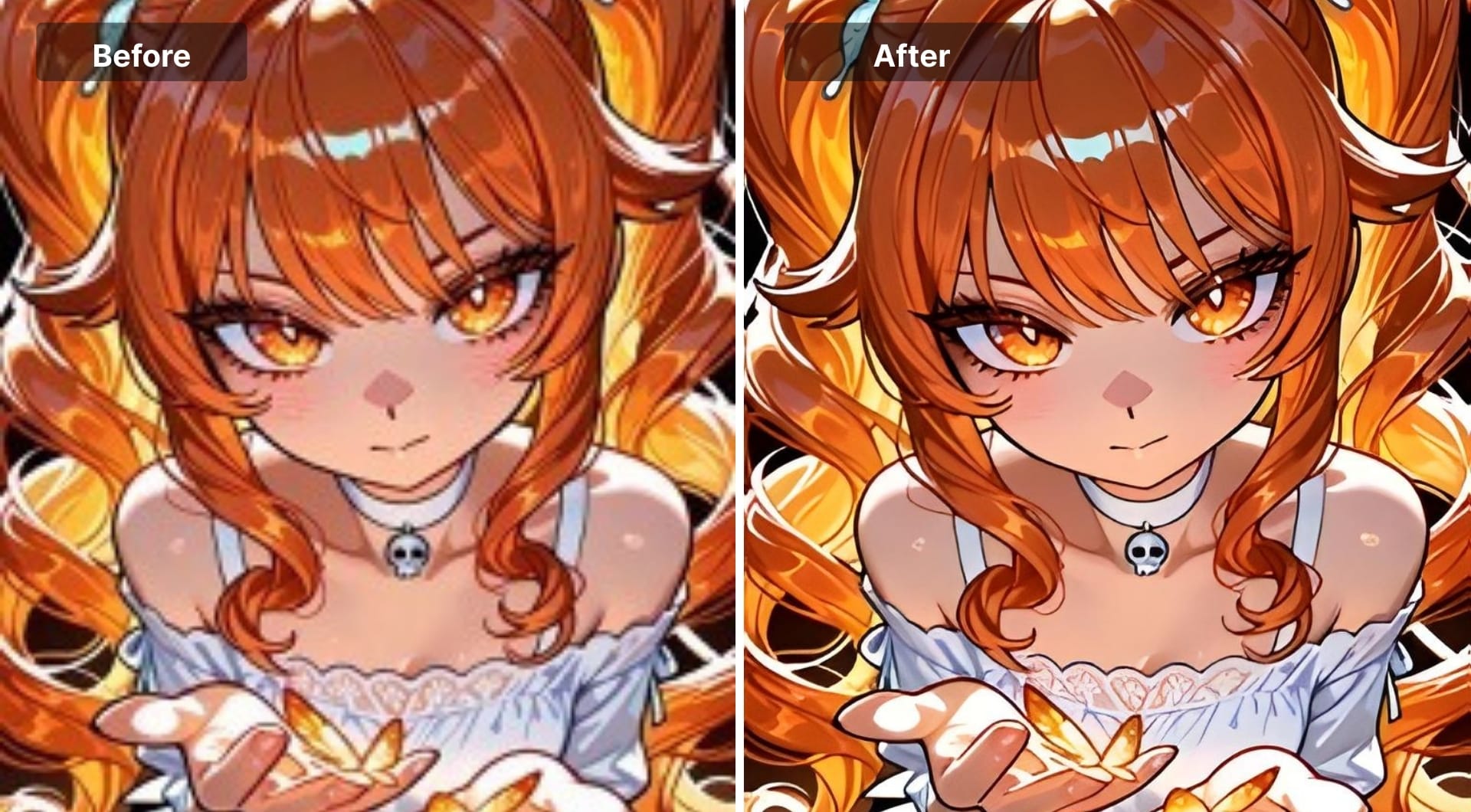
Upscayl is a free and open source cross platform AI image upscaler that runs locally on Windows, macOS, and Linux. It uses Real-ESRGAN and related models under the hood and is popular among privacy minded users and Linux creatives. It’s a free alternative when budget or offline processing is important, especially for non facial content like textures, anime frames, and game screenshots.
Key features
- Real-ESRGAN based models with different variants for general photos, anime, and low res content
- Desktop app with simple drag and drop interface and batch processing
- Completely free and open source, including the backend code and models
- Works offline; nothing is uploaded to the cloud
Best for
- Users who want a free AI image upscaler without watermark
- Privacy sensitive workflows and self hosting fans
- Anime, manga panels, game textures, and general non commercial assets
Pricing
- 100% free
Pros
- Free, open, and local
- Good quality on many images, especially when you choose the right model
- No upload size limits beyond your hardware
Cons
- Faces can look odd compared with specialized portrait tools
- Requires a half decent GPU for fast processing
- Interface and model naming can feel technical to non experts
7. HitPaw FotorPea
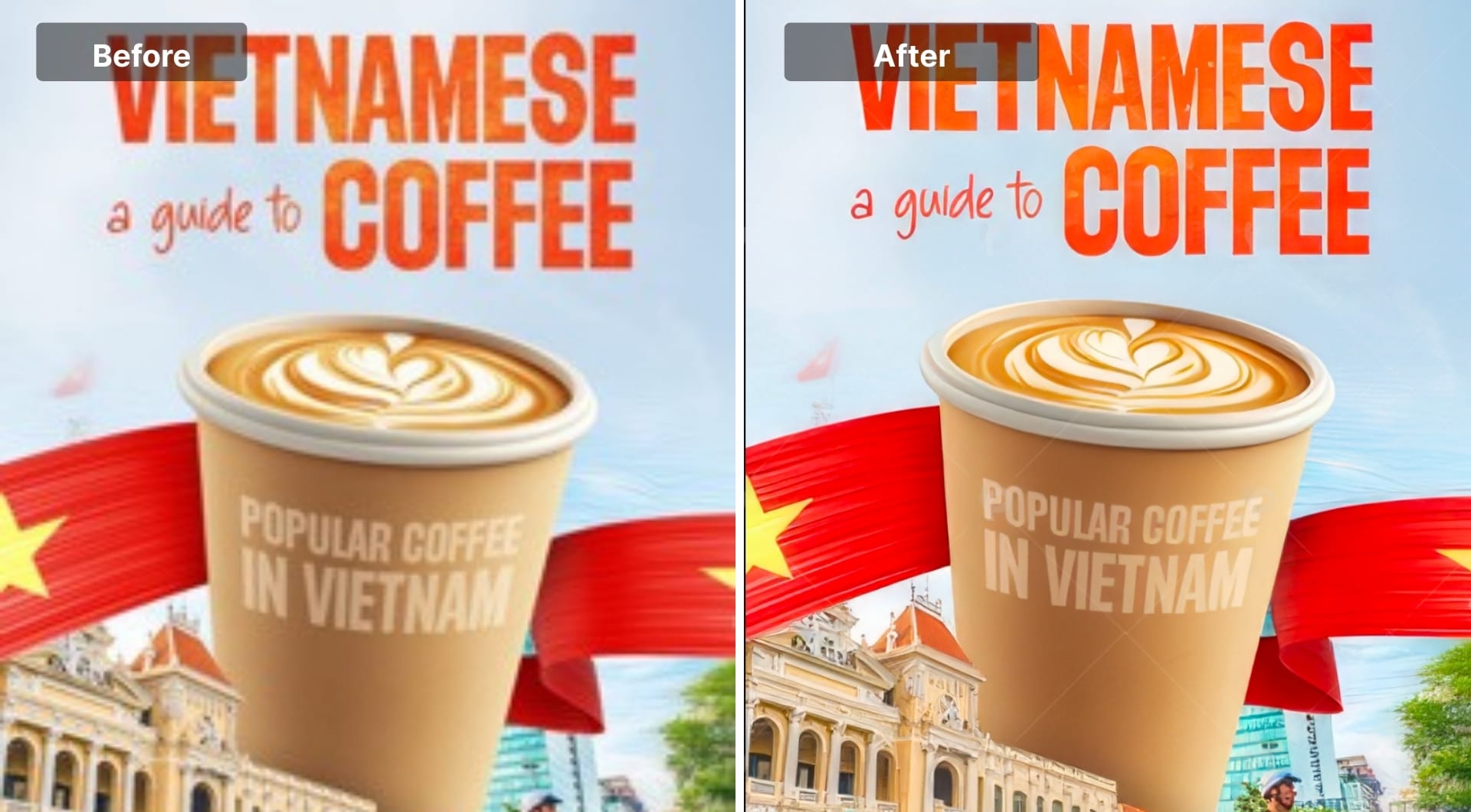
HitPaw FotorPea (formerly HitPaw Photo Enhancer) is a desktop AI photo enhancer focused on pushing resolutions to 4K, 8K, and even 16K. It bundles upscaling, denoising, colorization, and basic editing, and is available for both Windows and macOS with an associated suite of online tools.
Key features
- Upscaling to HD, 2K, 4K, 8K, and potentially beyond for some workflows
- AI colorization and restoration for old or damaged photos
- Bulk enhancement options for larger batches
- Part of a broader HitPaw ecosystem that also covers video and audio enhancement
Best for
- Users who specifically want 4K or 8K image output with minimal configuration
- People restoring old family photos for large prints
- Social and video creators who also use HitPaw video tools
Pricing
- Desktop subscription starting from ~$21.99 / month
- Desktop perpetual license around $129.99
Pros
- Very high resolution options up to 8K and beyond
- Combines restoration, enhancement, and upscaling
- Good fit if you already use HitPaw for other media tasks
Cons
- Interface and documentation are more consumer oriented than professional
- Less community benchmarking compared with Topaz or LetsEnhance
- Subscription details and naming can be confusing due to multiple product lines
- The free version has limitations like watermarked exports
8. Claid.ai
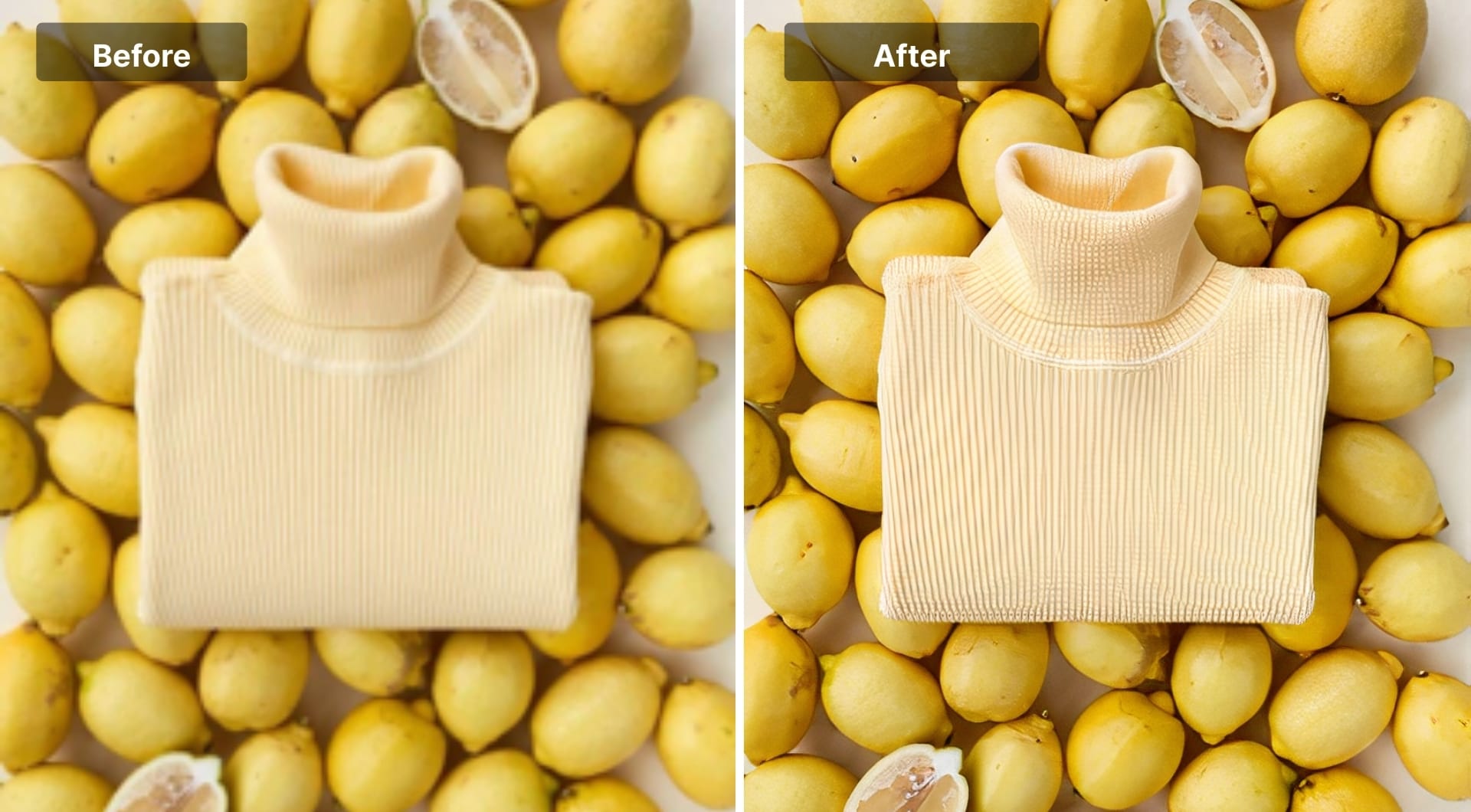
Claid.ai is LetsEnhance's sister platform focused on ecommerce and API based automation. It is an AI product photography suite used to generate, enhance, and edit product images for catalogs, ads, and marketplaces.
Its upscale API is tuned for faces, text, art, and especially product imagery, which makes it a better fit than generic upscalers if you need to process thousands of product photos at scale.
Key features
- Product oriented upscaling and enhancement for ecommerce images, including background cleanup and lighting improvements
- AI photoshoot features to generate lifestyle scenes and on model shots without a physical studio
- API with credit based pricing, including a free trial of about 50 credits to test the service
- Supports very high resolutions, up to hundreds of megapixels per image for upscale operations
Best for
- Ecommerce brands on Shopify, Amazon, Etsy, and marketplaces
- Marketplaces and SaaS products that want to offer built in image enhancement
- Teams that need consistent, automated upscaling for large catalogs
Pricing
- API has a free trial with about 50 credits
- Paid bundles typically start around $59 for 1,000 credits
Pros
- Purpose built for product photos and catalog scale workflows
- Strong API and automation story for developers and marketplaces
- Comes from the same ecosystem as LetsEnhance, which simplifies vendor management
Cons
- Overkill if you just need to upscale a handful of personal photos
- Requires basic integration work to get full value from the api
- Focused on ecommerce, not on general purpose creative upscaling
Buying guide: How to choose an upscaler
Selecting an upscaler comes down to three technical constraints: hardware, fidelity, and output intent.
Cloud vs. Local (GPU VRAM)
Local tools like Topaz or Upscayl rely on your graphics card. If you are using a MacBook Air or a laptop without a dedicated NVIDIA card, local rendering will be excruciatingly slow. Cloud tools like LetsEnhance, offload this to server-side GPUs, meaning you can upscale a 50MP image on a smartphone.
Generative vs. Conservative
This is the most critical distinction.
- Generative (LetsEnhance, Magnific AI): The AI analyzes the image and "imagines" what pixels should be there. It adds skin texture, leaf veins, and fabric weaves. Use this for low-res sources or digital art.
- Conservative (Topaz, Upscayl): These tools use interpolation and edge sharpening. They will not invent detail. If the detail isn't there, the result might look flat, but it will be accurate. Use this for forensics, product photography, or documents.
The DPI math for printing
If your goal is print, ignore the "pixel" count for a moment and look at PPI (Pixels Per Inch). For a high-quality print, you need 300 PPI.
The formula is as follows: desired inches x 300 = target resolution.
For example, if you need to print a 24x36 inch poster, you need 7200 x 10800 pixels. Most free upscalers cap out at 4K (4000px). Ensure your tool supports the output resolution required for your physical medium.
FAQ
What is the best AI image upscaler in 2026?
There is no single winner for every use case.
- Best overall all rounder: LetsEnhance.io Gentle and Ultra modes, thanks to its huge resolution ceiling and specialized models for photos, products, old scans, and AI art.
- Best for photographers and print: Topaz Photo AI and ON1 Resize AI.
- Best for generative AI art: Magnific AI for creative, detail heavy upscaling.
- Best free: Upscayl on desktop and Upscale.media in the browser.
Pick based on subject type, budget, and whether you need fidelity or creative change.
What is the best AI image upscaler for printing large photos?
For large prints, you need a tool that supports high megapixel outputs (100MP+) to maintain 300 DPI. LetsEnhance is currently the leader here, supporting up to 500MP, which allows for billboard-sized prints without pixelation.
Is there a free AI image upscaler without watermark?
Upscayl is the best free, open-source option that does not watermark images. However, it requires a capable computer to run locally. Most cloud-based free tools impose watermarks or strict size limits.
Which AI upscaler is best for AI art (Midjourney/Stable Diffusion)?
Generative upscalers are best for AI art because they add texture to the often smooth/plastic look of raw generations. LetsEnhance’s Digital Art mode and Magnific AI are the top choices for enhancing Midjourney outputs.
Does upscaling improve text in images?
It depends on the model. Standard upscalers often distort text. Tools like LetsEnhance and Claid have specific text-preservation networks (Text Improvement) designed to keep logos and fonts crisp.
Can AI upscalers fix badly compressed or tiny logos?
AI can clean edges, reduce JPEG blocking, and make logos more legible. Tools like LetsEnhance, Upscayl, and Upscale.media can help with that. But if the original is extremely small or has lost crucial information, you may still need to recreate the logo as vector graphics in tools like Illustrator.
What is the best AI upscaler for eCommerce product photos?
For eCommerce, accuracy is more important than creative detail. Claid.ai is the best specific tool for this, as it offers bulk processing and fidelity preservation to ensure product colors and logos remain true to reality.
